How to backup all Outlook emails in a POP account by copying the .pst file
TL;DR
For a POP account or local archive, back up the .pst file. Close Outlook and copy the file to an external drive or USB stick.
Go to File > Account Settings > Account Settings > Data Files, select the file and click Open File Location. Close Outlook before copying. While Outlook runs, it locks the file, so the copy may fail or be broken.
50 GB
is how large a PST file can grow, according to IONOS. A file that size takes a long time to copy and slows Outlook.Source
Check the drive format. Many USB sticks ship as FAT32, which rejects single files over 4 GB; format the stick as exFAT or NTFS for a large PST.
Copy the file, leaving the working file where Outlook expects it.
Date the copy, for example outlook-2026-10.pst, to avoid overwriting an older backup.
Skip CSV in the wizard. Regain Software's guide to saving Outlook emails says CSV keeps only text and simplified links; the rest of the data is lost.
Cloud-based backup for the PST copy:
A POP account keeps its mail in the .pst on your PC, so the dated copy may be the only backup you have. For a cloud-based backup, upload that copy to cloud storage by hand once it is on the external drive. Keep the working .pst out of your OneDrive folder, since OneDrive blocks automatic syncing of .pst files, as the export section above notes. The drive copy stays the first backup, the cloud upload the second.
Why can't I export emails from Outlook, or why are some missing?
TL;DR
Empty or partial exports usually happen because Outlook exports only downloaded mail. An AnandTech forum reply says Outlook "only writes what's already cached". Set the download range to All, wait for sync to finish and export again.
A reply in a thread on copying Outlook mail to an external drive confirms that export copies your files and leaves the originals in place. Microsoft's export page gives the Cached Exchange Mode default as 12 months. A ten-year mailbox can therefore export as one year; the AnandTech thread's author got only empty folders.
Check AutoArchive. Older items may be in a separate archive file outside the mailbox you exported.
Check hidden folders and view filters. A filtered view can make full backup folders look empty.
If the export remains incomplete, use the desktop program to read the mailbox from the server.
How to recover Outlook emails from a PST backup
TL;DR
Check the file before relying on it: File > Open & Export > Open Outlook Data File opens a separate folder list. To restore, run the Import/Export wizard and choose Import from another program or file.
A quick check takes two minutes. Expand a few folders in the PST and compare counts with the live mailbox. Open one old message with an attachment. If these checks pass, the backup is usable. You can also open a PST file without Outlook.
To restore in classic Outlook, select the wizard's import option, then Outlook Data File (.pst). Choose your file and a duplicate option. Use the same procedure after a reinstall or a wiped profile. After importing a PST from an IMAP account, folders can look empty. Microsoft's article on missing messages after a PST import says the messages are hidden from view. Switch to View > Change View > IMAP Messages.
Moving to a new computer:
For Outlook.com and Microsoft 365, sign in on the new PC to sync your mail from the server. A user on Microsoft's answers forum asked about this before replacing Microsoft 365 with Office 2021. You rarely need the PST, but keep one during the move in case a folder fails to sync. For POP, copy the PST to the new PC and import it or open it as a data file.
How to save Outlook emails when leaving a job
TL;DR
Check your company's email policy and ask IT. Your employer owns the work Microsoft 365 mailbox and can block PST export or require admin approval before a program can read mail.
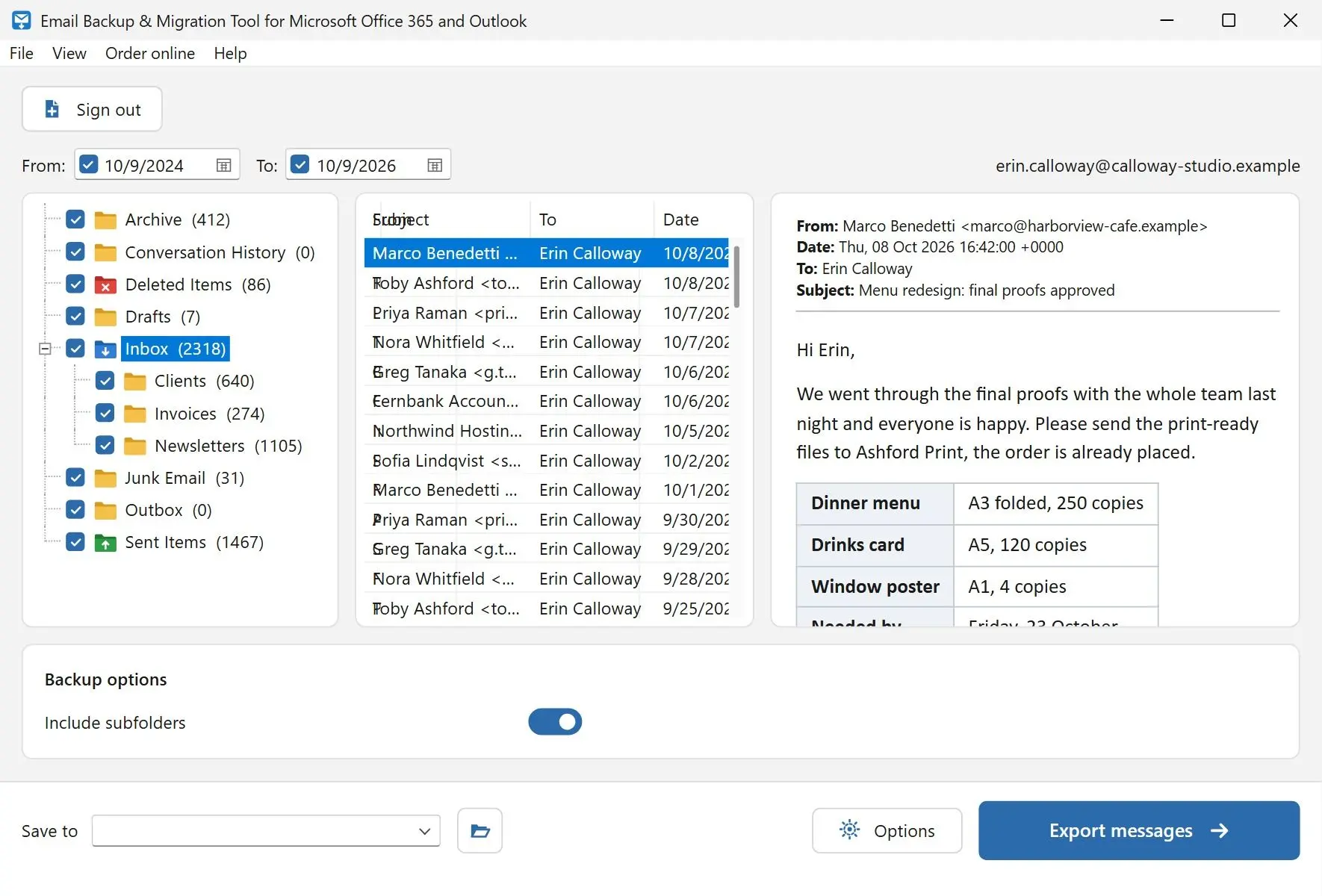
With IT's agreement, export from classic Outlook and select only the folders you may take. Our program can also sign in to work Microsoft 365 accounts where the organization allows it. An admin may need to approve it first; we have not tested it on a corporate tenant.
Keep only personal threads and the paperwork HR asked you to retain. Leave client data and shared mailboxes behind, even if the program can reach them.
Export before your last day. Once the account is switched off, you cannot export its mailbox. Open the finished PST and check a few folders while you still have access.
Can you backup Outlook emails with an automated schedule?
TL;DR
Outlook alone cannot automate backups. Microsoft's export page says there is "no automated way to periodically backup everything". AutoArchive moves old items into an archive file instead of copying them.
AutoArchive's separate .pst lives on one PC. If that PC dies, you lose the archive, and those messages are already gone from the server.
Set a monthly calendar reminder to export and date the filename. Our program has no scheduler either. Repeat backups take the same few clicks; use the date filter to save only last month's mail. For IMAP mailboxes outside Microsoft, our IMAP backup program fetches only new messages on repeat runs.
Email Backup & Migration Tool for Microsoft Office 365 and Outlook
Back up Outlook emails in classic Outlook, new Outlook or Outlook.com: export a full PST, fix missing mail, copy it to USB and restore it later.
Download All mail in classic Outlook, select the account at the top of the export list and tick Include subfolders. Without classic Outlook, use the desktop program for Outlook.com or Microsoft 365.
 Email Backup & Migration Tool for Microsoft Office 365 and Outlook