Quick answer:

  1. 1️⃣ Windows only, pay once: SayOnce dictates into any app on a one-time license.
  2. 2️⃣ Lower price of the two: Superwhisper, $84.99 a year or $249.99 once, against $432 for three years of Wispr Flow.
  3. 3️⃣ Mac plus a Windows PC: Superwhisper, one license covers both.
  4. 4️⃣ Team dictating on phones and laptops: Wispr Flow, $12 per user a month billed yearly.
SayOnce - Voice Dictation Software Screenshot.
️ Eugene - CEO at SoftOrbits, Candidate of Technical Sciences, has more than 16 years of expertise in software development, photo and multimedia applications, enhancing and transforming digital images and videos.
📅 Last updated on:  2026-11-17

Older reviews still get Superwhisper's Windows availability wrong. Both Superwhisper and Wispr Flow now run on Windows.
Disclosure: SoftOrbits makes SayOnce. We used the same criteria for all three programs. Facts about Superwhisper and Wispr come from their pages, docs and user reports.

What you will learn
Apply in 10 min Saves 2 hBeginner

Is there a Windows dictation app you pay for once?

TL;DR

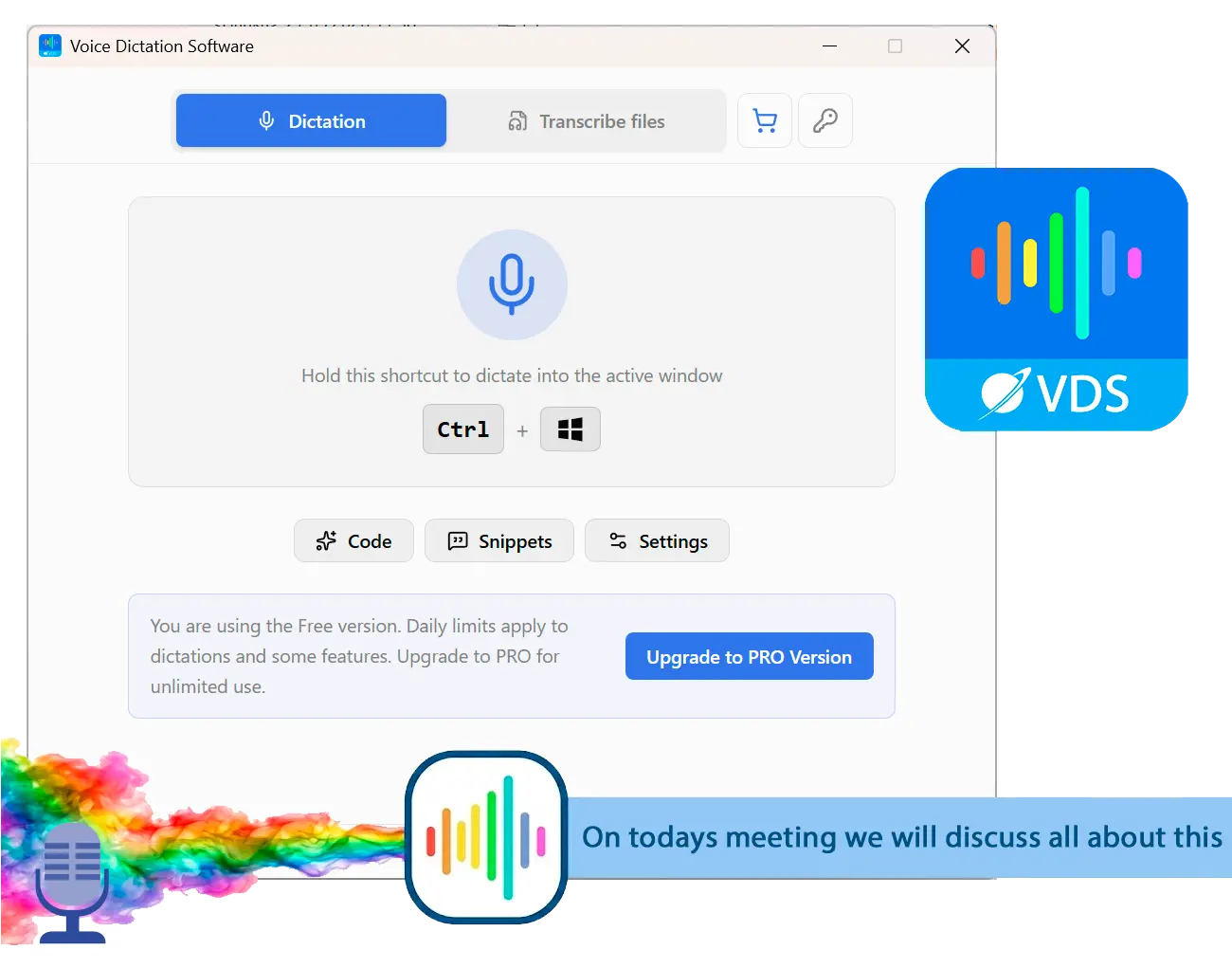
SayOnce runs on Windows 10 and 11 and has a one-time license. Press Ctrl+Win and talk to put words in the window where you were typing. The free plan allows 21 dictations a day with no end date.

We built SayOnce: Voice Dictation Software for people who write on one Windows machine all day and want to pay once. NVIDIA's Parakeet TDT 0.6B V3 speech model downloads on first launch. You can download a Whisper model to compare the two.

The Prose preset for documents, Code preset and Email preset apply fixed punctuation and casing rules. No AI model rewrites your sentences. Snippets insert phrases you set up, and a personal dictionary keeps names and jargon spelled your way.
In the Files tab, drop in audio files such as MP3 and WAV or video files such as MP4 and MKV. SayOnce saves a .txt transcript for each file in a batch. The free plan covers 3 files a day.
SayOnce runs on Windows only, with no Mac or phone app. You get no voice commands or AI modes for turning a rambling paragraph into bullet points. Recognition covers 25 languages, mostly European plus Russian and Ukrainian. Check yours on the product page before buying.

Dictation on a subscription
  • Wispr Flow Pro bills $12 to $15 per user every month
  • Superwhisper Pro bills $8.49 a month or $84.99 a year
VS
SayOnce on a one-time license
  • One license key lifts the daily dictation cap
  • The free plan keeps 21 dictations a day with no end date

 SayOnce overlay on Windows after Ctrl+Win, with dictated text placed into an open document..

SayOnce - Voice Dictation Software
SayOnce - Voice Dictation SoftwareDictate into any Windows app with Ctrl+Win and pay for the license once.

Superwhisper vs Wispr Flow vs SayOnce: the three dictation apps side by side

Prices come from each vendor's page, checked on November 17, 2026. Confirm them before buying.
AppBest forWhere audio is processedPrice (Nov 17, 2026)Free planPlatformsWhat it lacks
SayOnceWindows users who want to pay onceOn your PC (Parakeet V3 model)One-time license, price on the product page21 dictations and 3 files a day, no end dateWindows 10/11Mac and mobile apps, AI rewrite modes, voice commands
SuperwhisperMac and Windows users who want one license for bothDownloaded or cloud models$8.49/mo, $84.99/yr or $249.99 onceYesmacOS, Windows 10/11 (x64, ARM64), iOS, AndroidSeveral Mac features on Windows, such as Filesync and the CLI
Wispr FlowTeams that dictate on phones and desktopsCloud only$15/user/mo, or $12/user/mo billed yearlyYes, reviews report a 2,000-word weekly capMac, Windows, iOS, AndroidDictation without internet; file transcription (per Superwhisper)

How we compared the three dictation apps

TL;DR

Three-year cost and free plans carried the most weight because they differ most. We also considered the Windows build, where audio is processed and user reports on accuracy.

We judged each app on five points, in this order:

  • Cost over three years at the same billing period
  • Free-plan allowances and expiry
  • Mac features missing from Windows
  • Cloud processing or downloaded models
  • User reports on accuracy, speed and stability
We know SayOnce from its code, including its exact free limits. We did not pay for Superwhisper Pro or Wispr's Pro plan. Our assessments of those two use pricing pages, documentation, vendor comparisons, user reviews and developer forums. We left out other reviews' speed and accuracy scores because we could not check their methods.

Superwhisper, Wispr Flow and SayOnce reviewed

1. SayOnce: best for Windows users who want to pay once

SayOnce is the newest and narrowest of the three. It suits you if you draft emails and reports on a Windows desktop and use dictation to type faster.

Pros:

One-time license

Free plan with 21 dictations a day and no expiry

Batch audio and video transcription to .txt

Snippets and a personal dictionary

Cons:

Windows 10 and 11 only, with no Mac or mobile app

Rule-based presets, with no AI rewriting or voice commands

25 languages; check yours before buying

Few independent reviews so far

We would pick SayOnce for writing emails all day on Windows without monthly payments. If you also need dictation on a Mac or phone, choose another program.

2. Superwhisper: best for Mac and Windows users who want one license

 Illustration: Superwhisper on Windows with its mode list and a downloaded voice model selected..

Superwhisper built its name on the Mac. The Superwhisper for Windows docs confirm a native build for Windows 10 and 11.
Custom modes apply AI post-processing, such as fixing grammar or turning a ramble into a list. One Mac forum user, a few months in, described Superwhisper as part of their daily workflow and mentioned the one-time purchase option. Our Superwhisper review covers setup and modes.

Pros:

One-time, monthly and yearly licenses

One purchase covers macOS and Windows

Downloaded or cloud voice models

Recorded-file transcription and live dictation

Cons:

Windows lacks Mac features including Filesync and the CLI

AI modes add delay, according to some users

Lifetime license costs $249.99 up front

From its docs, Superwhisper has the most flexible billing of the three. Without a Pro license, we cannot judge a month of daily Windows use.
Choose it if you switch between a Mac and Windows PC and want one license for both.

3. Wispr Flow: best for teams that dictate on phones and desktops

 Illustration: Wispr Flow dictation bar at the bottom of a Windows screen while text appears in a chat app..

Wispr's free plan works across its four platforms, two desktop and two mobile. Your audio goes to Wispr's cloud servers for AI cleanup before the text appears. On its Superwhisper comparison page, Wispr lists SOC 2 Type II compliance, shared dictionaries and IDE extensions for developers. That table still calls Superwhisper a Mac and iOS app, contradicting its Windows docs.

Pros:

One account for desktops and phones

Automatic filler-word removal and punctuation

Team management and admin controls on paid plans

Claimed SOC 2 compliance for business buyers

Cons:

Every dictation needs internet

Pro requires a per-seat subscription

AI processing sometimes changes words, per user reports

Windows users report reinstalls and crashes

Its docs and pricing make it our pick for teams using phones and laptops, if monthly per-seat billing suits them. For one person on Windows, that subscription and constant cloud dependency are a lot to accept.

Wispr Flow price vs Superwhisper: which costs less over three years?

TL;DR

Superwhisper costs less at every billing period. Over three years, Wispr's Pro plan at the yearly rate totals $432. Superwhisper costs $254.97 on yearly plans or $249.99 once.

Wispr Flow costs $15 per user a month, or $12 a month billed yearly. Superwhisper pricing, per its comparison page, is $8.49 a month, $84.99 a year or $249.99 for a lifetime license. Over 36 months of monthly billing, you pay $540 for Wispr or $305.64 for Superwhisper.

$432
Wispr Flow Pro for one user over three years at $12 a month billed yearly
Source

$249.99
Superwhisper's one-time license price, listed on November 17, 2026
Source

Superwhisper's lifetime license pays for itself against Wispr's yearly plan after about 21 months. Against its own yearly plan, it takes close to three years: $249.99 is almost three payments of $84.99. You need to keep dictating into year three for that saving.

21 months
until a one-time Superwhisper license costs less than Wispr Flow's yearly plan
Source

Developer forums repeatedly question annual dictation fees when open speech models run well on ordinary hardware. SayOnce's one-time license addresses that complaint. Its price varies by region and appears on the product page.

Compare costs per seat over 36 months. Wispr charges per user, so a team of five needs five subscriptions.

Is Wispr Flow free, and what does each free plan include?

TL;DR

Yes, Wispr Flow has a free plan, though its pricing page omits the word limit reviewers report. Superwhisper and SayOnce also have free plans; SayOnce counts daily dictations.

Wispr's pricing page lists Free at $0 on every supported platform without a cap. Reviews and Superwhisper's comparison page describe a 2,000-word limit; reviews specify 2,000 words a week on desktop. Check the limit shown after you sign in.

You can test Superwhisper's free tier on your work before choosing monthly, yearly or lifetime billing.
SayOnce's 21 dictations and 3 file transcriptions reset at midnight UTC. The free plan has no end date. A one-time license removes both caps.
Neither Superwhisper nor Wispr publishes comparable accuracy figures. Read the same email draft into all three free plans and compare the results.

Where does each app process your voice?

TL;DR

Wispr Flow sends every recording to cloud servers. Superwhisper offers local and cloud voice models. SayOnce uses its downloaded Parakeet model.

Superwhisper's comparison leads with this processing difference. A weak connection affects Wispr dictation. Its help article on slow transcription warns that a stalled connection can end a dictation and directs you to History to recover the saved entry.

With Superwhisper, download a voice model to dictate offline or switch to a cloud model. That choice comes up in threads about Wispr Flow alternatives.

Is Wispr Flow safe to use for work?

For most office text, yes, after checking two settings. An independent Wispr Flow review says all voice processing uses third-party cloud servers and its early voice-data policy was vague. Wispr has since made model training opt-in and added a mode that disables data retention. It also cites its SOC 2 audit. Before dictating patient records or client contracts, ask IT to confirm both settings.

Does Superwhisper work on Windows, and how stable is Wispr Flow there?

TL;DR

Superwhisper runs natively on Windows 10 and 11 with the Mac license, though some features are missing. Wispr also runs on Windows; some users report reinstalls and crashes.

Many comparisons still describe Superwhisper as Mac-only, and Wispr's table lists Mac and iOS. Superwhisper's Windows docs confirm installation on x64 and ARM64 machines, with one purchase covering both systems.
Those docs list Filesync, Simulate Keypresses, coding-agent integrations and the command-line tool as not yet available on Windows. You will barely notice their absence when dictating email or documents. If you want to control a coding agent by voice on Windows, wait for those integrations.

Wispr's Windows reviews report repeated reinstalls and crashes in the Microsoft Store version. Review roundups also describe heavy memory use at idle and freezes in VS Code. We have not measured these problems, but the repeated reports warrant an afternoon testing the free plan on your own machine.

Check Superwhisper's missing Windows features before paying for a year. Coding-agent integrations are unavailable on Windows today.

Which one is more accurate, and does Wispr Flow change your words?

TL;DR

Neither vendor publishes comparable accuracy figures, and user reports disagree. Wispr Flow's AI cleanup sometimes swaps words; a custom dictionary reduces this.

One developer who tried four dictation apps ranked Wispr Flow least accurate. Another returned to Superwhisper because Wispr's fast transcripts were too rough. Others prefer Wispr's cleanup and use it daily.

In a Mac forum thread, a user set out to compare both Pro plans for three months. They praised Wispr's formatting but reported AI processing sometimes replacing a spoken word with one it expected. The usual advice is to add the affected word to Wispr's dictionary. You can also say "quote" and "unquote" around a phrase to insert the marks.
Brackets and capitalized product names often come out wrong in dictation, costing time in corrections. SayOnce's punctuation and casing rules leave messy sentences messy.

Does AI cleanup slow dictation down?

Superwhisper's AI post-processing for bullets and grammar adds a step. One user found it unnecessary because dictations took longer; another called Superwhisper slow beside a rival app. Some users describe Wispr as fast, though one linked that speed to rough transcripts. Turn off AI modes you do not need and time your own sentences in each program.

Is Wispr Flow good, according to the people who use it?

TL;DR

Many reviews praise how quickly clean text appears. Complaints focus on the constant cloud connection, AI word swaps and Windows stability.

Fans praise its speed and cleanup. Product Hunt reviewers ask for offline use and lower resource use. Summaries of Trustpilot comments describe reliable trials followed by less consistent performance after payment. Those summaries come from competitors, so use them as a reason to test before paying.

One comparison blog calls these the most-discussed Mac voice typing tools on Reddit. Windows discussion is thinner; give the Windows build its own test week.

Wispr Flow vs Superwhisper vs SayOnce: which should you pick?

TL;DR

Choose by platform and payment preference. For a Mac and Windows PC, pick Superwhisper. For a team using phones, consider Wispr Flow. For Windows alone with a one-time payment, choose SayOnce.

You work on a Mac and a Windows PC. Choose Superwhisper's shared license. Check the Windows gaps first if you rely on Filesync.Your team dictates on phones and laptops. Wispr's paid team management and SOC 2 claim suit procurement needs. Budget per seat and check everyone's connection.You only use Windows and want to pay once. Try SayOnce free and buy when you reach the daily cap. The voice dictation software for Windows page lists your region's price.You write code. Wispr advertises IDE extensions. Superwhisper's coding-agent integrations remain Mac-only; SayOnce has a Code preset. Many developers dictate comments, commit messages and chat replies while typing the code.You have recordings to transcribe. Choose SayOnce for batch audio and video transcripts or Superwhisper for file transcription. Superwhisper's comparison says Wispr lacks file transcription, so you would need another program for meeting recordings.

Superwhisper alternatives we also considered

  • Willow Voice requires a subscription. See our Willow Voice review.
  • Our Aqua Voice review covers Aqua Voice and a Windows alternative.
  • Talon Voice focuses on hands-free computer control and coding commands.
  • MacWhisper runs only on Mac.
  • Windows Voice Typing is free and built into Windows. Press Win+H to try it for short notes before buying a program.

Sources

SayOnce - Voice Dictation Software SayOnce - Voice Dictation Software
Superwhisper vs Wispr Flow compared for 2026: dated prices, 3-year cost, free plans, Windows support and accuracy reports, plus a one-time Windows option.
SayOnce - Voice Dictation Software Screenshot.


🙋Frequently Asked Questions

Yes, on desktop and mobile. Its pricing page omits a cap; reviews report about 2,000 words a week before you need Pro.

Superwhisper costs less at every billing period. Its $249.99 lifetime license beats Wispr's yearly plan after about 21 months. SayOnce also offers a one-time Windows license. See more Wispr Flow alternatives.

Recognition and AI cleanup run on its cloud servers; you cannot download a model. Superwhisper lets you choose models, and SayOnce: Voice Dictation Software includes NVIDIA's Parakeet.

One account works across desktop and mobile apps, with pricing per user. Check the account page for device limits before a team rollout.

Yes, on Mac and Windows. A flaky connection can interrupt a dictation.

We found no independent measurement of decline. Some reviews describe reliable trials and patchier performance after payment; Windows users report crashes. Test it on your work for a week.

AI cleanup removes filler words, fixes punctuation and formats text before insertion. You also get four-platform support and team features.

No. Its help center warns that a stalled connection can end dictation. Superwhisper with a downloaded model and SayOnce work offline.