Quick answer:

  1. 1️⃣ Words on screen without PC control, on Windows: SayOnce types what you say into any app, with no voice commands.
  2. 2️⃣ Hands-free control or coding by voice: Talon is free, but you script the commands and learning takes weeks.
  3. 3️⃣ A built-in option on Windows 11: Voice Access controls the PC and types text without an internet connection.
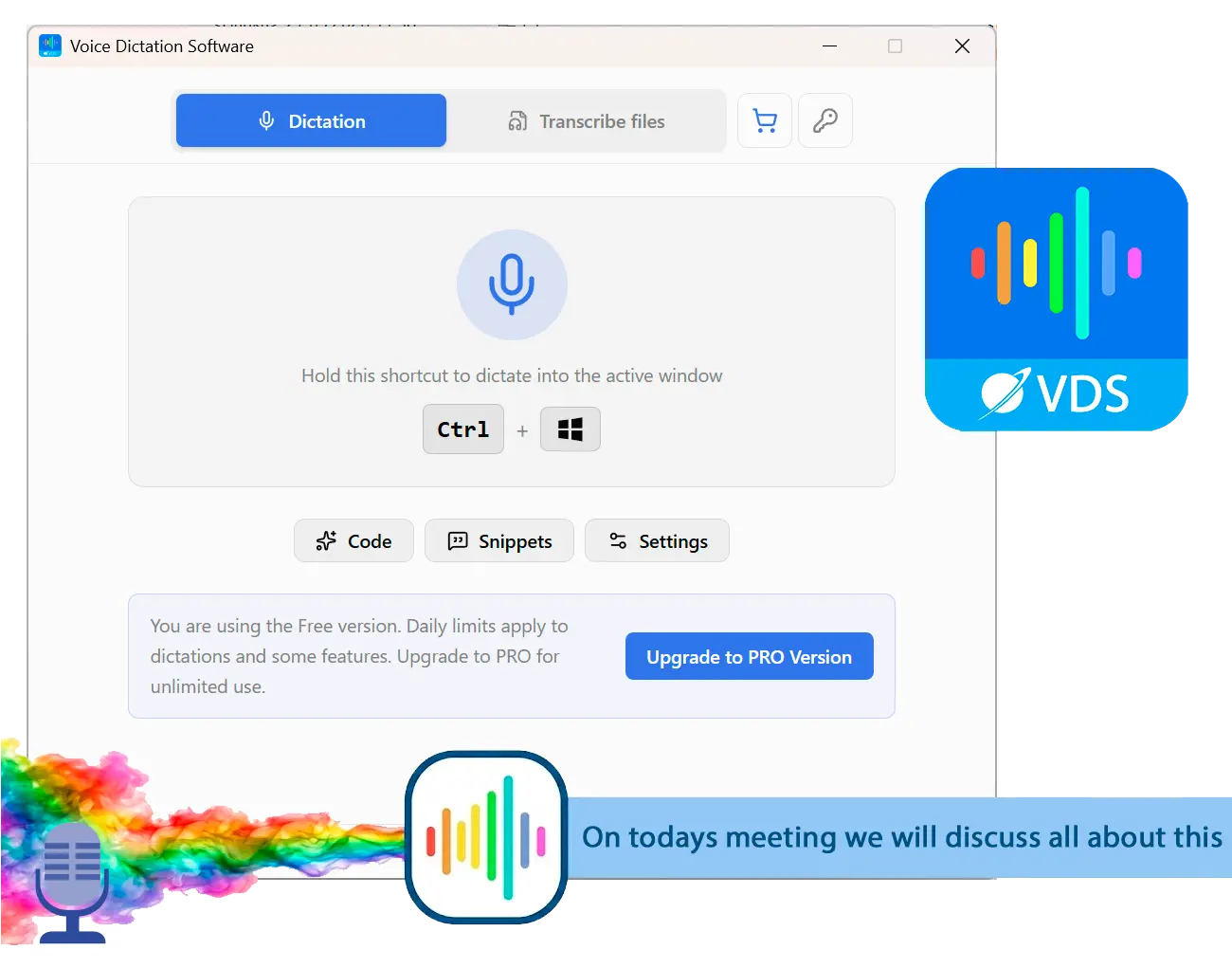
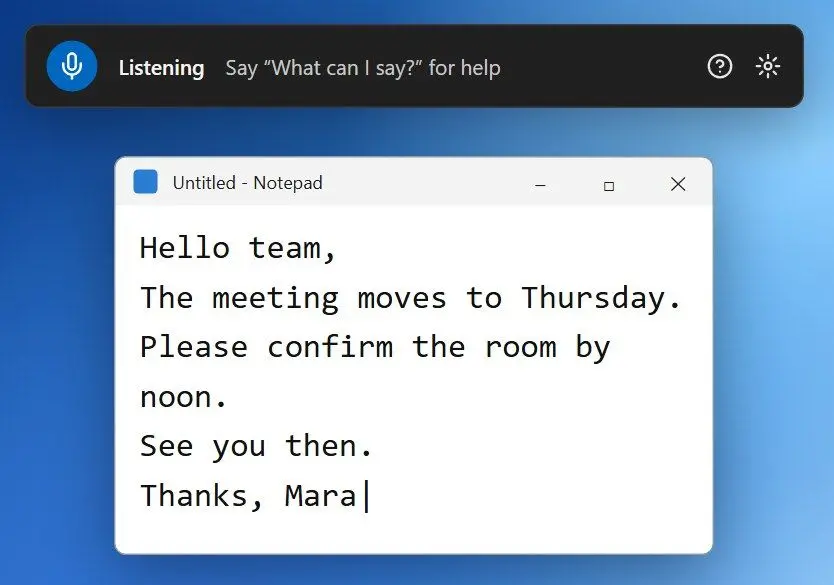
SayOnce - Voice Dictation Software Screenshot.
️ Eugene - CEO at SoftOrbits, Candidate of Technical Sciences, has more than 16 years of expertise in software development, photo and multimedia applications, enhancing and transforming digital images and videos.
📅 Last updated on:  2026-11-11

As this Talon Voice review shows, Talon's fans are mostly programmers and people with RSI who spend weeks learning its spoken commands. If you only want words in a document, you can start with a dictation app on day one. The information here is current as of November 2026.

What you will learn
Apply in 15 min Saves 2 hBeginner

What you'll need
  • A Windows 10 or 11 PC and a headset microphone
  • SayOnce if dictation is all you need
  • For Talon: git, a terminal and comfort with editing text files
  • For Talon: a few weeks of daily practice

Only need to type by voice? Start with SayOnce

TL;DR

For emails and documents on Windows, a dictation app needs far less setup than Talon. SayOnce types into the active window while you hold Ctrl+Win. After a one-time model download, speech recognition runs on your PC.

We build SayOnce: Voice Dictation Software, so weigh this section with that in mind. Put the cursor in an Outlook draft or a browser field, hold the hotkey and speak. Release it to insert the text. You get 25 languages and a personal dictionary for names and jargon. Snippets expand short spoken phrases into stored text blocks. Presets apply fixed formatting rules without AI rewriting. In the Files tab, you can batch-transcribe audio and video recordings into .txt files.
SayOnce: Voice Dictation Software cannot click, switch windows or write code by voice. If you cannot touch the keyboard, choose Talon or Windows Voice Access.

The free version has no time limit. You get 21 dictations a day and 3 files a day in the Files tab. A lifetime license removes both caps.

Dictating an email in Talon
  • Say a command to leave command mode first
  • A short pause can hand your next words to the command parser
  • A misheard phrase may run the nearest command
VS
Dictating an email in SayOnce
  • Hold Ctrl+Win and speak
  • Release, and the text lands at the cursor
  • There is no command mode to leave

 SayOnce dictation bar in a Windows text editor after a spoken status update was typed into the document..

SayOnce - Voice Dictation Software
SayOnce - Voice Dictation SoftwareHold one hotkey and type by voice in any Windows app, with speech recognized on your own PC.

What is Talon Voice and what does it actually do?

TL;DR

Talon software is a free program for hands-free computer control on Windows, macOS and Linux. You speak short commands to click, switch windows and edit code. Ryan Hileman created it; early betas date from 2017, and version 1.0 shipped on 20 September 2026.

Talon's commands live in .talon files and Python scripts. A fresh install does little until you add a community command set. The set once known as knausj, now maintained as talonhub community, supplies a spelling alphabet, text editing commands and shortcuts for common apps. Most users extend it with their own scripts.

You can use an eye tracker to control the pointer and mouth noises, such as a pop, to click. Programmers often pair Talon with Cursorless, a VS Code extension for editing code structure by voice.
The Talon changelog says 1.0 added three new speech models, a mixed mode for dictation and commands, a new interface and a tutorial system. As of November 2026, we found no independent Talon Voice review of 1.0. Most user reports here describe earlier versions.
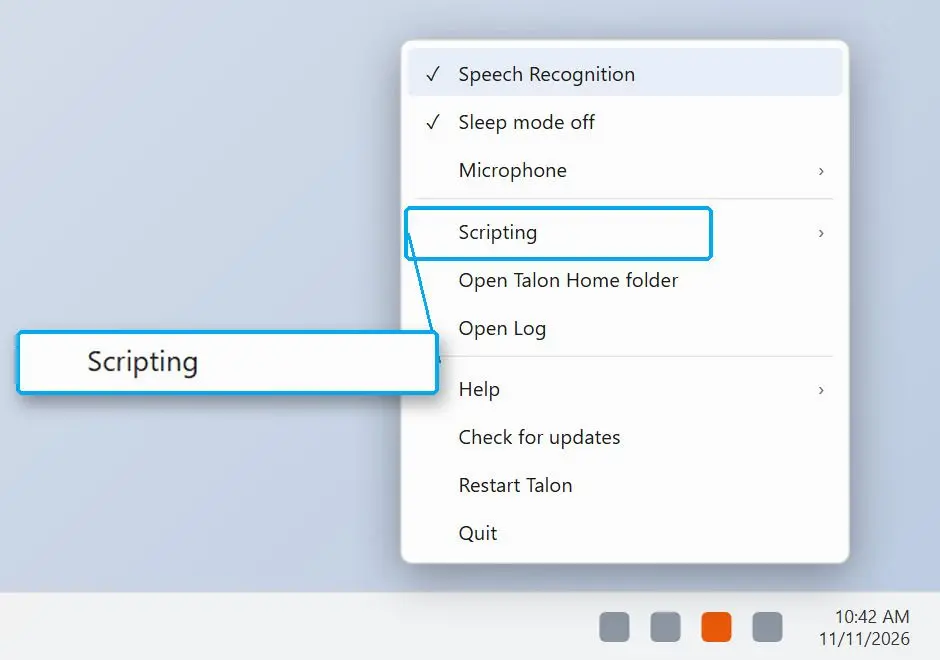
 Illustration: Talon menu in the Windows system tray with speech recognition and scripting options..

Is Talon Voice free, or do you have to pay?

TL;DR

Talon Voice is free in its public release. The Talon community wiki says Patreon donations fund development. Paid tiers give you early builds and support; the basic program stays free.

A catalog listing checked on 10 November 2026 shows three Patreon tiers. VIP Slack costs $5 a month. Talon+ (the early-access beta channel) is $25 a month, and Professional is $100 a month. Check the Patreon page before subscribing, since tiers and prices change.

Some vendor comparison pages still call Talon a free public beta. The public channel reached 1.0 in September 2026; early access now belongs to the paid Talon+ tier.
The same catalog summarises the EULA as covering a human person rather than a company. It tells organisations to contact Talon support about terms.

How hard is Talon to set up and learn?

TL;DR

Expect a learning curve of several weeks of practice. Users describe the first two weeks as hard. You need git, a terminal and script files before voice control becomes useful, which is why most Talon users write code for a living.

One developer who learned to code by voice called setup a heavy lift and found the program geared toward software engineers. A front-end developer who switched to hands-free coding wrote that the first few weeks were rough before his workflow settled.
Help on the official site is thin. Most answers come from Talon Slack, the community wiki and unofficial scripting docs. One four-week diary's author compared maintaining a Talon setup to looking after a Linux machine.

What you have to learn first:

✔️ The spelling alphabet.

One-syllable words stand for letters so you can spell names and variable names.

✔️ Dictation mode vs command mode.

Command mode runs actions; dictation mode types prose. Mixing them up causes stray text or odd actions in the first days.

✔️ The community command set.

Each ready-made command has a fixed phrase to remember.

✔️ Your own .talon files.

You will need commands for your apps, with Python for complex ones.
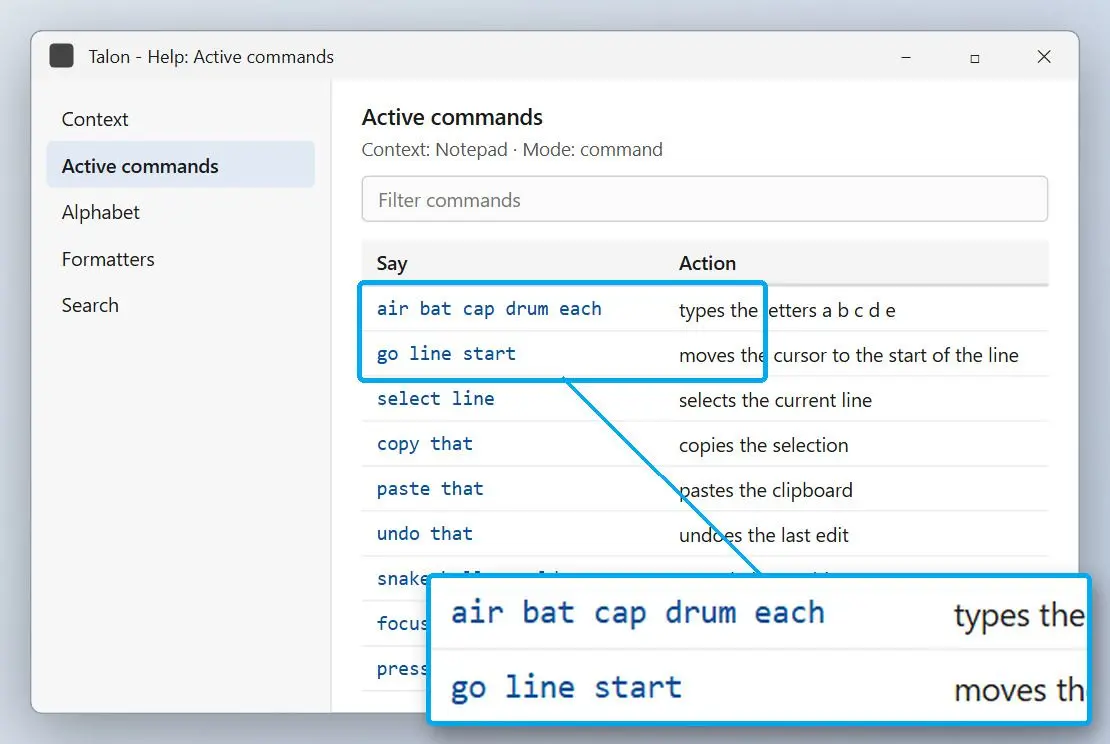
 Illustration: Talon help window listing active voice commands..

The 1.0 release notes promise a tutorial and better defaults. Reports from 2021 to 2025 describe little working out of the box: you learn the alphabet and scripts first. Until 1.0 users publish their accounts, budget time for that harder path.

Can Talon do plain dictation, or only voice commands?

TL;DR

Talon can dictate, but starts in command mode, matching each phrase to the nearest known command. Switch to dictation mode for prose. Version 1.0 adds a mixed mode that accepts both.

0.3 s
default speech timeout in Talon's command mode: after that much silence it acts on what it heard, as described in a four-week voice computing diary

If you pause mid-sentence, Talon can parse the rest as commands. A phrase close to a command may run the nearest match or produce text that looks like gibberish.
In a long discussion about voice control of a PC, one programmer explained why Talon's vocabulary is so terse: long natural phrases slow every action. He compared learning its short words to learning a new keyboard layout.

While Talon is awake, nearby conversation or video can trigger commands. Before calls and meetings, say the sleep command ("talon sleep" in the community set).

Does Talon Voice work on Windows?

TL;DR

Yes. Talon Voice runs on Windows 8 and later, macOS and Linux with X11. You get the same core program on Windows, though some community commands, including the window switcher, work less well there.

A community guide admits that window switching commands are weak on Windows. It suggests binding built-in Windows keyboard shortcuts to spoken commands. Expect to do some tuning yourself.

The changelog marks 1.0 as the planned last public release for Linux on X11. Wayland is unsupported. OSNews reported that this leaves Linux users caught in the middle.

How accurate is Talon, and does your accent matter?

TL;DR

Talon's developer reports steady gains, announcing the Conformer D model in version 0.4.0 as about 20% more accurate than its predecessor. There is no published independent accuracy test of Talon 1.0 yet. Accents remain a recurring complaint.

20%
accuracy gain claimed by the developer for the Conformer D speech model, release 0.4.0 of 24 July 2023
Source

In a public thread on voice control tools, one user said the engine missed many words until he trained himself to use American pronunciation. A speaker with a British-leaning accent reported similar trouble in a four-week Talon diary.
Talon 1.0's three new speech models run on a graphics card. It also includes an updated Conformer D2 model from May 2026. Try the free version with your voice and microphone for a week before committing.

Talon Voice review: who is it for, and who should skip it?

TL;DR

Talon fits people who need full computer control by voice and can spend weeks learning it, mainly programmers with RSI and people who cannot use a keyboard or mouse. For typing alone, you can get started sooner with a dictation app.

✔️ Programmers with RSI.

Voice coding with Cursorless in VS Code and a scriptable command set lets you keep working while your hands recover. Expect ongoing script tuning.

✔️ People who cannot use a keyboard or mouse.

Talon with an eye tracker can replace both. For basic control on Windows 11, try Voice Access first: it needs no scripts.

✔️ Writers and clinicians who mostly dictate.

Talon is overkill here. Our medical dictation software guide compares options built for clinical notes.
A write-up on voice programming warns that general-purpose voice control programs like Talon carry a health risk in the form of voice strain. Pace your sessions while learning.

What are the Talon Voice alternatives on Windows?

TL;DR

For dictation, use a desktop dictation app. For hands-free control without scripting, Windows 11 includes Voice Access. It controls the PC and writes text without an internet connection.

OptionMain jobVoice commandsCostTime to get going
SayOnceDictation into any Windows app, file transcriptsNoneFree tier capped at 21 dictations daily; lifetime licenseMinutes
TalonHands-free control, voice codingYes, scripted by youFree; Patreon tiers from $5 a month (Nov 2026)Weeks
Windows Voice AccessPC control and text on Windows 11Yes, built-in listIncluded in Windows 11Learn the built-in command list

4
languages accepted for Voice Access commands (English and German, plus Spanish and French), per the Microsoft Voice Access FAQ

One accessibility user reported that Voice Access felt slow and awkward for tasks the older Windows Speech Recognition handled well. That older program is being removed.

 Windows 11 Voice Access bar at the top of the screen, listening for a command..

Our Willow Voice review covers a popular newer dictation program. The Dragon NaturallySpeaking review covers the long-standing desktop choice.

Sources

SayOnce - Voice Dictation Software SayOnce - Voice Dictation Software
Talon Voice review 2026: what the free voice control app does on Windows, the weeks it takes to learn, Patreon tiers, and when plain dictation fits better.
SayOnce - Voice Dictation Software Screenshot.

🙋Frequently Asked Questions

A free program for controlling your computer with short spoken commands.

In Talon, say the community set's dictation mode command. Switch back to command mode when done. In SayOnce, hold the hotkey while speaking. On Windows, Win+H opens the built-in voice typing panel.

On Windows, start with built-in voice typing or SayOnce's free tier. Our voice to text software for Windows roundup compares more options.

For typing into Outlook or a browser with local speech processing, try SayOnce. For hands-free PC control, choose Talon or Voice Access.

Nearby speech can trigger commands while Talon is awake. Use the sleep command before meetings, and build up daily use gradually to avoid voice strain.

Talon mixes open and closed code; its core APIs are closed source. The community command set and most user scripts are public on GitHub, where you can read and change the commands you speak.

No. SayOnce is for dictation; you need Talon for voice commands, mouse control and coding by voice.

Users who stayed with it describe two difficult weeks before settling into a workflow that suits them. Learn the alphabet and core commands first; custom scripts take longer.