Main Features of Aqua Voice
Aqua Voice gives you the Avalon cloud model, context awareness that reads your screen, automatic paragraph breaks, 49 languages, and cross-platform apps for Mac, Windows, and iOS. What it does not give you, at any tier, is an offline or on-device mode.
Here is what Aqua Voice actually gives you.
Aqua's own speech engine, tuned for the way people dictate to a computer, replaced its older Whisper pipeline for sharper technical accuracy.
It reads the app you are working in and adjusts, so a code editor and an email draft get different handling.
It inserts paragraph breaks and punctuation on its own, which is one of its most-praised touches.
Fewer than some browser tools, but the major ones are covered, with recognition handled in the cloud.
Native builds for Mac and Windows, plus an iOS app, so your setup follows you across devices.
Text can start appearing as you speak, which is where the sub-second latency claim comes from.
Every dictation request sends audio to Aqua's servers running Avalon, and there is no on-device mode on any plan.
That last line is not a knock on quality, it is the defining design choice. Everything good about Aqua, and its two biggest limits, flow from the fact that the model lives on Aqua's servers, not your machine.
Pricing and Performance Review
Aqua Voice is subscription-only. The free tier is a one-time 1,000-word allotment, not a trial that resets, and Pro runs $8 a month billed annually, or $96 a year with no real annual discount. Performance is fast and accurate, but the headline accuracy number is Aqua's own benchmark, and reliability depends on your connection.
Aqua's pricing is where the "is it worth it" question really lands, so here it is laid out plainly. The numbers below come from Aqua's own plans and third-party pricing trackers; we flag which is which.
| Plan | Price | What you get |
|---|---|---|
| Free | $0 | 1,000 words total, one time (not a monthly reset) |
| Pro | $8/mo billed annually ($96/yr) | Unlimited dictation, full Avalon model, all platforms |
| iOS Pro | ~$119/yr | The mobile plan, priced separately |
| Team | $12/user/mo | Shared billing and admin for groups |
| Enterprise | Custom | Contact sales |
Two things stand out. First, the free tier is a taster, not an evaluation window. Once you spend your 1,000 words, that is it, so you cannot really live in the free version the way you can with a daily-limited free app. Second, that friendly $8 is billed annually. Pay month to month and it climbs closer to $10, and there is effectively no discount for going annual, a point pricing reviewers keep making. Students with a .edu address get 70% off, which is the one cheap route in.
On performance, the praise is earned. Aqua is fast. It starts listening in well under a second and streams text back in the 450 millisecond to one second range, which is quick enough that dictation feels live rather than delayed. On technical speech, Aqua claims 97.3% accuracy on coding and AI terms against Whisper Large V3 at 65.1%. Treat that as the vendor's own benchmark, not an independent test, since the figure comes from Aqua rather than a neutral lab. The real-world read matters more. Over a two-week hands-on trial, 9to5Mac loved the accuracy but hit connectivity errors and roughly a twenty-minute outage, a reminder that a cloud tool is only as reliable as your link to it.
Streams text in under a second as you speak
Handles code and technical vocabulary with strong accuracy
Adds paragraph breaks and punctuation you never dictate
Works across Mac, Windows, and iOS
Runs only in the cloud, with no offline mode at any tier
Subscription that never becomes a one-time purchase
Free tier is a one-time 1,000 words, not a real trial
Reliability depends on a steady internet connection
Sign up on aquavoice.com and download the Windows or Mac app. Aqua is account-based, so you log in before you can dictate.
On first launch, allow the app access to your microphone. On Windows, check that Aqua is your default recording device if you have more than one mic.
Pick the push-to-talk key you will hold to dictate. Aqua listens while you hold it and inserts text into whatever app is in focus.
Click where you want the text, hold your hotkey, and talk in natural phrases. Aqua streams the words in and drops in the paragraph breaks itself.
Because Avalon punctuates and breaks paragraphs automatically, most cleanup is minor. Skim for the occasional proper noun or command it misread, since everything ran through the cloud.
Aqua is tied to your account and the cloud, so on a shared or public PC, sign out when you are done to keep your dictation history private.

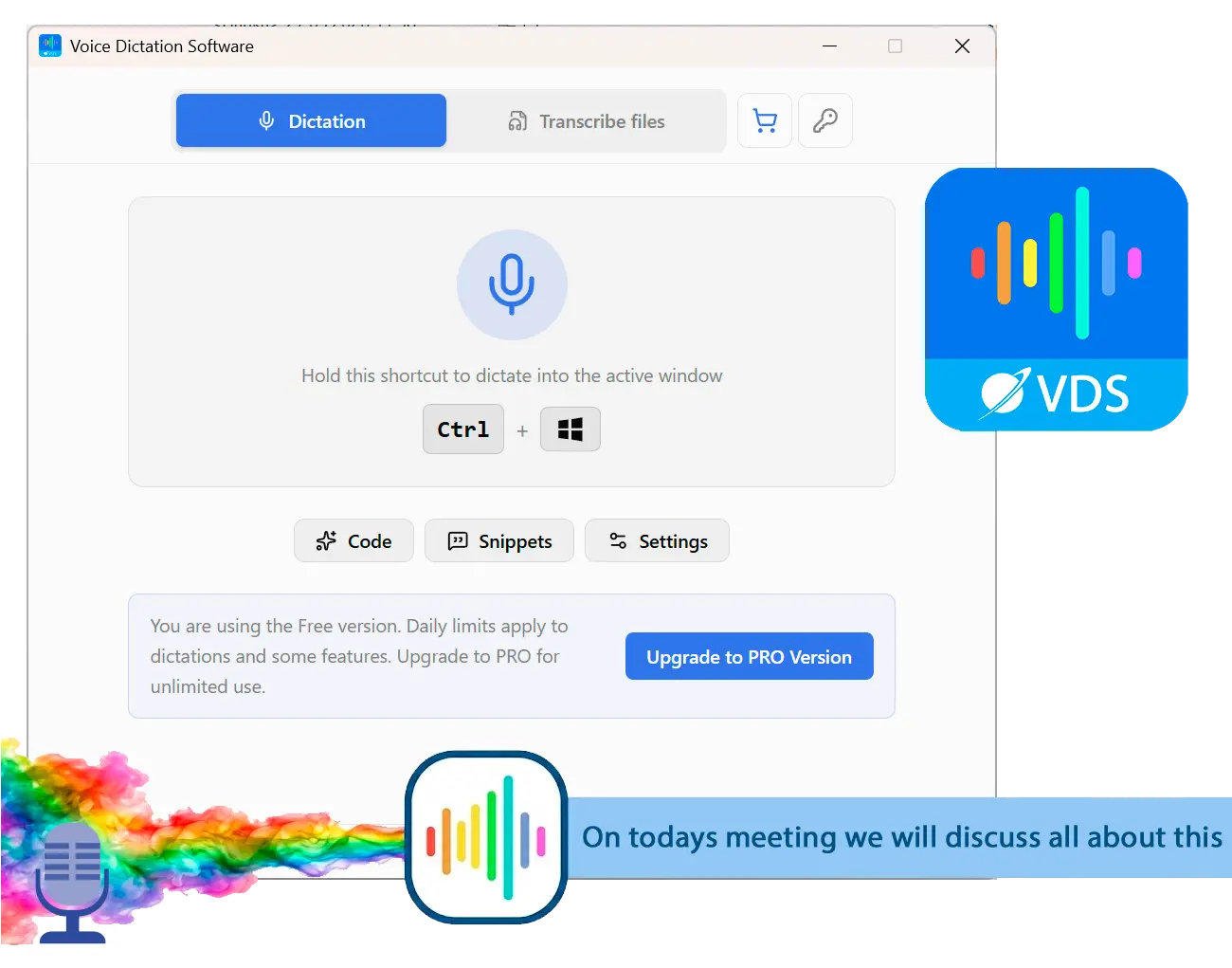
Voice to Text Dictation Software for Windows allows you to input text 4x faster. Just hold a hotkey and speak instead of typing text. Convert your audio and video files into text for quick reading.
Where does Aqua Voice fall short?
Two limits define Aqua Voice. It is cloud-only, so there is no offline mode and your audio always leaves your machine, and it is subscription-only, so you never stop paying. For privacy-sensitive work or a one-time budget, those are the dealbreakers.
Start with offline. Aqua has no on-device mode at any tier, and its own documentation is upfront about it: recognition runs on Aqua's servers, full stop. That means no dictation on a plane, on flaky hotel Wi-Fi, or inside a locked-down network, and it means every word you speak is sent off your machine to be transcribed. On the same Hacker News launch thread, one commenter's reaction to exactly this was blunt: it "looks like it'll slurp up all your data and upload it into a cloud." That is the instinct a lot of people have the moment a dictation tool has no local option.
Privacy runs deeper than the audio leaving your PC. Aqua has a Privacy Mode that stops transcript storage, but for individual users it is reported to be off by default, and the policy allows storing transcripts to improve the product when it is disabled. So the private setting is opt-in, not opt-out, and most people never change a default. If you dictate client notes, legal drafts, and anything under an NDA, that is a setting you have to remember to find. There is also no HIPAA BAA, which rules Aqua out for regulated healthcare work regardless of how good the transcription is.
Aqua Voice has no offline mode on any plan. Every phrase you dictate is streamed to Aqua's servers for recognition, and on personal plans the setting that stops transcript storage is reported to default to off. For sensitive dictation, that combination is worth pausing on.
The last gap is the money model. Aqua is a subscription, and it stays one. It is easy to shrug off $8 a month, but the desire for something you buy once is a recurring theme among dictation users. On a MacRumors thread comparing Aqua to a rival, one user skipped both in favor of a local tool precisely because it was "a one-time purchase instead of software rental like these two, which look quite expensive and will stop working entirely the moment you stop paying." The tradeoff is real. A subscription gets you the best cloud accuracy, but you keep paying to keep it.
Best alternative: SayOnce for offline Windows dictation
SayOnce takes the opposite side of both bets. It runs offline, and it types into any Windows app at the cursor, no account and no server round-trip. You hold a global hotkey (Ctrl+Win by default), speak, and the text lands wherever your cursor is, whether that is a Word document, a chat window, even a code editor.

Recognition happens on your PC using a local NVIDIA Parakeet model, so your audio never leaves the machine for speech-to-text. It is CPU-first, with no GPU required. Instead of a monthly fee, SayOnce is a one-time home license at around $49.99, and the free version limits how many dictations you get per day with no expiry date, so you can actually live in it before you buy. Output runs through rules-based presets for prose and code, plus an email mode, so the technical angle Aqua is known for has a local answer here. There is a personal dictionary for your own terms, snippets that expand a trigger phrase into a block of text, and batch transcription that turns audio and video files into text in one pass.
Log in, hold your hotkey, and every phrase streams to Aqua's servers to be transcribed. Great accuracy, but it needs the internet and a live subscription to work at all.
Hold Ctrl+Win and speak. Recognition runs on your own PC, the words land at your cursor, and it keeps working with the Wi-Fi off and after you have paid once.
We are honest about the tradeoffs. SayOnce runs on Windows 10 and 11 only, with no Mac or Linux version and no mobile app, so if you are on a Mac or iPhone, Aqua wins on reach alone. It covers 25 recognition languages against Aqua's 49, so a less common language may not be there. It is unlikely to match Avalon's raw accuracy on obscure technical jargon, since a cloud model with that training focus is hard to beat head to head. And the first run downloads a roughly 478 MB model. What you get in exchange is dictation that is private, offline, and yours after a single payment.
Works offline; your audio stays on the PC for recognition
Types into any Windows app at the cursor, no account needed
One-time purchase instead of a monthly subscription
Presets for writing and code tidy up formatting as you speak
Runs on Windows 10/11 only, with no Mac or Linux version and no mobile app
Covers 25 recognition languages, fewer than Aqua's 49
Local model may trail Aqua's cloud accuracy on rare technical terms
Downloads a roughly 478 MB model on first run
Aqua Voice vs SayOnce
Here is the side-by-side on the points people actually weigh. The numbers below are verified against each vendor. Aqua's model, pricing, and platform facts come from its own site and third-party trackers, and SayOnce specs come from our product data.| Feature | Aqua Voice | SayOnce |
|---|---|---|
| Where recognition runs | Aqua's cloud servers | Locally on your PC |
| Offline mode | No - internet required for every word | Yes - fully offline after setup |
| Where text lands | Your active app, cursor position | Any Windows app, at the cursor |
| Price | $8/mo billed annually ($96/yr) | One-time ~$49.99 |
| Free tier | 1,000 words, one time | Daily dictation limit, no expiry |
| Languages | 49 | 25 speech / 20 interface |
| Platforms | Mac, Windows, iOS | Windows 10/11 only |
| Privacy | Audio sent to cloud; Privacy Mode off by default | Audio never leaves the PC |
The table makes the split clear. Aqua wins on raw accuracy and speed, plus cross-platform reach, since a well-trained cloud model on fast infrastructure is hard to match. SayOnce wins on control, with offline recognition, on-device privacy, and a one-time price. If your work is cross-platform and always online, Aqua's polish is worth the rent. If it is daily, Windows-based, and privacy-sensitive, the offline tool pays for itself and keeps working after that.
When is Aqua Voice still the better pick?
Aqua Voice is the smarter choice when you are on a Mac or iPhone, when you dictate a lot of code and want the sharpest technical accuracy, and when you are online all day without minding a subscription. For cross-platform power users, it is one of the best in its class.
We would not push everyone to an offline desktop tool. Aqua Voice genuinely wins in several cases. If you work across a Mac, a Windows PC, and an iPhone, Aqua follows you everywhere while SayOnce is Windows-only. Developers who spend the day in code see Avalon's training focus pay off, with a real accuracy edge on jargon. And when you are online all day anyway and value speed and automatic formatting over ownership, the subscription buys you an excellent experience. And for a developer who lives in an editor, dictating comments and commit messages at sub-second latency is a real productivity gain, not a gimmick.
Is Aqua Voice safe and private to use?
Aqua Voice is safe in the everyday sense. It is a legitimate app from a funded startup, not malware. The real question is privacy. Because it is cloud-only, every phrase is processed on Aqua's servers, and on personal accounts the transcript-storage protection is reported to start switched off.
There is no reason to treat Aqua Voice as unsafe in the malware sense. It is a real product from a Y Combinator company, with a normal account and a published privacy policy. The catch is data flow. Since recognition is cloud-based, everything you dictate is transcribed remotely, not on your own machine, and with Privacy Mode disabled the policy allows storing transcripts to improve the product. For a shopping list, that is a non-issue. For client notes, legal drafts, and other sensitive text, it means your words leave your machine by default, exactly the case an on-device tool like SayOnce is built to avoid. People have asked for a local, no-cloud dictation option for years, as threads on Apple's community forums show. If privacy is your driver, that alone is a strong reason to pick a voice dictation tool for Windows that runs on-device.
Other Aqua Voice alternatives we also considered
The closest rivals, Wispr Flow and superWhisper, split along the same line. Wispr is another cloud subscription, while superWhisper runs local but is Mac-first. Win+H is the free built-in option, and Dragon is the expensive offline heavyweight.
Aqua Voice is not the only AI dictation tool worth knowing, and it helps to see the field before you commit to a plan. Here is what else we looked at and why each landed where it did.
For a wider list with pros and cons of each, see our roundup of the best dictation software for Windows, which lines up offline and cloud tools side by side.
Sources