SayOnce - Voice Dictation Software SayOnce - Voice Dictation Software
SayOnce: Offline Voice To Text Generator for Windows 10, 11 PC

Voice to Text Dictation Software for Windows allows you to input text 4x faster. Just hold a hotkey and speak instead of typing text. Convert your audio and video files into text for quick reading.

SayOnce - Voice Dictation Software Screenshot.

In this review, you will:

  1. 1️⃣ Get an honest superWhisper verdict with real user reports, not vendor copy.
  2. 2️⃣ See where its new Windows app falls short and how much the lifetime plan costs.
  3. 3️⃣ Compare it to SayOnce and other Windows options before you pay.
SayOnce - Voice Dictation Software Screenshot.
Eugene - CEO at SoftOrbits, Candidate of Technical Sciences, has more than 16 years of expertise in software development, photo and multimedia applications, enhancing and transforming digital images and videos.
📅 Last updated on:  2026-07-05

This superWhisper review looks at what the popular Mac dictation app does well, what its new Windows app still gets wrong, and what to use instead on a PC. superwhisper earned a strong reputation on Mac and iOS with deep per-app modes and a real free tier. In mid-2026 it also shipped an official Windows 10 and 11 app, and that is where the story gets messier. We read the reviews, pulled the user threads, and lined superwhisper up against SayOnce, our offline Windows dictation tool, so you can decide before you buy.

Disclosure: SoftOrbits makes SayOnce. We judged superwhisper on the same yardstick we use for any dictation tool and named its genuine strengths before the limits of our own pick.

Our verdict is 3.5 out of 5. superwhisper is a genuinely strong dictation app, and on Mac it is one of the best you can buy. The score drops for Windows users because the Windows app is a newer, less mature port, the lifetime plan is the priciest in its category, and a couple of privacy defaults need attention.

Best for: Mac and iOS users, plus Windows power users who want deep custom modes and do not mind a subscription.

Skip if: you want plug-and-play offline dictation on Windows for a one-time price.

What you will learn
Apply in 9 min Saves 2 hEasy

What is superWhisper?

TL;DR

superWhisper is an AI dictation app that types your voice into any app through a global hotkey. It runs local or cloud speech models and reshapes formatting per context with Modes. It now ships on Mac, iOS, and Windows, though its Mac roots run far deeper than the young Windows build.

superwhisper started life as a Mac-first dictation tool and built a loyal following there. You press a global hotkey and start talking, and the formatted text lands wherever your cursor sits. The pitch is simple. Talk instead of type, and let the app clean up the punctuation and structure for you.
Inside, superwhisper does more than plain transcription. It runs your voice through your choice of speech model, then reshapes the result based on a Mode. On its official Windows page, the vendor now describes it as "AI dictation that works in any app on Windows 10 and 11," with offline models and a free tier. That Windows release is the newest part of the story. The vendor's own support account confirmed on Reddit that the Mac and iOS apps have "~2.5 years of dev work put into them," while the Windows app is far younger, which sets up most of the caveats below.

Main Features of superWhisper

TL;DR

superWhisper's core is system-wide voice-to-text with context Modes, a choice of local or cloud AI models, and offline processing on a wide language list. It is deep and configurable, which is a strength on Mac and part of why the first run feels heavy.

Here is what superwhisper actually gives you, based on its official site and store listing.

✔️ System-wide dictation

a global hotkey starts voice-to-text and types straight into the app you are already in.

✔️ Modes

ready-made presets reshape tone and punctuation for a message or an email, and you can build custom modes with your own prompts.

✔️ Local or cloud models

run offline on-device sizes from Nano up to Ultra, or add your own API key for a cloud model on Pro.

✔️ Wide language support

the vendor claims over 100 languages with optional translation to English, though one review counted closer to 90.

✔️ Offline processing

the small local models transcribe without an internet connection, the privacy pitch that made the app popular on Mac.

✔️ One account, three platforms

a single license now covers Windows 10 and 11 alongside Mac and iOS, with searchable recording history.

The feature list is genuinely rich. The catch, as you will see, is that not all of it lands the same way on Windows as it does on Mac.

Pricing and Performance

TL;DR

superWhisper is free to start, with Pro at $8.49 a month or $84.99 a year, and a one-time lifetime license at $249.99 that spans all three platforms. Accuracy is strong on clear speech in hands-on tests but slips on names and numbers, and the first setup is heavy.

Pricing has real tiers, so it is worth laying them out. The free plan covers voice-to-text in any app with the small local models. Pro adds cloud models through your own API key and turns on file transcription and translation. The lifetime license is a single payment that, per the vendor's site, covers Windows as well as Mac and iOS under one account.

PlanPriceWhat you get
Free$0Voice-to-text in any app, small local models, 100+ languages, meeting transcription
Pro Monthly$8.49 / moCloud models via your API key, larger local models, file transcription, translation
Pro Annual$84.99 / yrSame as Pro, billed yearly (about two months free vs monthly)
Lifetime$249.99 onceAll Pro features, one-time, covers Mac + Windows + iOS
EnterpriseCustomVolume pricing

The number people react to is the lifetime price. At $249.99 it is repeatedly flagged as the most expensive one-time license in the category. One review notes it runs about $100 more than a $149 competing lifetime tool, and a Windows-native rival prices its own one-time license far lower.

$249.99
superWhisper's one-time lifetime license, repeatedly flagged as the priciest in its category
Source

On performance the honest answer is "good, with known weak spots." The review site tl;dv ran its own informal test and logged about 98% accuracy on everyday speech and around 88% on technical content. Treat those as that reviewer's numbers, not an independent lab result. The same test flagged the real weakness. Proper nouns and numbers come back unreliable, and re-transcribing one clip can spell a name differently, with no easy way to catch a swapped digit without checking the source. On Mac, another reviewer cites Whisper Large V3 running many times faster than realtime on Apple Silicon. On Windows, speed instead depends on your own hardware, and a community member reports that a capable NVIDIA GPU is effectively needed for fast local transcription.

The Mac App Store rating reflects a well-liked product, not the Windows build. superwhisper holds 4.4 out of 5 from roughly 800 ratings there, and Product Hunt shows 4.9 out of 5 from 21 reviews. Both are self-reported platform ratings, and neither covers the Windows app, which is not sold through the Mac App Store.

4.4 / 5
superWhisper's Mac App Store rating from roughly 800 ratings (Mac and iOS only; the Windows app is not sold there)
Source

Pros:

Deep configurable Modes and custom prompts for how text is formatted

Real free tier with offline local models

Strong everyday-speech accuracy in reviewer tests

One account spans Mac and iOS as well as the new Windows app

Cons:

Lifetime license at $249.99 is the priciest in its category

Proper nouns and numbers come back unreliable in practice

The first setup is heavy for a dictation app

Pro features sit behind a subscription unless you buy lifetime

How to use superWhisper

Download the right build

Go to superwhisper's download page and pick your platform. macOS and iOS come from the Mac App Store, and Windows uses a direct 10 and 11 installer.

Install and grant permissions

Open the app and allow what it asks for. That means microphone access, plus the extra input permission it needs to type into other apps.

Choose Free or Pro

Stay on the Free tier for the small local models, or start Pro for the larger models plus cloud models through your own API key.

Pick a Mode

Select a ready-made Mode such as Message or Email, or build a custom mode that describes how you want transcripts formatted.

Select a model

Choose a local on-device size for offline privacy, or add your own API key to use a cloud model.

Set the hotkey

Confirm or remap the global hotkey used to start and stop dictation so it does not clash with other shortcuts.

Dictate into any app

Click into any text field, then hold the hotkey and speak. Release to drop the formatted transcript at the cursor. On Windows, check that it lands in the field rather than only in History.

SayOnce - Voice Dictation Software SayOnce - Voice Dictation Software

Voice to Text Dictation Software for Windows allows you to input text 4x faster. Just hold a hotkey and speak instead of typing text. Convert your audio and video files into text for quick reading.
Where does superWhisper fall short on Windows?

TL;DR

The superwhisper Windows app is its newest, least mature build. Users report that dictated text does not always auto-insert into the active field, there is no way to manage vocabulary, and independent coverage cites crashes. None of this hits the Mac app, which is why the platform matters so much here.

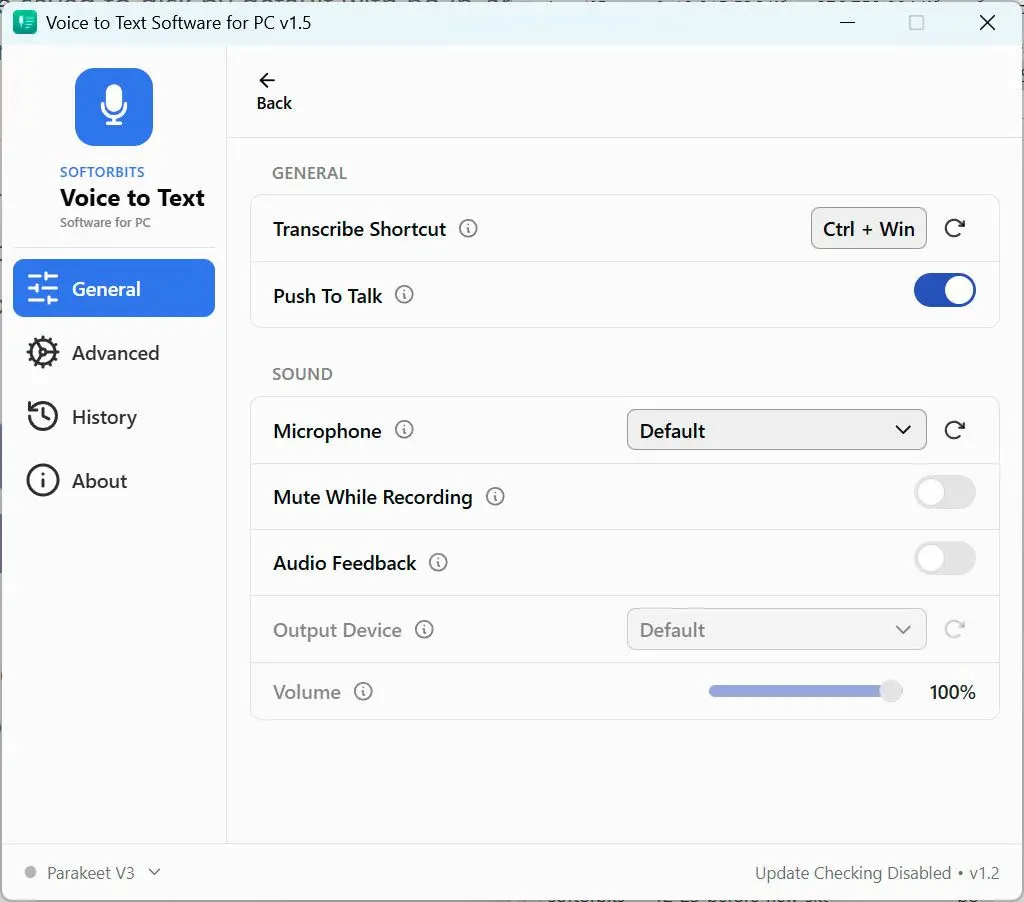
The core issue is maturity. The vendor's own reply confirms the Mac and iOS apps have years of work behind them, and the Windows app arrived much later. That gap shows up in real use. On the r/superwhisper subreddit, a Windows user reported that dictated text was transcribed but did not reliably auto-insert into the focused field, so they had to dig the transcript out of History and paste it by hand, which is not what "talk and it types" is supposed to mean. Another thread notes there is no visible way to manage your custom vocabulary on Windows, which a commenter described as a first-generation rough edge typical of Mac-first apps porting over.

Stability comes up too. A Spokenly review, itself from a competing dictation vendor, reports the Windows release shipped with crashes and target-app freezes. A separate competitor, whisperstream.io, claims the Windows app was still on v1.4.0 while the Mac build sat at v2.14.0, and that on Windows the AI cleanup routes to the cloud rather than running on-device. We could not verify either claim independently, so read them as a rival's framing, not our finding. What both point at is the theme users hit firsthand. The Windows app trails the Mac app.

Two privacy defaults are worth knowing before you dictate anything sensitive. A reviewer who checked superWhisper's public feedback board reports that audio recordings are saved to disk by default with no in-app opt-out, and that keys for cloud models sit in a plaintext file rather than the OS credential store. Both were flagged with upvotes on that board. If you dictate client notes, check your settings first.

Setup is the last friction point. Multiple reviewers describe the first run as heavy. One Voisty review compares configuring it to "configuring a server" rather than installing an app, and another puts hands-on setup at 15 to 30 minutes of dense options. That depth helps power users but gets in the way for everyone else.

Best Windows alternative: SayOnce

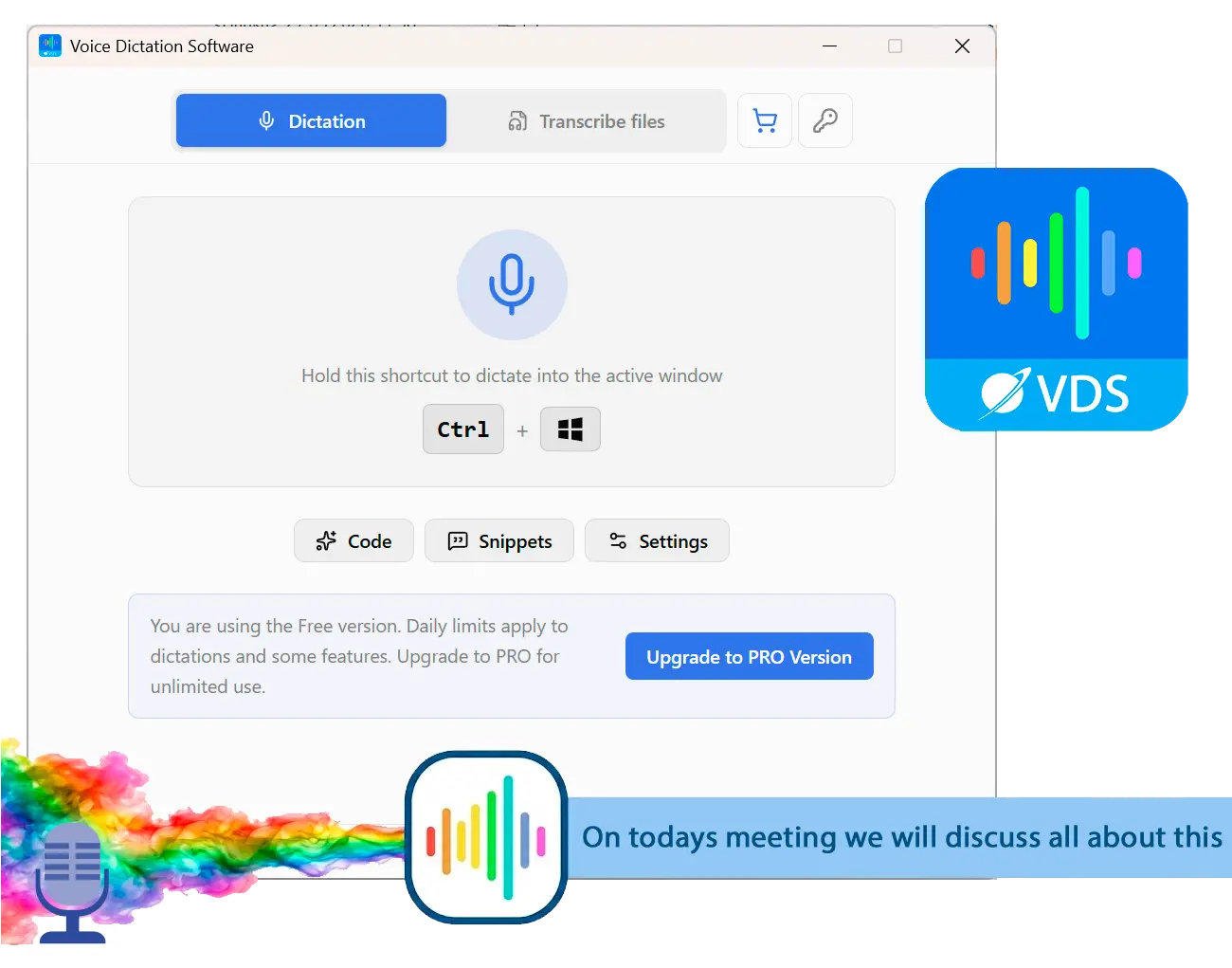
SayOnce takes the opposite bet on the two things Windows users trip over. It is built for Windows first, and it works offline out of the box. You hold a global hotkey (Ctrl+Win by default), speak, and the text lands at your cursor in whatever Windows app you are already in. There is no Mode to set up before your first sentence and no History to paste out of.

 SayOnce main window on Windows..

Recognition runs on your PC using a local NVIDIA Parakeet model, so your audio is not sent to SoftOrbits servers for speech-to-text. Instead of a subscription or a $249.99 lifetime, SayOnce is a one-time home license at around $49.99, and the free version gives you a set number of dictations per day with no expiry. Output runs through rules-based presets for prose and email that tidy punctuation and filler as you speak. There is a personal dictionary for your own terms, snippets that expand a trigger into a block of text, and batch transcription that turns audio and video files into text in one pass. If your goal is to dictate straight into Word or any other app, that offline in-place workflow is the whole point.

superWhisper's new Windows app

Install it and grant the permissions it asks for. Pick a Mode and a model. On some setups you still copy the transcript out of History to paste it where you needed it. Powerful once tuned, fiddly to get there.

SayOnce on Windows

Put your cursor where the text belongs, hold the hotkey, and speak. The words appear in place and offline, whether that is Word or your code editor.

We are honest about the tradeoffs, because superwhisper genuinely beats SayOnce in places. SayOnce runs on Windows 10 and 11 only, with no Mac or mobile build, so a Mac user should stay with superwhisper. It covers 25 recognition languages against superWhisper's 100-plus claim, so a less common language may not be there. Its presets are rules-based rather than an AI rewrite, so they will not restructure a rambling paragraph the way a custom cloud Mode can. It also uses one model with no per-app auto-modes. And it costs money once you pass the daily free cap, with a roughly 478 MB model downloaded on first run.

Pros:

Built for Windows first, not ported to it later

Works offline; your audio stays on the PC for speech-to-text

Types into any Windows app at the cursor, with no History step

One-time price instead of a subscription or a $249.99 lifetime

Batch transcription of media files to text

Cons:

Runs on Windows 10 and 11 only, with no Mac or mobile version

Covers 25 recognition languages, fewer than superWhisper's claim

Presets are rules-based, not an AI rewrite of your speech

Costs money once you pass the daily free cap

Downloads a roughly 478 MB model on first run

Verdict: Choose SayOnce if you dictate on Windows and want it offline and paid once. Stick with superwhisper if you are on Mac or want its deep custom Modes.

superWhisper vs SayOnce

Here is the side-by-side on the points people actually weigh. Prices and specs are checked against each vendor. superWhisper facts come from its Windows page and the App Store listing accessed 2026-07-05, and SayOnce specs come from our product data.
FeaturesuperWhisper (Windows app)SayOnce
PlatformWindows 10/11 plus Mac and iOS; the Windows build is the newer portWindows 10/11, built for it first
Windows maturityNew port; users report shaky auto-paste, missing vocabulary tools, crashesWindows-native from day one
ProcessingOn-device per the vendor; a rival claims Windows cleanup may go to the cloudOn-device and local; audio not sent for speech-to-text
Local model on WindowsReportedly leans on a capable NVIDIA GPU for speedRuns the speech model locally on the CPU
PriceFree tier plus $8.49/mo Pro, or $249.99 lifetimeOne-time ~$49.99
SetupDeep custom Modes, but a heavy first runPreset model, first dictation right away
Custom AI modesYes, with per-app Super Mode and a 100+ languages claimNo, rules presets for prose and email
Batch file transcriptionNot a highlighted featureYes, media files to text

The table makes the split clear. superwhisper wins on depth and reach. It offers custom Modes and a choice of models under one cross-platform account. SayOnce wins on the Windows basics. It runs offline without setup and types into the app instead of History, all for a one-time price. If you live on Mac or want power-user control, superwhisper is the pick. If you want a Windows tool that just types your voice into any app without a subscription, the one-time desktop app is the safer bet.

When is superWhisper still the better pick?

TL;DR

superWhisper is the smarter choice if you are on Mac or iOS, if you want its deep per-app Modes and cloud model choice, or if you need a language SayOnce's 25 do not cover. For power users who dictate across contexts, that flexibility is real.

We would not steer everyone to a Windows-only tool. superwhisper genuinely wins in a few cases, and it is worth being clear about them. If you are on a Mac or an iPhone, SayOnce does not exist for you, so superwhisper is the obvious answer and a very good one. Want per-app Super Modes and custom prompts that rewrite your speech into a specific format? superwhisper is deeper than a rules-based tool by design. And if your language is not among SayOnce's 25, superWhisper's broader claim may be your only option. For a power user who lives inside their dictation setup and does not mind the setup time, it earns its reputation.

Is superWhisper safe and private?

TL;DR

superWhisper is safe in the malware sense, and its local models can run offline. The nuance is in the defaults. A reviewer reports that audio is retained locally by default and that API keys are not encrypted, so review those settings before any sensitive work.

There is no reason to treat superwhisper as unsafe in the malware sense. It is a real product with a paid business behind it, and its offline models can transcribe without sending audio anywhere. The privacy questions are about defaults rather than intent. Per a Getvoibe review that checked the public feedback board, recordings are saved to disk by default with no built-in opt-out, and API keys for cloud models are stored in plaintext rather than the OS credential store. Both were flagged with upvotes on that board. Getvoibe is itself a competing vendor, so weigh it as such, but the underlying settings are worth confirming yourself. For casual notes none of this matters. For client work, review your recording and key settings first, or use a tool that processes on-device by default.

Other superWhisper alternatives we also considered

TL;DR

The Windows field is wider than one app. Wispr Flow is the polished cloud subscription rival, Windows built-in Voice Typing is free but unreliable on punctuation, and browser tools like SpeechTexter are cloud-only. Each solves part of the problem, none solves all of it.

superwhisper is not the only way to dictate on Windows, and it is worth knowing the field before you commit. Here is what else we looked at and where each one lands.

  • Wispr Flow is the closest polished rival, a slick cloud dictation app on a subscription. It is smooth but online-first, so our roundup of Wispr Flow alternatives for Windows covers the offline options next to it.
  • Windows built-in Voice Typing (Win+H) is free and already on your PC, but it leans on the cloud and mishandles basic punctuation. On one Microsoft community thread, a user found the spoken "comma" command failed more than a quarter of the time. Our guide to Windows voice typing alternatives walks through why people move past it.
  • SpeechTexter is a free browser dictation tool, but it runs only in Chrome and needs the internet for every word. See our SpeechTexter review for the full breakdown.
  • MacWhisper and other Mac-first tools compete with superwhisper on Apple hardware, but they do not help a Windows user at all.

For a wider comparison with pros and cons of each, see our roundup of the best voice to text software for Windows, which puts offline and cloud tools side by side.

SayOnce - Voice Dictation Software SayOnce - Voice Dictation Software
superWhisper review 2026: an honest test of its new but immature Windows app, real pricing and privacy nits, plus the best offline Windows alternative.
SayOnce - Voice Dictation Software Screenshot.


🙋Frequently Asked Questions

superwhisper is free to start. Pro is $8.49 a month or $84.99 a year, and there is a one-time lifetime license at $249.99 that spans all three platforms under one account. Reviewers note the lifetime price is the highest in its category, so weigh it against a Windows-only one-time tool if you only use a PC.

Yes. As of mid-2026 superwhisper ships an official Windows 10 and 11 app with a free tier and offline models. The catch is maturity. It is the newest of its three platforms, and users report rough edges the Mac app does not have, such as shaky auto-paste and a missing vocabulary interface.

It is safe in the malware sense, and its local models can run offline. The privacy nuance is in the defaults. A reviewer reports that audio is stored on the PC by default and that API keys are not encrypted, so check those settings before dictating anything sensitive, or use an on-device tool.

Yes, there is a real free tier that covers voice-to-text in any app with the small local models and wide language support. You only pay for Pro to add cloud models through your own API key, plus bigger on-device models and file transcription.

For Windows users who want offline in-place dictation for a one-time price, SayOnce is our pick. Recognition runs locally, the text lands at your cursor in any app, and you pay once instead of every month. It covers fewer languages than superwhisper, so confirm yours is among its 25 first.

That depends on your platform. At $249.99 it is the most expensive lifetime license among comparable tools, and it makes most sense if you use superwhisper across Windows as well as Mac and iOS and want its deep Modes. If you only dictate on Windows, a one-time desktop tool at a fraction of that price returns better value.

Sources