
 SayOnce - Voice Dictation Software
Voice to Text Dictation Software for Windows allows you to input text 4x faster. Just hold a hotkey and speak instead of typing text. Convert your audio and video files into text for quick reading.
Main Features of SpeechTexter
SpeechTexter packs 70-plus languages, spoken punctuation and custom voice commands, a built-in editor, and file export into a free browser tab with no login. What it lacks is an offline mode and a desktop app.
Here is what SpeechTexter actually gives you.
transcribed in real time as you speak, on Google's Web Speech API.
such as "period", "new line", and "new paragraph", plus a custom command list you can edit and export as JSON.
with capitalization options, automatic periods, a word counter, and a dark or light theme.
to a .txt or .doc file, or copy and print it.
which is convenient but local only, so it is gone if your browser clears cache on exit.
it runs in a Chrome tab, anonymous and free, funded by on-page ads.
that SpeechTexter's own site marks as no longer supported, even though the Play listing still shows updates - worth knowing before you lean on mobile.
Pricing and Performance Review
SpeechTexter is free on the web with no paid tier, funded by ads. Performance is fine for clean, clear speech and gets shaky with accents, background noise, and proper nouns, so expect a cleanup pass for extra spaces and stray capitals.
On price there is little to weigh. The web app is free, with no paid plan on the official site and no account to create. The Android app is free too, and SpeechTexter does not publish a clear Pro tier, so treat any "premium" claims you see elsewhere with caution. What you actually pay is in cleanup time and the Chrome-plus-internet requirement.
We ran SpeechTexter in Chrome on Windows 11 for this review, dictating a mix of plain notes and a few paragraphs with names and technical terms. For the paid tools further down that we did not buy, such as Dragon, we use vendor pages and third-party pricing trackers, and we say so where it matters. We flag which is which so you know.
On clear speech in a quiet room, results were usable. SpeechTexter's own site claims accuracy "higher than 90% should be expected," though that varies by language and speaker. Treat that as the vendor's own number, not an independent benchmark, because no neutral accuracy test for the tool exists.
The friction shows up in the details. On Capterra reviews, users mention that the tool adds extra spaces between words that then need editing out, and that it capitalizes more words than expected. One reviewer noted that recognition "could definitely be a little bit better," and that you have to speak clearly and loudly or it may miss words, especially with a strong accent. Non-English dictation can drift further; there are complaints about odd, unrelated words showing up in Russian transcription. The rating base is respectable but thin. SpeechTexter holds 4.4 out of 5 on Capterra, though from only 15 reviews, and its SourceForge listing has none at all.
Costs nothing, with no signup or install
Covers over 70 languages in the browser
Punctuates by spoken command, like saying new paragraph
Needs the latest Google Chrome; other browsers are not supported
Streams your audio to Google's servers, with no offline mode
Adds extra spaces and capitalizes words you did not ask for
Cannot learn custom vocabulary or fix proper nouns
Go to speechtexter.com in the latest Google Chrome on desktop. Other desktop browsers are not supported, so Firefox and Safari are out.
Use a decent mic and make sure Chrome has it as the default recording device under chrome://settings/content/microphone.
Choose your dictation language from the language button in the top-right corner.
Chrome asks for microphone permission the first time. Allow it, and SpeechTexter starts listening.
Speak in brief, clear phrases and use spoken commands like "new line" and "new paragraph", or your own custom commands such as #undo.
Fix capitalization and spacing. The text autosaves to the browser cache as you go, so do not rely on it if your browser clears cache on exit.
Download the result as a file, or copy it into your document or a chat. SpeechTexter cannot place text into another app for you, so that copy-paste step is manual.
Voice to Text Dictation Software for Windows allows you to input text 4x faster. Just hold a hotkey and speak instead of typing text. Convert your audio and video files into text for quick reading.
Where does SpeechTexter fall short?
The two real limits are structural. SpeechTexter runs in Chrome only, and it has no offline mode. Add cloud dependency and no way to train vocabulary on top, and it becomes a quick-note tool more than a daily driver.
Start with the browser. SpeechTexter needs "the latest version of the Google Chrome browser (other browsers are not supported)" for desktop use. That is a Web Speech API constraint, not a choice. Mozilla's own documentation notes that the default recognition path sends your audio to the browser's servers and returns the result, and Firefox does not support it. So if you live in Firefox, Safari, or a locked-down work browser, SpeechTexter is out before you start.
Then there is the internet. Because recognition runs in the cloud, a slow or dropped connection degrades or breaks dictation entirely. Users have reported network errors even when their connection looked fine. This is the shared weak spot of browser and built-in voice typing as a class. People report the cloud tool hanging on a spinner and never listening, which is why so many switch to a local tool. If that is your itch, our roundup of Windows voice typing alternatives walks through the offline options.
SpeechTexter has no offline mode. Every word you dictate is streamed to Google's speech servers for recognition, so nothing you say is processed on your own machine. For sensitive notes, that alone can be a dealbreaker.
The last gap is depth. As the Willow Voice review puts it, SpeechTexter runs on "outdated Google speech recognition with no AI learning or personalization." It does not adapt to your voice, and proper nouns come back misspelled with no way to add them to a dictionary. If your work is full of product names, medical terms, or code, that adds up fast. Dedicated desktop dictation software usually lets you train vocabulary, which SpeechTexter cannot.
Best alternative: SayOnce for offline Windows dictation
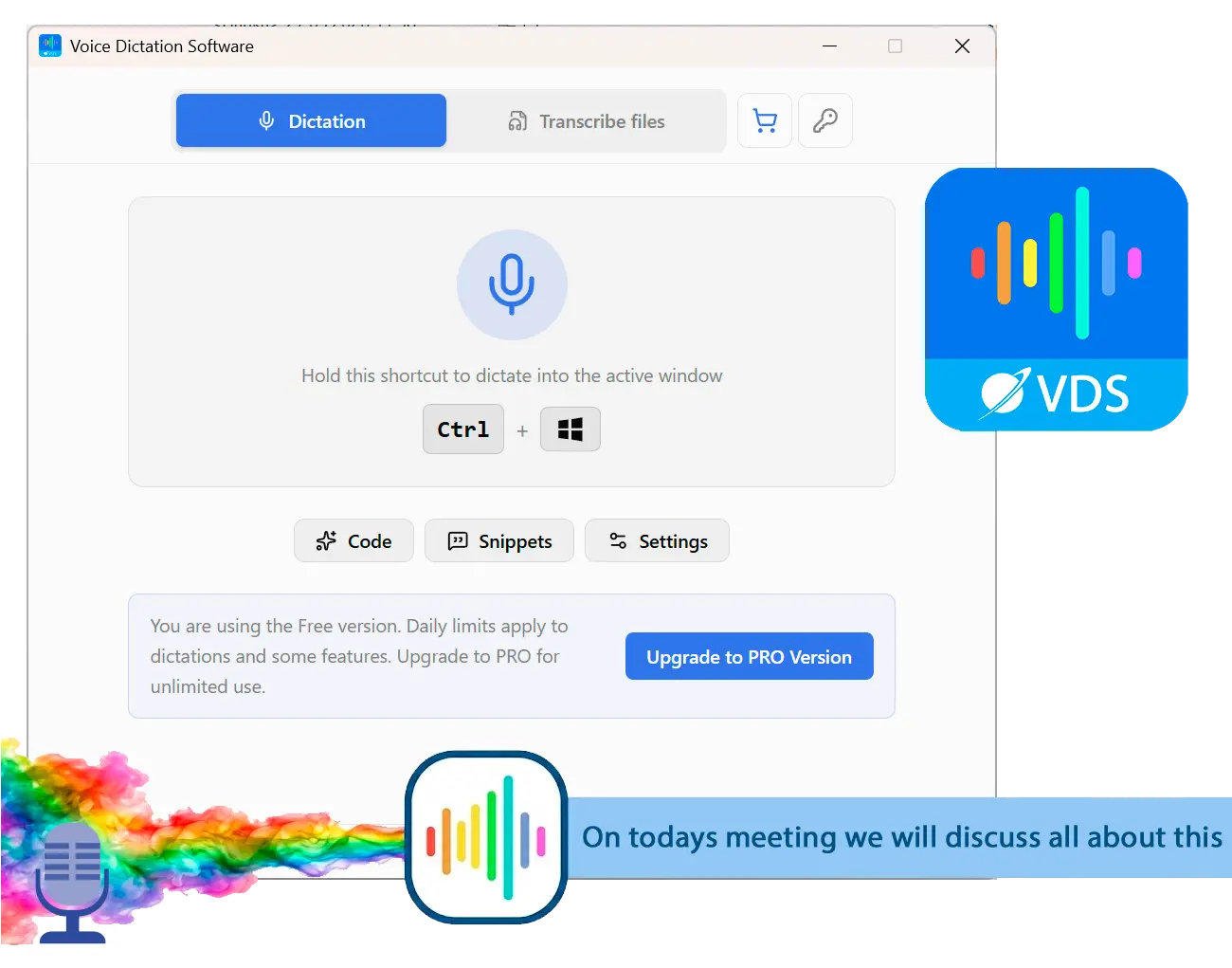
SayOnce takes the opposite approach on the two things that matter most. It runs offline, and it types into any Windows app instead of a browser tab. You hold a global hotkey (Ctrl+Win by default), speak, and the text lands at your cursor, whether that cursor sits in Word, a chat box, or your IDE. There is no site to open and no text to copy out.
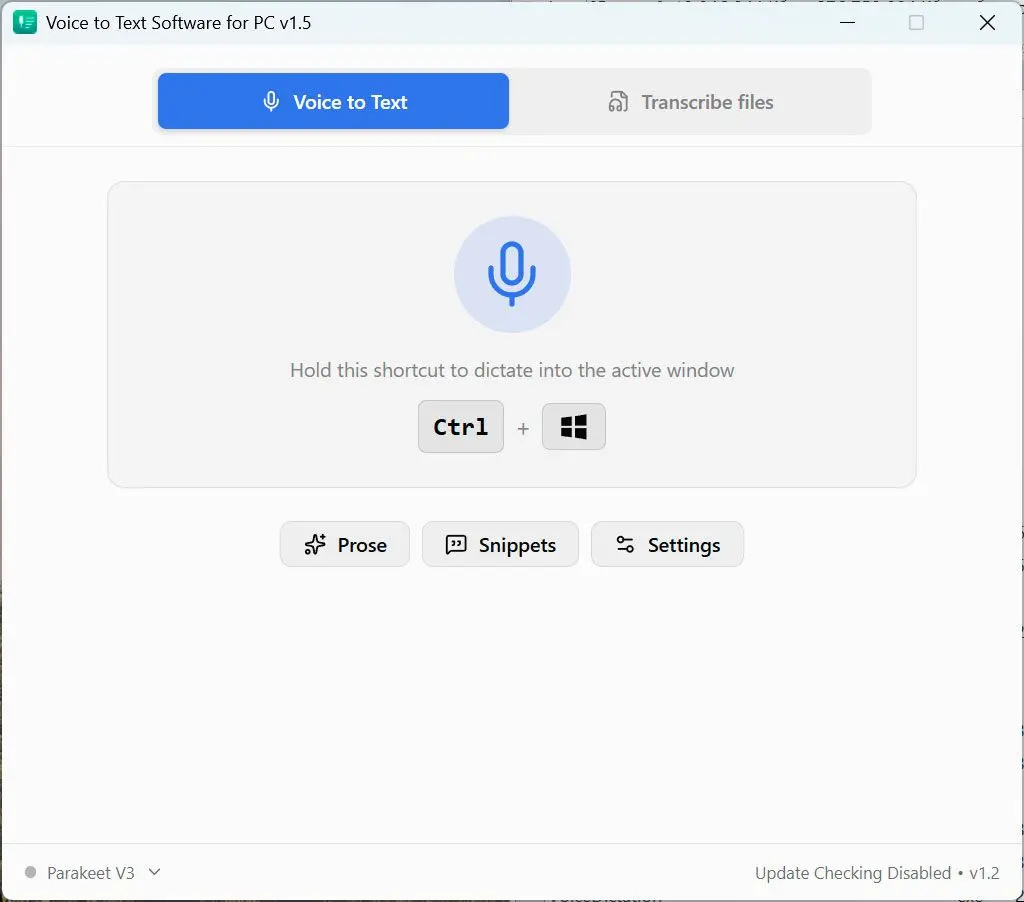
Recognition happens on your PC using a local NVIDIA Parakeet model, so your audio never leaves the machine for speech-to-text. It is CPU-first, with no GPU required. Instead of monthly fees, SayOnce is a one-time home license at around $49.99, and the free version limits how many dictations you get per day with no expiry date. Output runs through rules-based presets for prose, code, and email that clean up punctuation, capitals, and filler as you speak, so you get less of the extra-spaces mess that SpeechTexter leaves behind. There is a personal dictionary for your own terms, snippets that expand a trigger phrase into a block of text, and batch transcription that turns audio and video files into text in one pass.
Open the site in Chrome, dictate into a text box, then select and copy the result into whatever app you actually needed it in. Repeat every time.
Put your cursor where the text belongs and speak. The words appear in place and offline, whether that is Word, a chat box, or your code editor.
We are honest about the tradeoffs. SayOnce runs on Windows 10 and 11 only. There is no Mac, Linux, or mobile build. It handles 25 recognition languages against SpeechTexter's 70-plus, so a less common language may not be covered. It costs money once you pass that daily limit, and the first run downloads a roughly 478 MB model. If you want to dictate straight into Word or any other app, though, that offline, in-place workflow is the whole point.
Works offline; your audio stays on the PC for recognition
Types into any Windows app at the cursor, not a browser tab
Costs one payment instead of a monthly subscription
Cleans up punctuation and filler with presets as you speak
Runs on Windows 10/11 only, with no Mac or Linux build and no mobile app
Covers 25 recognition languages, fewer than SpeechTexter's 70-plus
Costs money once you pass the daily free cap
Downloads a roughly 478 MB model on first run
SpeechTexter vs SayOnce
Here is the side-by-side on the points people actually weigh. The numbers below are verified against each vendor: browser and language facts from speechtexter.com, and SayOnce specs from our product data.| Feature | SpeechTexter | SayOnce |
|---|---|---|
| Where text lands | Its own web textarea, then copy out | Any Windows app, at the cursor |
| Offline mode | No - needs the internet | Yes - local recognition |
| Browser | Chrome only | None - native Windows app |
| Price | Free | One-time ~$49.99 |
| Languages | 70+ | 25 speech / 20 interface |
| Platform | Any OS via browser | Windows 10/11 only |
| Batch file transcription | No | Yes - audio and video to text |
The table makes the split clear. SpeechTexter wins on price and reach, since it is free and runs anywhere a supported browser does. SayOnce wins on control. It gives you offline recognition, in-app text, and cleaner formatting. If your dictation is occasional and cross-platform, the free tool is enough. When it is daily and on Windows, the one-time desktop tool pays for itself in saved cleanup and copy-paste.
When is SpeechTexter still the better pick?
SpeechTexter is the smarter choice when you have no budget, when you are not on Windows, or when you need a language SayOnce's 25 do not cover. For light, occasional dictation into a web page, its zero cost and zero install are hard to beat.
We would not push everyone to a paid desktop tool. SpeechTexter genuinely wins in a few cases. If you cannot spend anything, free and functional beats paid and better. SayOnce is Windows-only, so on a Mac, a Chromebook, or Android, the browser tool is the practical answer. And SpeechTexter's 70-plus languages outnumber SayOnce's 25, so if your language is not on the shorter list, it may be your only option. For someone who dictates a paragraph into a web form once a week, opening a tab is genuinely less hassle than installing anything.
Is SpeechTexter safe to use?
SpeechTexter is not malware and does not ask for personal accounts, so it is safe in the everyday sense. The real question is privacy: because it has no offline mode, every phrase you speak is processed in the cloud, not on your PC.
There is no reason to think SpeechTexter is unsafe in the malware sense. It runs in the browser, needs no install, and does not ask you to create an account. The catch is data flow. Since recognition is cloud-based, everything you dictate is transcribed remotely, not on your own machine. For a grocery list that is a non-issue. For client notes, contracts, or medical details, it means your words leave your machine, which is precisely the case a local tool like SayOnce is built to avoid. If privacy is your driver, that is a strong reason to pick a voice to text tool for Windows that runs on-device.
Other SpeechTexter alternatives we also considered
The closest free siblings, Google Docs Voice Typing and Dictation.io, are still Chrome-based and cloud-only, so they do not fix the offline or system-wide gap. Speechnotes adds a paid tier, Dragon is the expensive offline heavyweight, and Otter is a meeting transcriber in the wrong category.
SpeechTexter is not the only free web dictation option, and it is worth to know the field before you pick. Here is what else we looked at and why each one landed where it did.
For a wider list with pros and cons of each, see our roundup of voice dictation alternatives for Windows, which covers offline and browser tools side by side.
 SayOnce - Voice Dictation Software
Sources