Classic Outlook opens .msg files, but its Save As list has no EML entry. You need another program to switch formats. MSG to EML Converter Software converts a batch on your PC without Outlook installed, and converts EML back into MSG too.
Thunderbird add-ons and the open-source Python library extract-msg offer free ways to read MSG contents. They are fine for five messages. An inherited archive takes hours of one-file-at-a-time runs, and you only see formatting problems when you open the results.
What you'll need
A Windows PC; Outlook does not need to be installed
The .msg files, loose or in a folder with subfolders
An empty output folder, so the originals stay as they are
The run on a folder of MSG files:
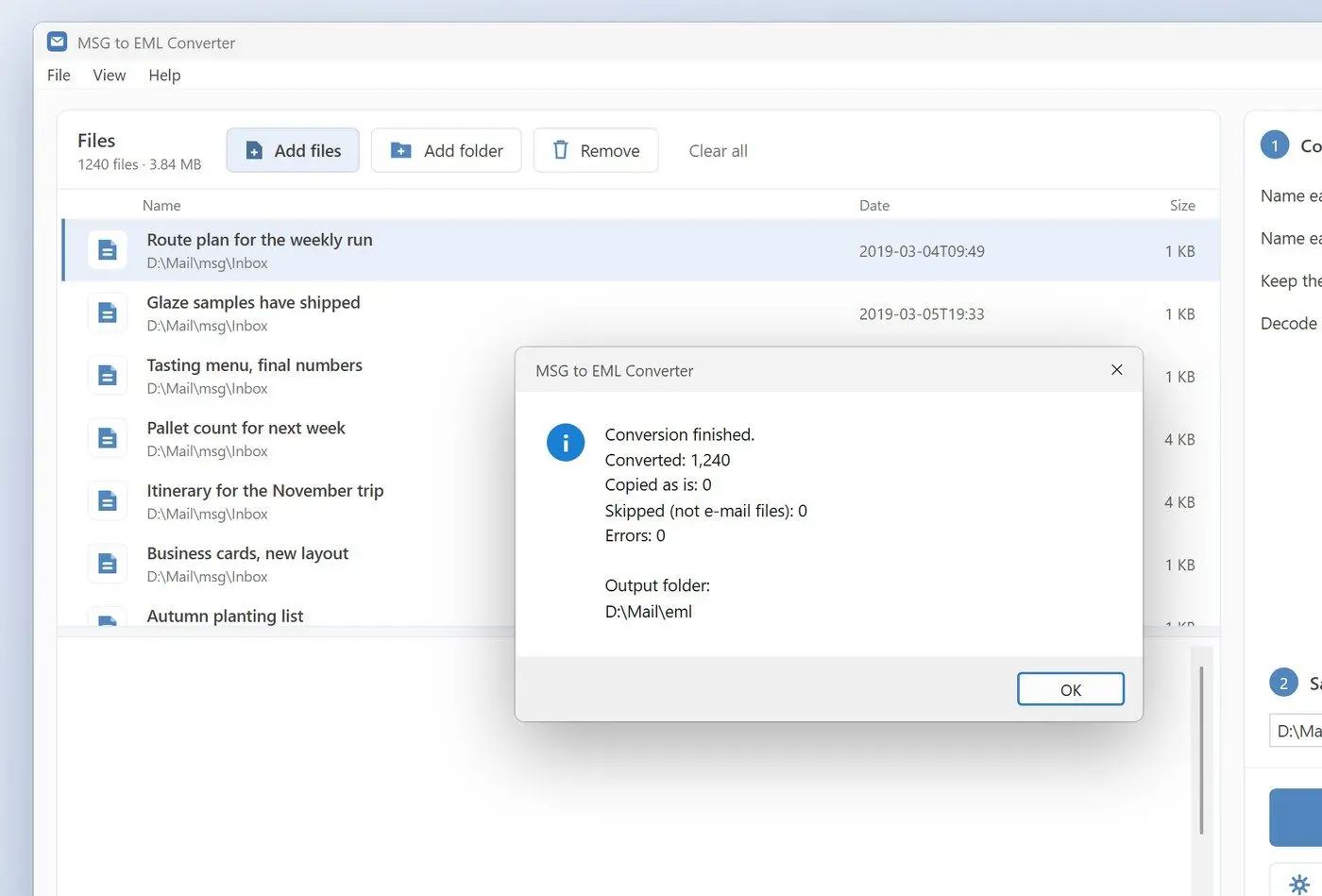
Click Add folder and pick the top folder; the list shows each message with its date and size
Leave Keep the original message headers ticked
Leave Decode RTF message body on for older mail that Outlook stored in RTF
Set Save to, click Convert and read the summary at the end
The program writes its own MIME output without passing files through Outlook. It carries over every recipient line, including Bcc. Before sharing the EML, remember that anyone who opens it can read those Bcc names. If the MSG contains original internet headers, the program preserves them whole. Date, Message-ID and the headers that keep replies threaded come across either way. It encodes subjects and names in Cyrillic or emoji per RFC 2047 so they display correctly in Thunderbird. Inline pictures keep their Content-ID links inside the HTML body. Attachments are copied byte for byte, and nested emails stay nested.
Conversion direction depends on each file. In a mixed folder, .msg files become .eml and .eml files become .msg.
Free tools on a folder of MSG files
One message per run
A Python setup or a Thunderbird add-on to install first
Formatting checked by hand afterwards
VS
MSG to EML Converter Software
The whole folder tree in one run
Original headers kept from the MSG
A per-file result summary at the end
MSG to EML Converter SoftwareConvert a folder of .msg files to .eml locally on Windows in one run, without Outlook.
In classic Outlook for Windows, drag a message to the desktop or use File > Save As for an MSG export. Outlook for Mac saves .eml the same two ways. New Outlook for Windows changed the default: drag-and-drop now produces .eml; use the separate Save as MSG command for .msg.
The hosting provider Intermedia's version-by-version save guide lists MSG for Outlook for Windows and Outlook Web App, and EML for Outlook for Mac and webmail on a phone. If a webmail menu offers both, pick EML when the file leaves Outlook.
Classic Outlook for Windows:
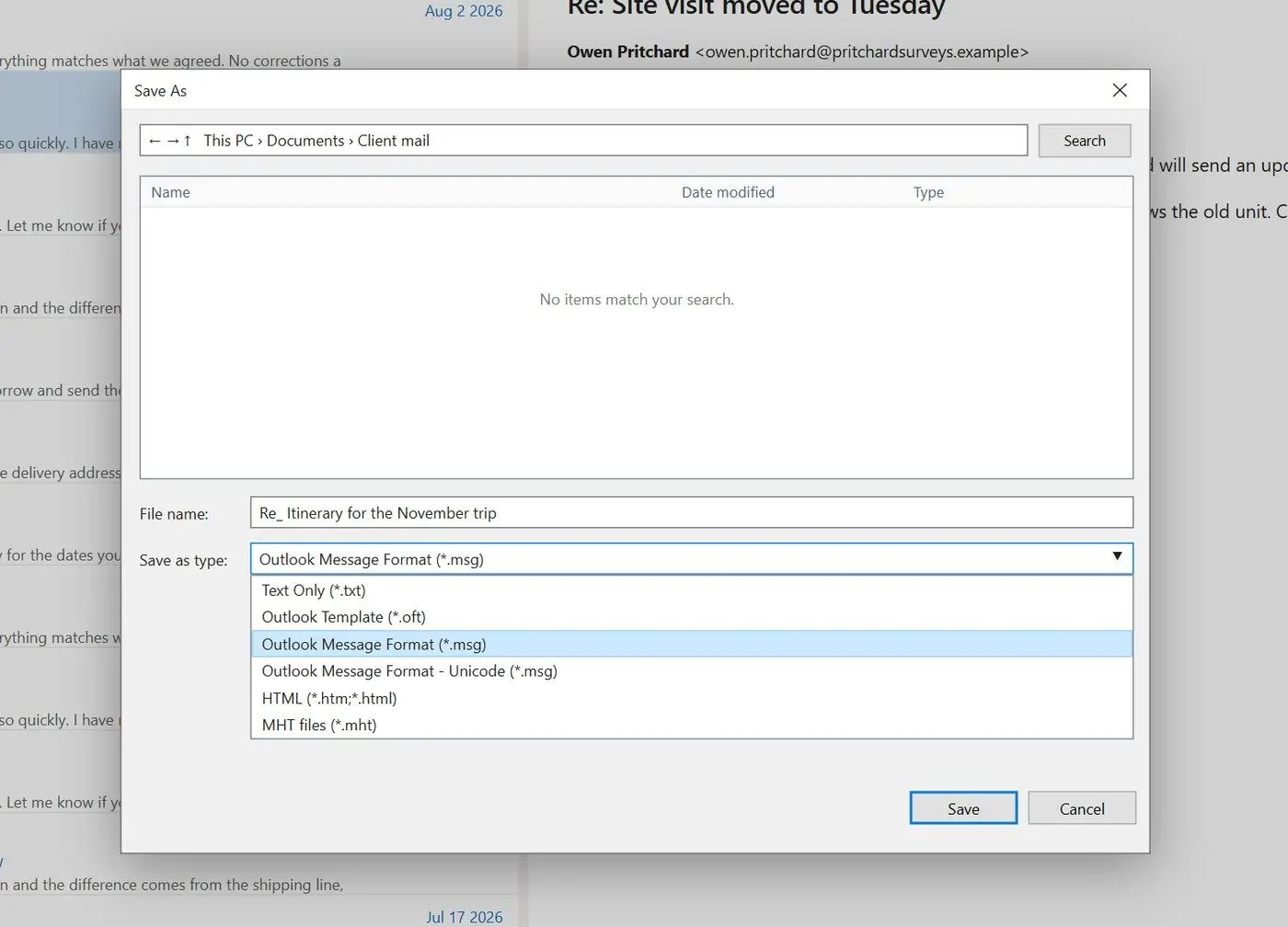
Drag the message from the list to your desktop or a folder to save an .msg file. To choose its name and location, open the message and go to File > Save As. In the Save as type list, pick Outlook Message Format (*.msg) or its Unicode version.
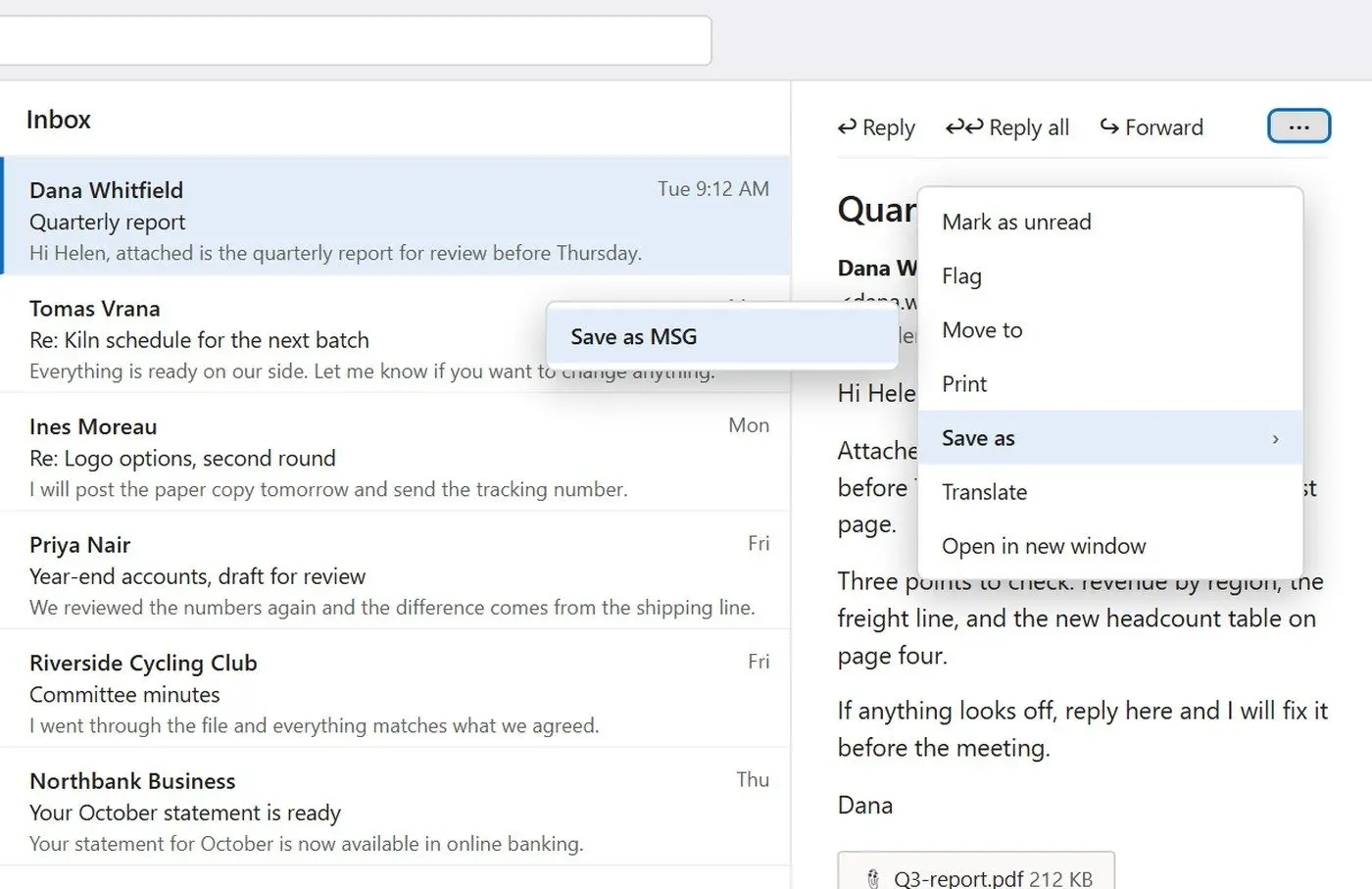
Drag a message to File Explorer to save .eml. A Microsoft moderator confirmed the switch in June 2026. To save .msg, open the message, click the three-dot menu and choose Save as > Save as MSG. Labels vary between builds; look for save options under the three dots.
Outlook for Mac:
Drag a message to your desktop to save .eml, or open it and use File > Save As with the format left at Email Message. Check the extension after your first save: one Mac user reported getting .msg after a suspected accidental change and never found a confirmed fix.
On a phone:
Phone mail apps are not built to save messages as files. Open your webmail in the browser's desktop view and save from there. Intermedia's guide says you get .eml.
MSG vs EML: what is inside each file?
TL;DR
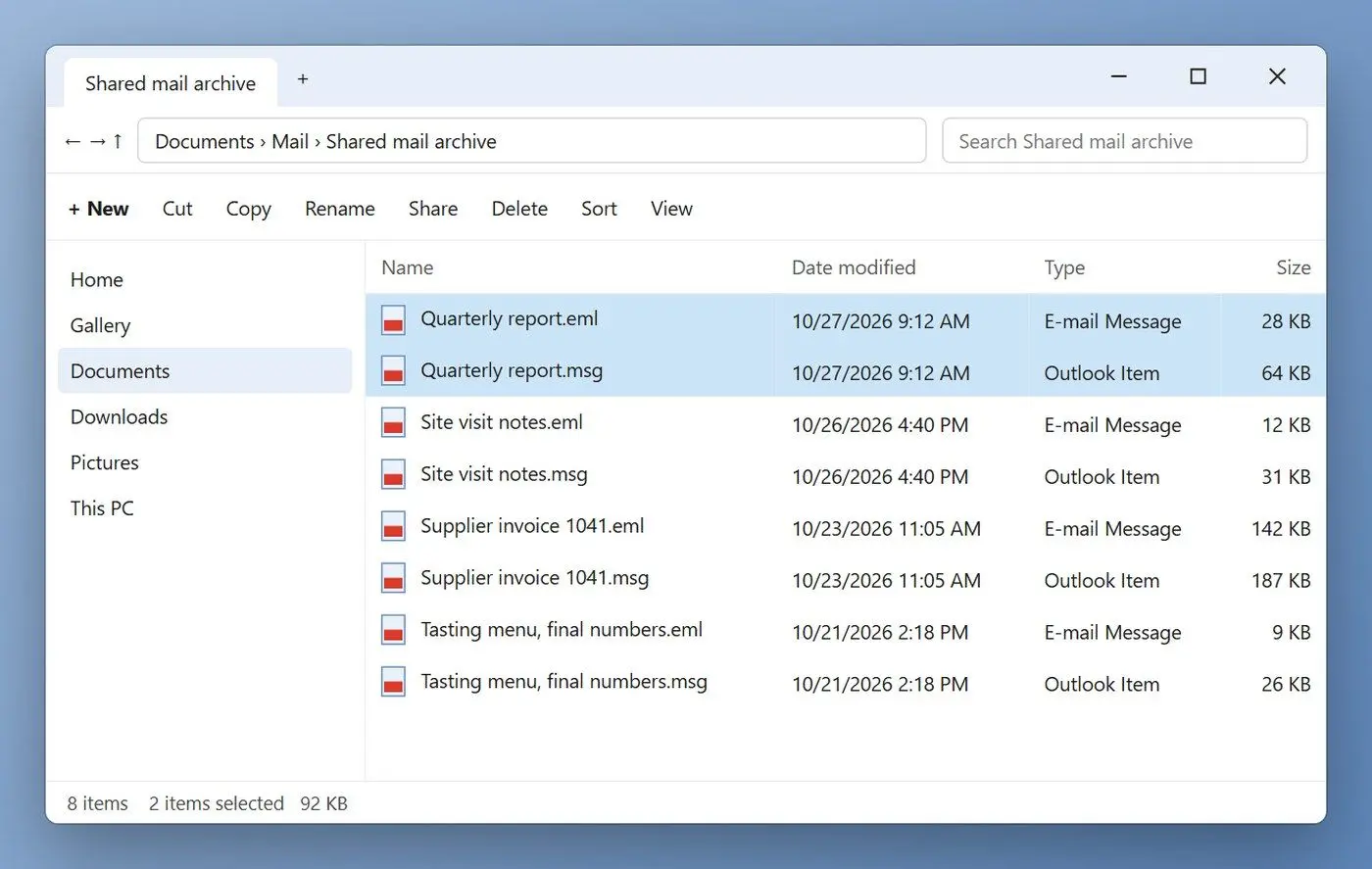
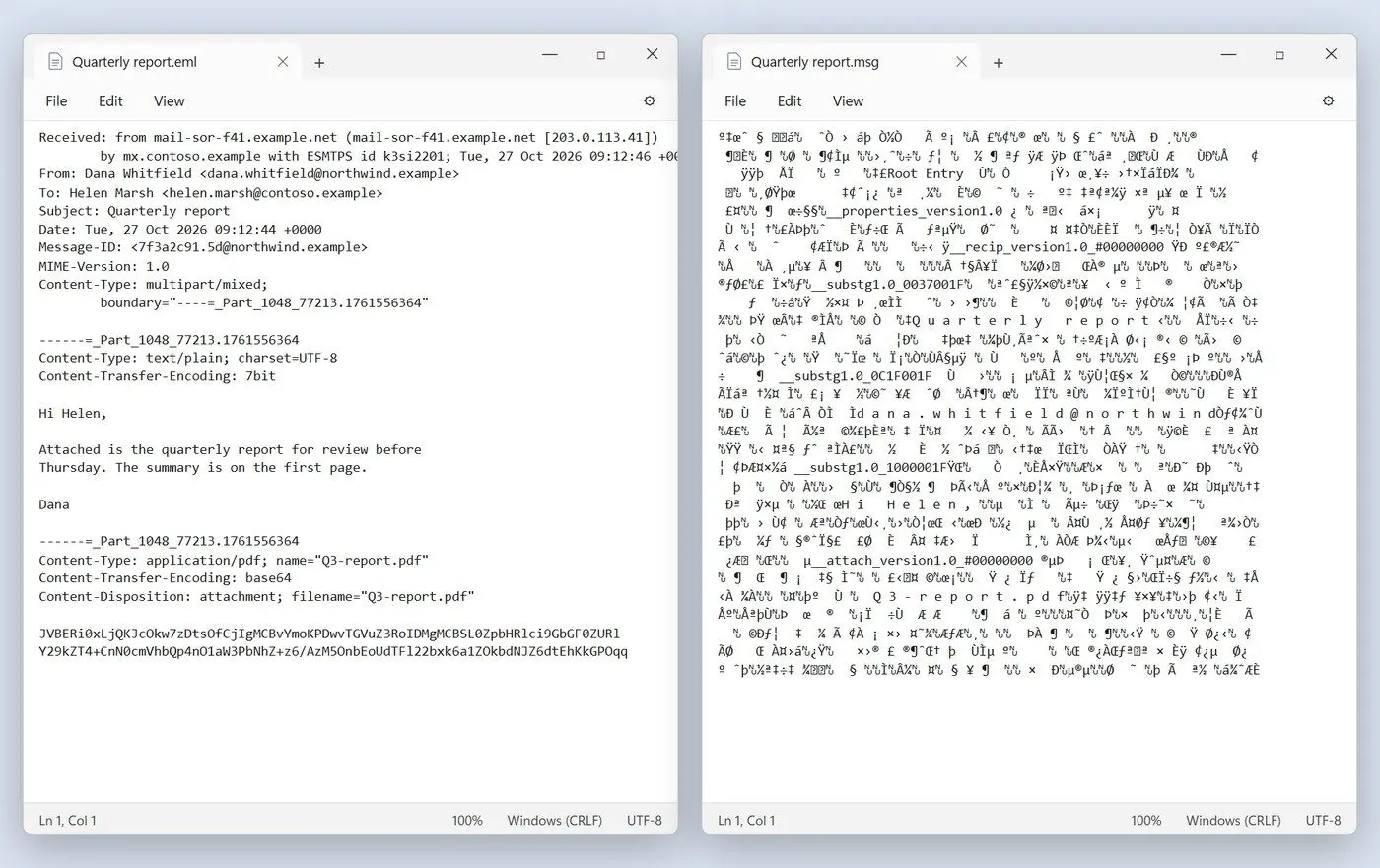
Open an EML file in Notepad to read its headers, such as From and Received, followed by a blank line, the body and attachments encoded as text. An MSG file contains a small file system: storages for recipients and attachments, and streams for each property Outlook tracks.
Microsoft's Open Specifications team documents the MSG structure. Message properties sit in a stream named __properties_version1.0 and streams named __substg1.0_ plus a property tag. A separate storage maps named properties. Attached emails are nested messages inside the parent.
The preservation entry describes MSG as based on the CFB_3 compound file format. Its storage and stream objects work like folders and files inside one file.
998
characters is the hard ceiling for one line of an EML message under RFC 5322, which recommends keeping lines under 78Source
MIME encodes binary attachments as text that fits this rule. In a text editor, you see pages of short lines of letters and digits. MSG has no such line limit because its contents do not travel as text. Properties retain their Outlook types, and the sender can carry an Exchange address alongside the SMTP one. Reading these properties takes software that understands MAPI. That is the practical MSG vs EML gap: one needs a MAPI-aware parser, the other only a text editor.
How to open EML and MSG files without Outlook
TL;DR
You can open EML in almost any mail client, including new Outlook for Windows, or view its contents in a text editor. New Outlook and Outlook on the web open MSG only for Microsoft 365 subscribers. Most other clients cannot read it, so you usually need to convert it to EML or PDF.
Microsoft's help page for new Outlook says you can drag .eml, .msg and .oft files into new Outlook for Windows or Outlook on the web. Opening .msg and .oft requires an account with a qualifying Microsoft 365 subscription.
You can also open EML in Thunderbird or Apple Mail by double-clicking it. Without a mail client, use Notepad to read the headers and text; attachments stay encoded. If you open an .msg from File Explorer through Open with > Thunderbird, it attaches the file to a blank new email. You never see the saved message. Mozilla's support forum has documented this since 2019. For reading only, PDF is often easier. An MSG to PDF converter turns Outlook files into documents you can open on any device.
An EML file carries the same risks as the email inside it: the sender's attachments and links. Treat an .eml from an unknown sender like that email in your inbox. You can read it, but leave unexpected attachments closed.
Can you rename .msg to .eml?
TL;DR
A renamed copy works only if the file already contains a plain internet message under a .msg extension. A genuine MSG is a binary compound file; changing its extension gives your mail client bytes it cannot parse as a message.
One forum reply warns against renaming .msg to .eml without explaining what would happen. In a 2019 Mozilla support thread, renaming a copy to .eml was the accepted fix, and the person asking confirmed it worked. The file's contents explain the different results. Our program checks those contents before converting. It converts a compound MSG, handles a plain internet message saved as .msg as text, and skips an HTML page renamed to .msg because it is not an email.
Check a file before you rename it:
Right-click the file, choose Open with > Notepad and look at the first lines.
Lines starting with Received or From mean an internet message; a renamed copy will open as .eml
Rows of symbols with scattered readable words mean a real MSG; convert it
HTML code at the top means a web page with the wrong extension; no email client will read it as mail
Rename a copy, keep the original.
EML vs MSG format: what can get lost when you switch?
TL;DR
Every visible part of a message has a place in EML, so the mail itself survives. You may lose Outlook-only properties that have no standard internet header.
Some MSG converter marketing pages promise zero data loss; others acknowledge Outlook-only fields with no EML equivalent. Forensic guides describe properties being transformed, reconstructed or omitted during conversion. Treat zero-loss claims as referring to the visible message, and test the rest.
Run a small sample, open a few converted files and check four things:
Subjects and sender names in other alphabets display correctly
Inline pictures appear inside the body, not as loose attachments
Attachments open and match the originals in size
Older messages that Outlook stored in RTF still show their text
EML stores everything as text, so it tends to be bigger than the MSG it came from.
+43%
file size of an EML converted from a Cyrillic-language MSG in our tests with MSG to EML Converter Software, because non-ASCII text is written out as quoted-printable
Keep your original .msg files. Convert into a separate folder, open a sample of the results and delete nothing until you have checked them.
Why does Outlook for Mac turn an attached .msg into .eml?
TL;DR
Outlook for Mac converts attached .msg files to .eml when you send the message. Users have reported this since at least 2024, with no known setting to disable it. Windows recipients get .eml instead of the expected .msg. Zip the .msg before attaching it, or share a cloud link, to send it unchanged.
A Microsoft community responder explained that Outlook for Mac has no native support for .msg, which belongs to Outlook on Windows. The suggested zip file and cloud link workarounds keep the .msg out of Outlook's attachment handling. If you have already received .eml on Windows, open it in new Outlook with any account or convert it back to MSG using the program above.
MSG to EML Converter Software
EML vs MSG: how the two email file formats differ, which one to save for Outlook, Mac or Thunderbird, and how to convert MSG to EML without Outlook.
Double-click it in a desktop mail client. Thunderbird and Apple Mail both read EML, and new Outlook for Windows opens it for every account. With no mail app at all, Notepad shows the headers and the text, though attachments stay encoded.
Only partly. New Outlook and Outlook on the web open .msg for accounts on the right Microsoft 365 plan, and most other mail clients cannot read the format. Converting the file to EML or to PDF is the dependable route.
MSG is short for message. It is the extension of Outlook Message Format, documented by Microsoft as the Outlook Item file format because it also holds items such as contacts.
In classic Outlook for Windows, drag the email to a folder or use File > Save As to get .msg. In new Outlook, drag-and-drop gives .eml, and the menu behind the three dots offers Save as MSG. Outlook for Mac saves .eml.
For most people, EML. It opens on any system and in any mail client, which counts years later when Outlook may no longer be on your PC. MSG wins only when everyone involved uses classic Outlook for Windows, or when the item is a contact or task.
It depends on the app. Intermedia's guide lists MSG for Outlook Web App and EML for webmail on a phone. If a menu lets you download as EML or MSG, pick EML when the file leaves Outlook.
It may. Categories and flags are Outlook properties, and at least one converter vendor acknowledges that some internal Outlook data has no EML slot. Check a converted sample and keep the MSG originals if you need those markers.

 MSG to EML Converter Software