There is no single winner, and each free option trades something. TranscribeIt's free mode allows 3 files a day. Whisper costs nothing yet needs a terminal, and Otter Basic caps file imports at 3 for life.
The best free transcription software for Windows depends on how many files you have and how much setup you will accept. TranscribeIt installs free from Microsoft Store and transcribes 3 files a day at no cost, with the counter resetting daily. Whisper has no usage limit at all, only the setup. Word Transcribe is not free on its own, since it comes with a Microsoft 365 subscription.
Most free online MP3-to-text converters are trial tiers of cloud services. Windows also has free built-in voice typing, designed for live dictation into a text box rather than recorded files.
The usual reaction to a free tool's slips is a shrug and a "but hey, it's free", which holds until the file matters. One video creator who uses Google's free voice typing says it works well and costs nothing, then admits it still needs a lot of improvements before the text can go out unchecked. Budget an editing pass for free tools, as you would for paid ones.
How accurate is transcription with several speakers, noise or accents?
Every tool loses accuracy on crosstalk, background noise and strong accents. No vendor explains how its accuracy percentage was measured, so plan an editing pass and pick a tool with a player beside the text.
Vendor pages advertise near-perfect accuracy. Reviews of the same services range from "really good even with two people talking over each other" to transcripts that make no sense. The recording matters more than the brand: a clean single-voice memo and a noisy four-person call are different jobs.
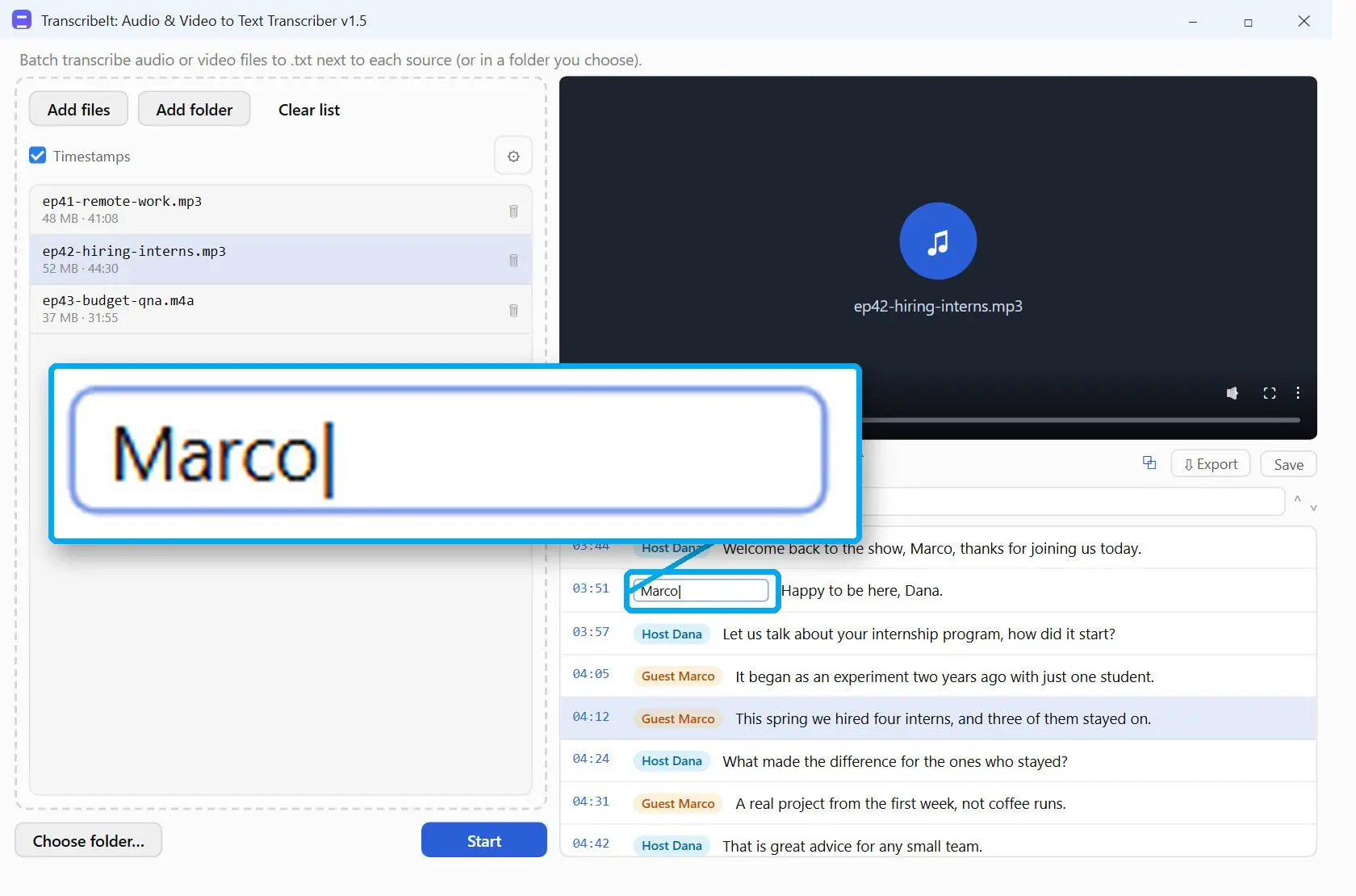
Speaker labels, or speaker diarization, are where tools differ most. Word Transcribe separates each speaker, and Notta users praise its speaker identification. TranscribeIt's Identify speakers runs offline. When you know the head count, set it to 2, 3, 4 or 5 instead of Auto, then rename the voices. Labels still slip when two people talk at once, so check those passages by ear.
Whisper can produce text that was never spoken, often repeating earlier lines near the end of a file. Researchers who studied the problem describe a "bag of hallucinations" and filter it out after transcription. Skim the last minute of any Whisper transcript before you trust it.
Reduce hiss or echo before transcription with noise reduction software. Accents raise error rates, so check that your language is on the tool's list. TranscribeIt covers 25, from English and Spanish to Polish and Ukrainian; Transkriptor lists more than 100.
A transcriptionist who trains beginners runs every draft through a free grammar and punctuation checker before delivery, then reads it once more against the audio. That habit fits every tool on this list. Listen, edit and proofread, then send.
Does batch transcription work on a whole folder of MP3 or WAV files?
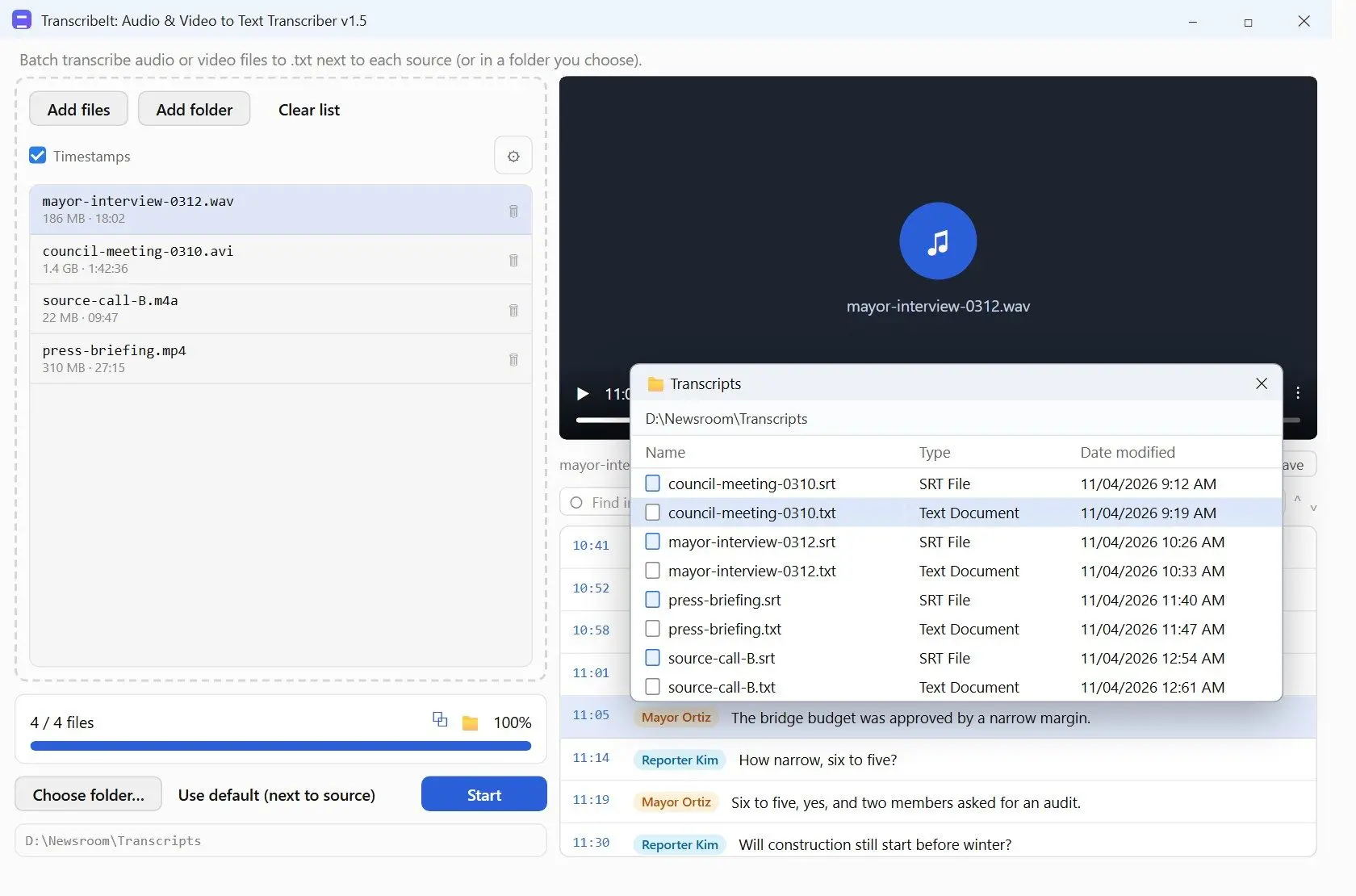
With a batch tool, yes. TranscribeIt takes a whole folder, subfolders included, and writes a .txt and an .srt for each file. Cloud services count every upload against minutes or imports.
Batch support and format coverage come up almost in every forum request about transcribing recorded files. In TranscribeIt, you drag a folder onto the queue and it picks out the audio and video files inside. FLAC and OGG sit next to the usual WAV, MP3 and M4A, and video covers MP4, MKV or MOV. A file picked by hand can be any container that ffmpeg reads. Word Transcribe accepts four formats. With Whisper, batch transcription means writing a small script around the command.
You can transcribe a video file directly, or extract audio from video to work on its soundtrack.
Pick the output by what happens next. A .txt is for reading and quoting. An .srt follows the SubRip subtitle format, with numbered lines plus start and end times, so it drops straight into a video editor or player. One working transcriptionist would not include the timestamp in a reading copy and erases it from the text they deliver. They also keep the result as bare text, since it is easier to edit later on. TranscribeIt saves both files side by side, so SRT export costs no extra step and you do not have to choose up front.
Why do transcription subscriptions get expensive, and is offline transcription the alternative?
Billing drives more complaints about cloud transcribers than accuracy does, from charges after a trial to cancel buttons that are hard to find. Local tools do not meter minutes.
One-star reviews of the cloud services ranked here mention charges after a trial with no reminder, subscriptions started by mistake, hard-to-find cancellation and refunds described as virtually impossible. Accuracy complaints appear too, but less often.
The Word and Otter minute caps can feel roomy until a heavy interview month.
Switching services takes time. A podcaster who moved between hosting services calls the switch frustrating because parts of the setup failed along the way. Export cloud transcripts as .txt or .srt when you get them.
Whisper is free. TranscribeIt is free for 3 files a day, with a license on our site for more. Because it transcribes on your PC, there are no minutes to count. If you try a cloud service, set a calendar reminder for the day before the trial ends.
 TranscribeIt: Audio & Video to Text Transcriber