Yes, if you download from the vendor or an official app store. The reported antivirus flags are old and isolated. Scan the installer before running it.
A 2015 post on Norton's forum says an antivirus quarantined a Systweak installer as a trojan. The post got no replies. In 2022, a reviewer reported an anti-malware warning about an unwanted file after installation on the Mac App Store listing. The same reviewer complained about repeated rating requests. Dottech reported that 7 of 56 VirusTotal engines flagged version 1.1. In February 2026, Cisdem reported no antivirus warnings during its test.
The vendor declares that the Android app collects no data. Ads are a common complaint. After an update, one reviewer said ads failed to load or froze the app until they closed it.
Download from duplicatephotosfixer.com or the Microsoft Store. Right-click the installer and choose Scan with Microsoft Defender before running it.
Will Auto Mark delete the photo you wanted to keep?
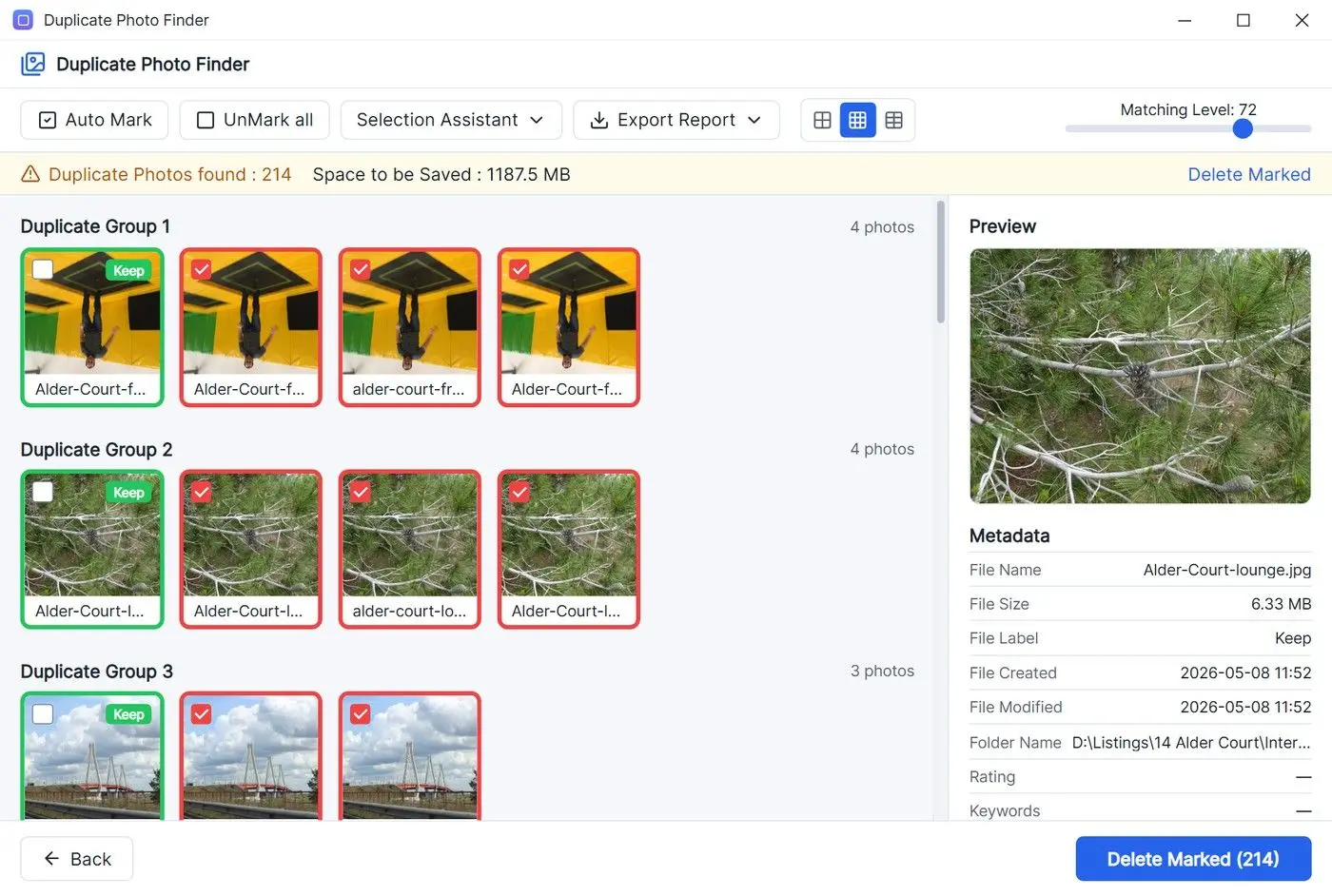
Auto Mark applies one rule across all groups. Cisdem warns that it can tick your favourite frame among similar shots. Check those groups by hand.
The vendor says Auto Mark ticks duplicates in one click and claims 100% accuracy for exact and similar photos. One review says Auto Mark keeps the highest-quality version, according to Retouching Labs. In Cisdem's test, Auto Mark couldn't choose the best of several similar pictures. Cisdem warns you could lose a favourite. To change the marking rule, open Preferences and choose Auto Mark.
With exact copies, any file in the group will do. In a burst of five frames, the largest file might show someone blinking even when one shot caught their eyes open. Use the preview to make sure you're deleting the right duplicates.
In one walkthrough, the presenter ran Auto Mark, scrolled through the groups, and then changed which files would actually be marked for deletion based on what he had just seen. Another tutorial ends on the same note: check the photos yourself before you confirm.
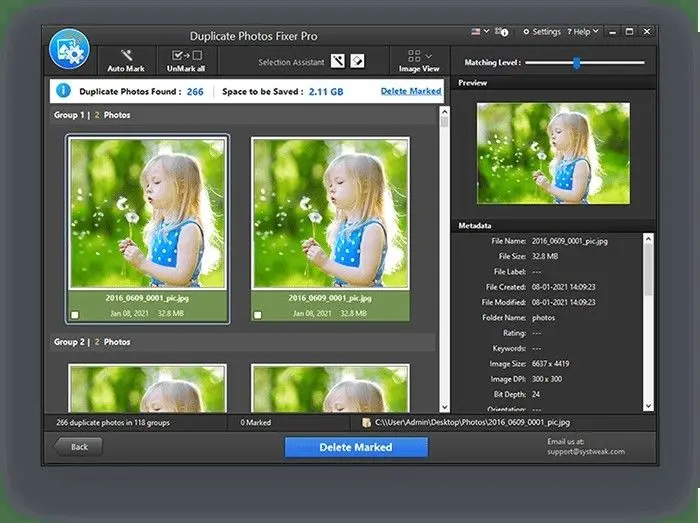
A lower Matching Level groups more loosely related shots, increasing the chance that Auto Mark ticks a keeper. Results cover only photos taken within 24 hours, according to FixThePhoto. Two other reviews use almost the same wording. None of the three shows a test. Check Time Interval before scanning.
Open every group of similar photos before deleting. Check the unticked frame. If you want to keep a different one, change the ticks by hand.
How fast is the similar-photo scan on a big library?
The only detailed timing comes from a competitor, Cisdem. Its scan took 4 minutes 34 seconds for 7.34 GB and found 2,910 duplicates. Allow minutes for a large library and try a smaller folder first.
Cisdem published the test to promote its own program, which it says found 2,936 duplicates in 7 seconds on the same files. Neither timing is independent. Cisdem also reported a faster second scan of the folder thanks to caching.
FixThePhoto quotes about 15 seconds per 1,000 images. iMyMac quotes 15 to 20 seconds in much the same wording. Neither shows a test. Retouching Labs reports over 2,000 photos in under 3 minutes. OMR reviewers found large scans slow and wanted more control over filtering.
One tutorial suggests you begin with one folder, such as Pictures, or some smaller batches to compare, and only then point the app at a whole drive. Try the settings on 2,000 photos before scanning 60,000.
Can you get deleted photos back?
Yes on Windows. Dottech says Fixer Pro sends files to the Recycle Bin and offers no permanent-delete setting. A Mac review found no recovery option inside the program.
The absence of a permanent-delete switch is a safety advantage, though it counted as a drawback in Dottech's review. Until you empty the Recycle Bin, you can open it, select your photos and choose Restore the selected items to return them to their folders.
Macdeed says the Mac program has no recovery option of its own. Use Trash to recover files there. Check your folders for a day or two before emptying the bin.
One video tutor frames the whole review step around a single goal: keep the original digital photo whenever you can, and delete only the copies.
- Removed files go to the Recycle Bin
- No setting for permanent deletion
- No recovery tool inside the Mac app
- Ticked files go to the Recycle Bin or move to a folder you pick
- Windows, Program Files and AppData are left out of scans
 Duplicate Photo Finder