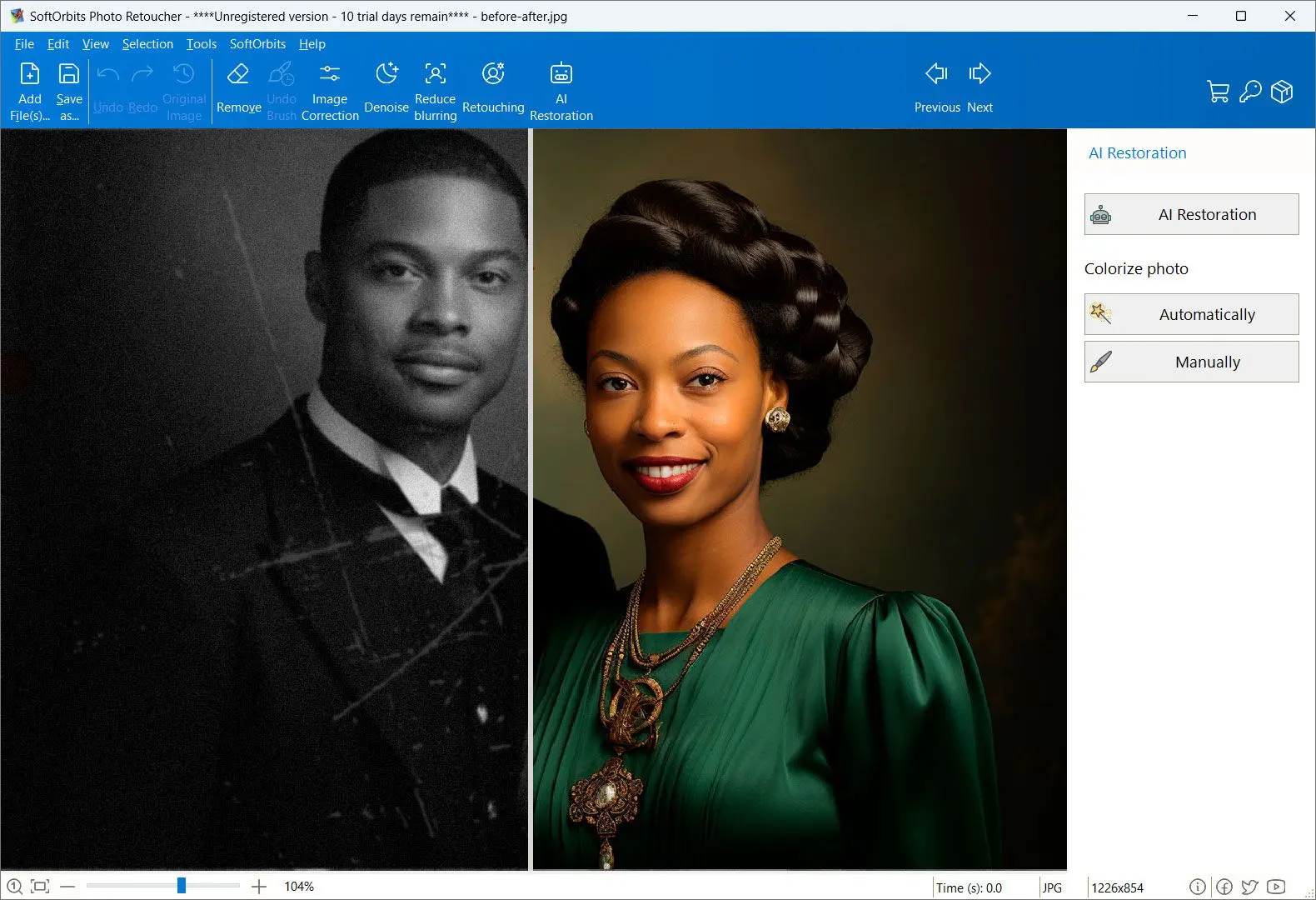
AI colors are plausible guesses. Black and white photos store only brightness; Palette.fm and other colorizers predict colors from shapes and context. A uniform or dress can look believable in a shade it never had.
In the Duke DDMC colorization test, the reviewer wrote, "Palette.fm is explicitly built for this task, and that focus shows," and described the result: "It did not modernize the photograph. It respected its age." MyHeritage's result in that test looked closer to old hand tinting.
If the first pass misses, edit the scene prompt and colorize again. The Palette help article on adjusting colors recommends describing the scene without naming specific colors directly. A one-star user review complained about inaccurate results, so try a few free previews before spending a credit.
What about ChatGPT and other generative AI?
In the Duke test, ChatGPT 5.2 gave one of the strongest results, while several other programs rebuilt the picture. Adobe Firefly Image 4 generated an entirely new image; Google's image model in Flow smoothed the photograph. Faces and clothing can change.
Generative AI redraw
Builds a new image from your prompt and the photo
Can change faces, clothing and texture
Smooths away the grain that dates the photo
VS
Dedicated colorizer
Adds color on top of the original pixels
Keeps faces and composition as they were
Leaves the photo looking its age
Is an offline photo colorizer safer than uploading family photos to Palette.fm?
TL;DR
Every photo you colorize with Palette.fm goes to its servers. If you want to keep a family archive private, processing it on your own PC avoids the upload.
On Windows forums, people with many old family photos ask about privacy, and replies recommend offline options. Read Palette.fm's privacy policy before uploading sensitive photos. Kolorize says it deletes files after processing; that is the vendor's own claim.
Photo Retoucher and DeOldify process scans on your PC. For cloud-based repair, read the upload trade-offs in old photo restoration online.
Do you need to repair scratches before colorizing?
TL;DR
Yes, if your scan has scratches, stains or cracks. A colorizer treats damage as part of the image: a white scratch across a cheek can become a pale streak in the skin.
Even a five-star Palette.fm reviewer wished it could remove marks from old photos. In Photo Retoucher, open AI Restoration and tick Remove Scratches and Colorize photo. The program repairs the scan before adding color. Batch mode applies those boxes to every scan in a folder.
A faded print with a few dust specks can colorize well after a quick clean-up in almost any editor. Our Canva restore old photos review shows where a design program is enough.
Keep your original scan untouched. Save repaired and colorized copies as new files so you can try another program or a newer model later.
Which Palette.fm alternative fits your photos?
TL;DR
Check the photos' condition and decide whether you can upload them. Those two choices narrow seven programs to one or two.
Stop at the first yes:
Damaged scans that should stay on your PC? Photo Retoucher repairs and colors them in one pass.
Undamaged photos and several color looks to compare? Palette.fm; spend credits on versions you keep.
Preset styles from one website, with payment per result? Hotpot.ai.
A few lightly damaged JPGs and nothing to install? Colorize.cc.
Photos for a MyHeritage family tree? MyHeritage In Color.
Already paying for Photoshop and want manual color points? Its Colorize neural filter.
Comfortable with Python and want free local results? DeOldify.
For a family archivist with 200 creased prints from a grandparent's attic, I would choose Photo Retoucher: repair matters more than style. A designer making one anniversary print could use Palette.fm's one-time pack. A genealogist adding faces to a tree could use MyHeritage. For another vendor's desktop restorer, read our PhotoGlory review.
Also considered
Kolorize colorizes without sign-up and caps images at 4096 x 4096 pixels. It has no repair step
Contenta Converter is a Windows batch program whose page promises no upload and says it uses Google Gemini AI. We excluded it until that contradiction is resolved
RE Colorizer, a Windows app based on DeOldify, appears on AlternativeTo as a Palette.fm alternative; we could not check its current version
CODIJY and AKVIS Coloriage are desktop colorizers on the same AlternativeTo list. We excluded them because we could not verify current versions and pricing
In the Duke test, Adobe Firefly Image 4 generated a new image and Google Flow smoothed the face instead of coloring the original
Sources
Shotkit: AI image colorizers hands-on roundup confirming that free Palette.fm downloads are compressed and carry the logo
Palette FM review 2026: what the free tier gives, what credits cost, how accurate the colors are, and 6 alternatives, including a local Windows colorizer.
Yes. Duke's test rated ChatGPT 5.2 among the best, but Adobe Firefly Image 4 generated an entirely new image. Dedicated colorizers work on the original pixels.
A neural network learns relationships between colors, shapes and textures from large sets of color photos. It predicts a color for each area of a black and white image. Skin and sky usually look right; clothing and painted objects are guesses because gray tones do not preserve their original colors.
The subscription renews. One review on a software listing reports an unexpected renewal and a refused refund. For a single batch, the one-time pack avoids renewals. If you subscribe, check the renewal date in your account.
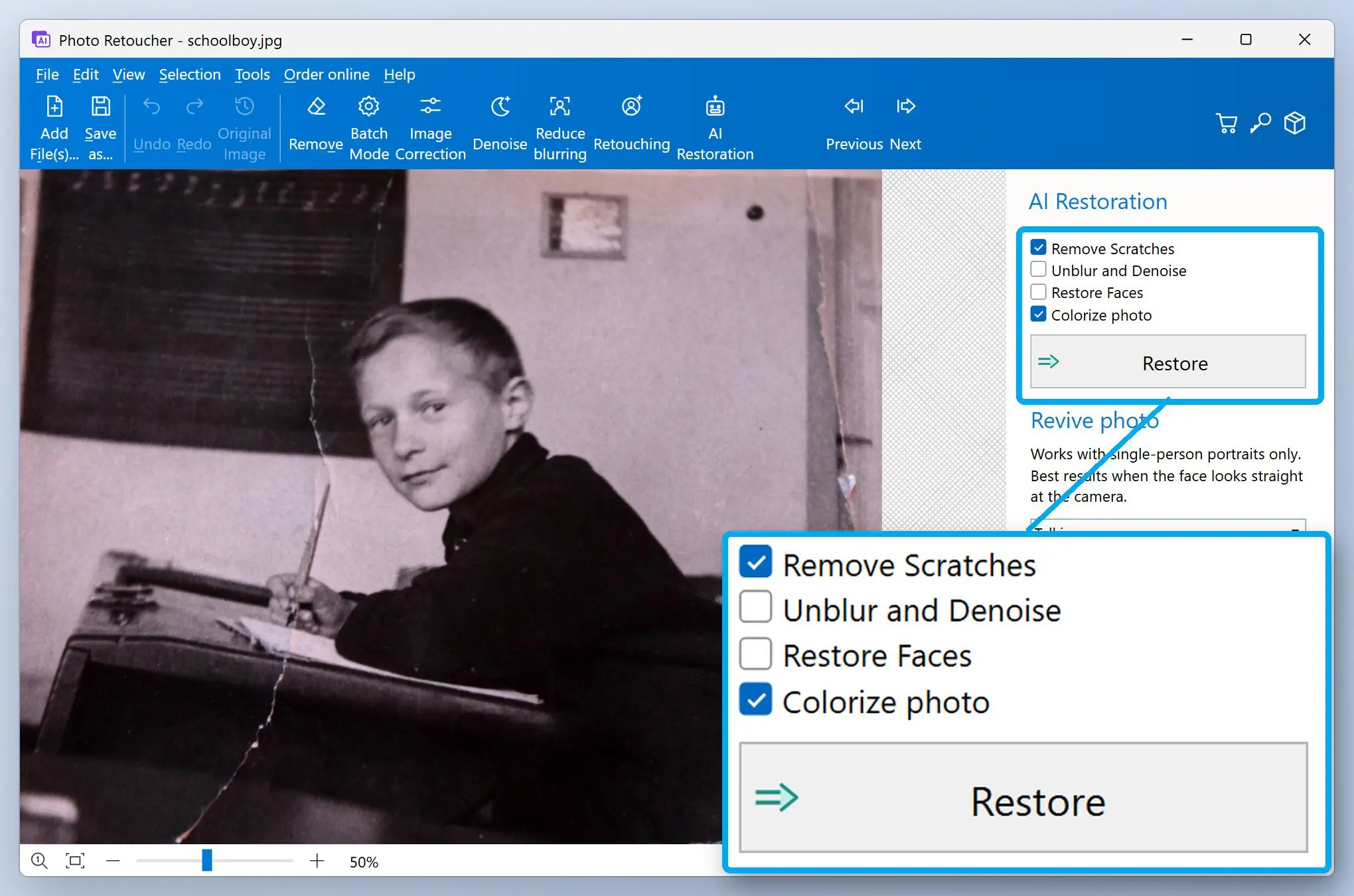
 Photo Retoucher