Give your old photos a new life with powerful AI restoration.
Do you have scanned pictures with scratches, spots, dust, or torn corners? Photos from an old camera or retro smartphone that look blurred, too dark, or grainy? Our free photo restoration online workflow fixes them in a few clicks.
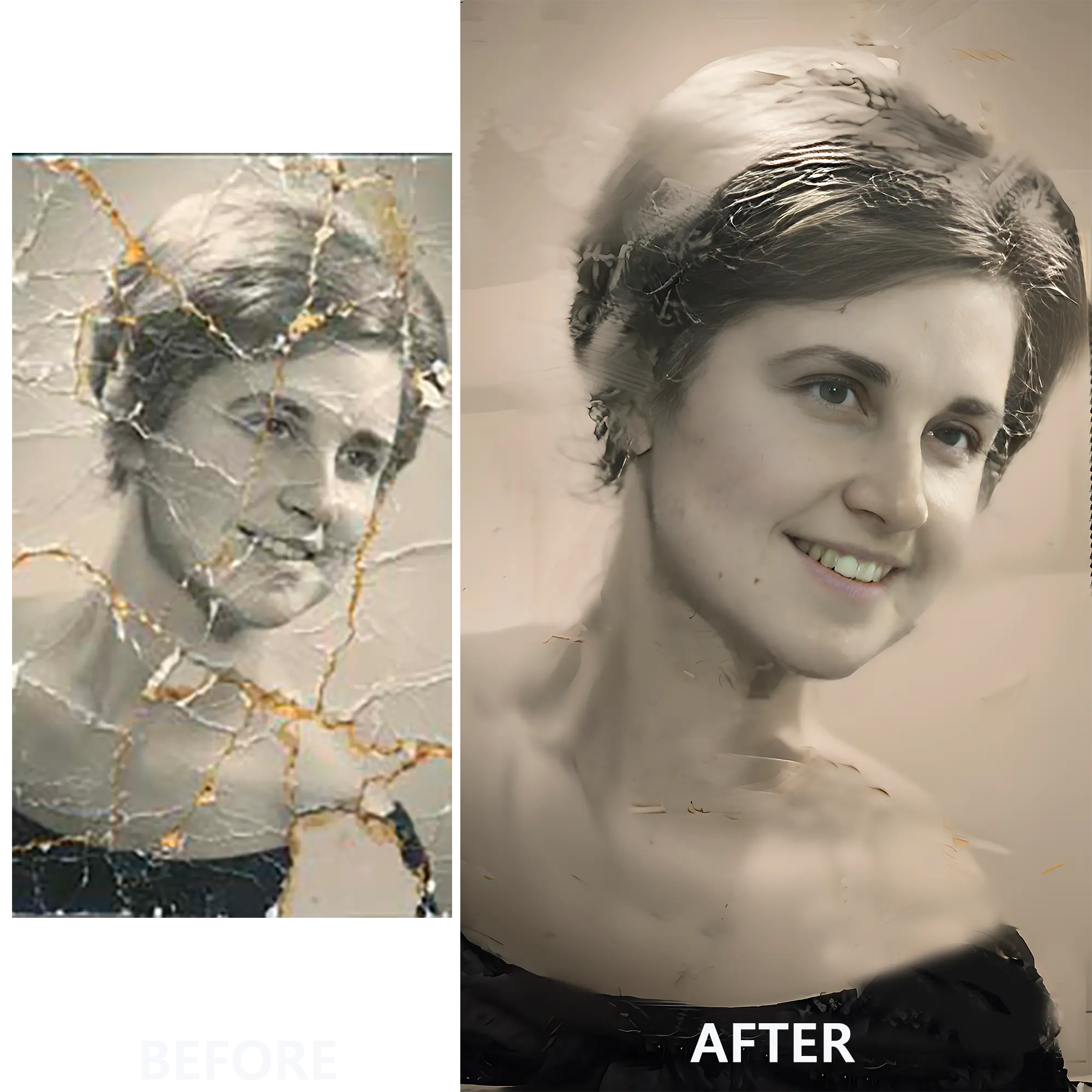
Use our online old photo restoration tool in the browser or download SoftOrbits Photo Retoucher for desktop batch editing.
Drag and drop your photos or use the Add Files button.
Click the One Click Recovery button.
You may also try additional recovery tools: Face Restoration, Face Retouching, Remove Scratches, Denoise & Deblur, and Colorize.
Click the Download button to save the restored images.
We store photos from unregistered users for three days only, then remove them to save cloud storage.
Our models remove scratches, stains, and damaged areas, using generative AI to restore believable detail in old photos.
Colorize old black-and-white photos automatically in one click.
Face restoration AI rebuilds even heavily damaged faces, bringing back eyes and skin texture.
Restore and download up to 100 photos in one go.
Our AI makes blurred photos focued removing grainds, noice, dust and spots easily.