How to remove a known password from a Word document
TL;DR
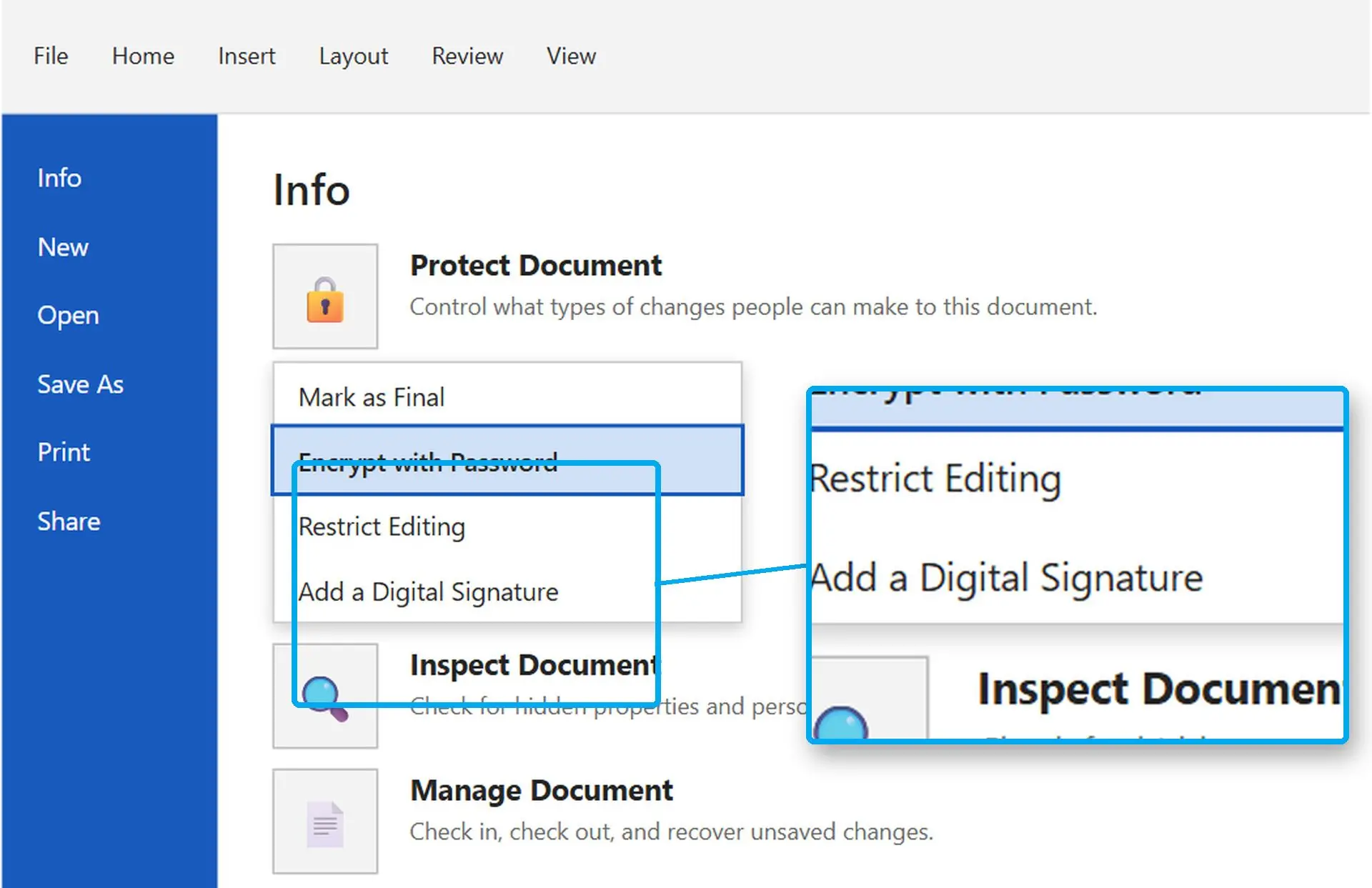
If you remember the password, open File > Info > Protect Document > Encrypt with Password, clear the password box, and save.
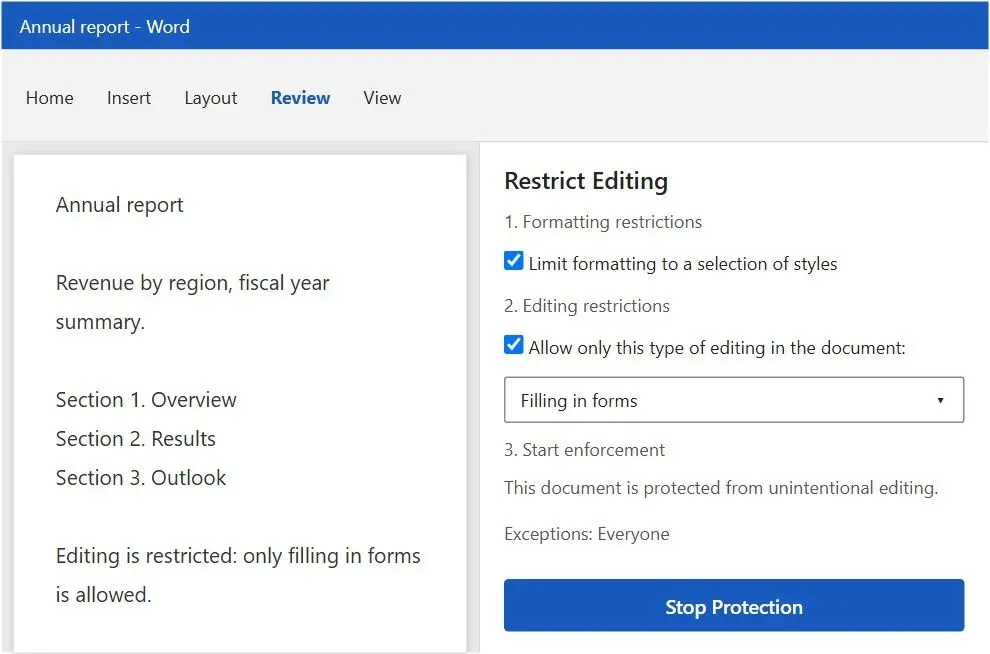
To remove a Word document password, open the file and enter the password when prompted. It is a good idea to make sure you are in the info section. Go to File > Info. Click Protect Document, then Encrypt with Password. Delete the dots, clearing the field, click OK, and save. In many Word versions the Info tab is selected by default when you open File. For an editing restriction, go to Review > Restrict Editing and click Stop Protection. Enter the password to lift the lock. Check that removing the lock is appropriate before proceeding if the file once held contracts or sensitive data.
How to remove editing protection from a Word doc without knowing the password
TL;DR
When you lose the editing password, rename the .docx to .zip, open word/settings.xml in Notepad, delete the documentProtection element, save, and rename the archive back to .docx. The document opens editable because the password was not an encryption key.
Work on a copy of the file. Editing the wrong XML tag or saving inside the wrong folder may stop the document from opening.
Make a copy of the .docx. Rename it to .zip and open it with 7-Zip or File Explorer. Open the word folder, then settings.xml in Notepad. Find the line that starts with w:documentProtection and delete it. Save, close the editor, and rename the .zip back to .docx.
If the archive tool refuses to open the renamed file, it has an open password, not an editing restriction. Help pages also suggest uploading the restricted .docx to Google Docs and downloading it again. This sometimes strips the editing flag, though formatting may shift. Some guides suggest opening the file in WordPad and saving a copy; the RTF route works only in specific Word versions. Neither works on encrypted files.
How to remove password from Word file if you forgot the open password?
TL;DR
Only by guessing. Each attempt takes 100,000 rounds of SHA-512 hashing. One public test held a desktop RTX 3080 to roughly 24,000 guesses per second. Short or dictionary-based passwords are realistic targets; a long random string could resist for years.
Microsoft states that a lost open password cannot be recovered through any official channel. Built-in tools cannot help because the encryption has no backdoor.
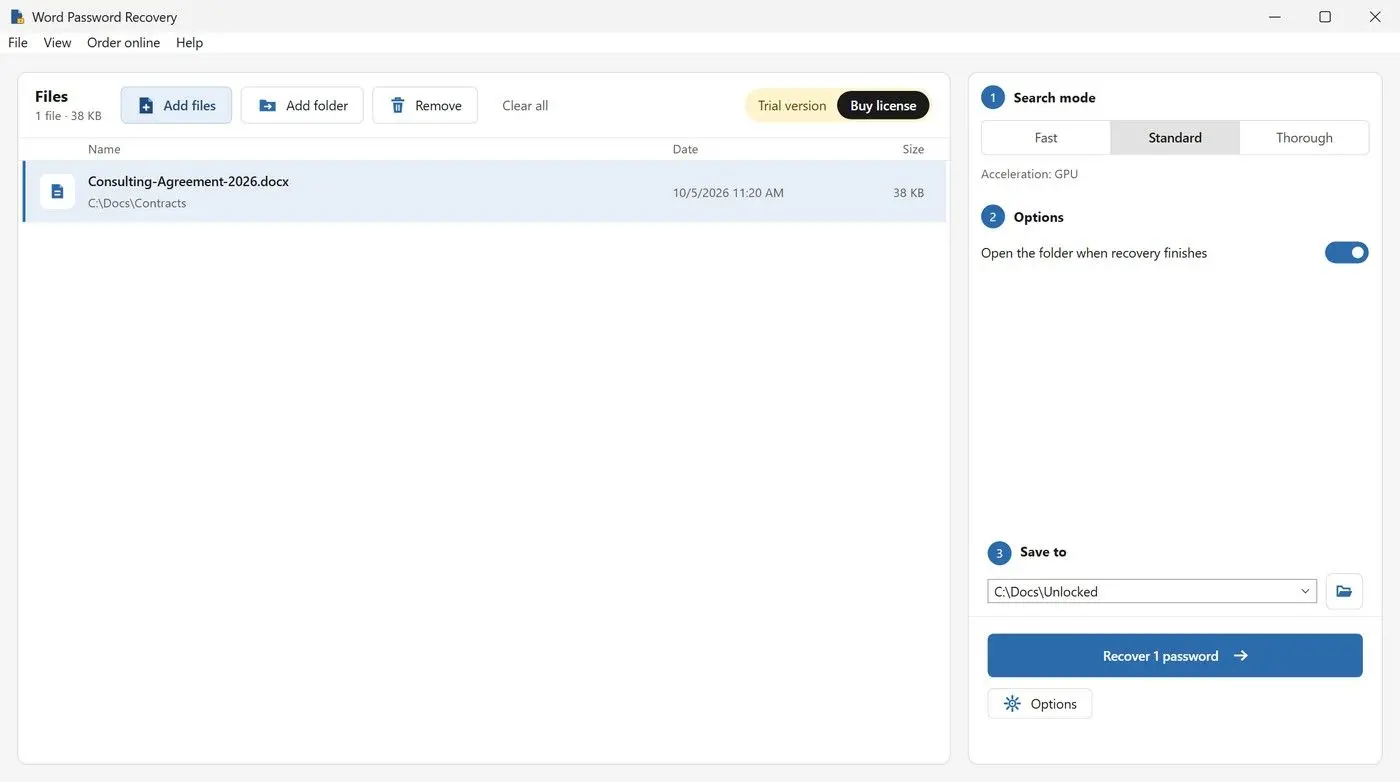
A dictionary attack tries common words and patterns. A mask attack narrows the search if you remember part of the password, such as a capital first letter and two digits at the end. Without a clue, brute force on an entry-level laptop GPU (GTX 1050) reaches about 2,000 attempts per second. The tool estimates about 10 years to try every printable character against a six-character password. A desktop card is faster, but still not enough for long passwords.
~24,000
guesses per second on a desktop GPU (RTX 3080) against Office's 100,000-round SHA-512 password hashSource
Is it safe to use an online Word password remover?
TL;DR
You upload the file to a server you do not control. The document leaves your machine, and you cannot verify it gets deleted after processing. A desktop recovery tool avoids the upload.
Bitdefender warns that some free file-processing sites deliver malware or pull sensitive data from uploaded documents. Keep .docx files containing contracts, medical records, or financial data off unknown servers.
For editing restrictions, the .zip rename method costs nothing and takes a few minutes. For open passwords, Word Password Recovery works without an internet upload. Once the file opens, you can password-protect a folder to keep the plain copy private.
Which method should you use?
TL;DR
Know the password? Word handles it. A forgotten editing lock comes off in seconds with the ZIP trick or Word Password Recovery. A forgotten open password needs a dictionary-based recovery tool, and the odds depend on password length.
Go to File > Info > Protect Document > Encrypt with Password, clear the password, click OK, and save. If you forgot it, the method depends on whether it is an open password or an editing restriction.
Enter the password at the prompt. An encrypted file needs a recovery tool; an editing restriction comes off with the .zip rename trick without a password.
Open Review > Restrict Editing and click Stop Protection. Without the password, rename the .docx to .zip, delete the documentProtection line in settings.xml, and rename it back.
The open password is the encryption key. You need the correct password or a recovery tool that tests dictionary and mask combinations. The encryption has no bypass.
Click Review > Restrict Editing. If Stop Protection is visible, click it and enter the password. If the button or password is missing, rename the .docx to .zip and delete the documentProtection element as described above.
If your IT department deployed a DocRecrypt escrow certificate before the file was last saved, they can remove the open password. Otherwise, check OneDrive version history, email attachments, or backup drives for an unprotected copy.
On a laptop GPU, yes. A desktop RTX 3080 reaches roughly 24,000 guesses per second against Office's 100,000-round SHA-512 password hash. RAR password recovery follows the same hardware-dependent pattern.
 Word Password Recovery