Accurate enough to clear the obvious misses on a big shoot, less so on moments shot on purpose. No shared, repeatable test exists.
Accuracy figures in reviews of Aftershoot are personal. One reviewer reports the AI matched their own choices nearly every time on one shoot. Another says it cut culling time roughly in half. Neither is repeatable, so we leave the percentages out.
The write-ups agree on where it slips. A portrait photographer who has used it for over two years says the closed-eye check slips on distant faces and people looking down on purpose, yet it still saves her from zooming in on every frame. Other reviews describe an AI that keeps too much and leaves heavy re-checking on some shoots. Aftershoot's own buyer's guide concedes that the AI can misjudge unconventional artistic frames, matching what practitioners report.
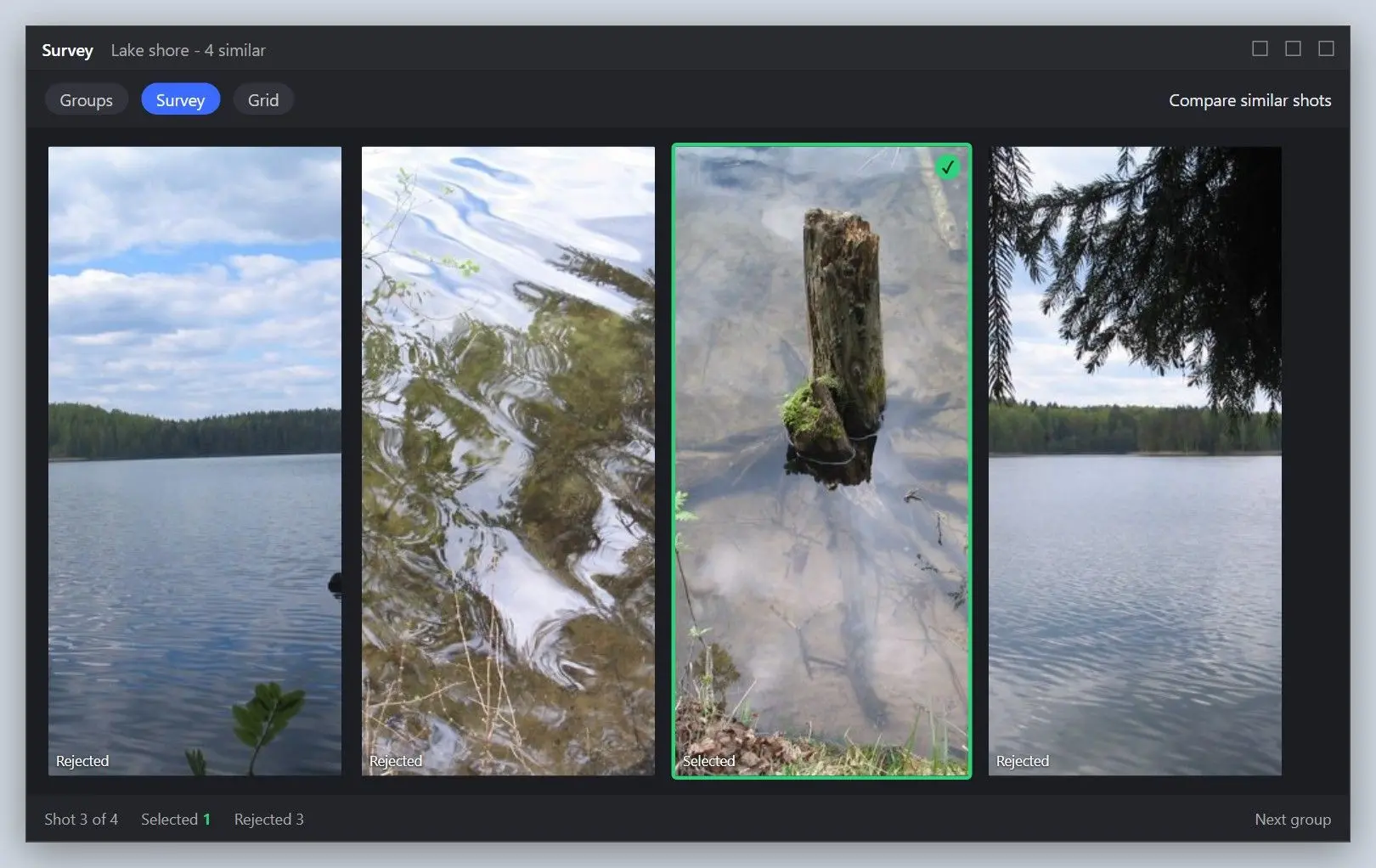
Survey mode helps with close calls. Takes from one burst sit next to each other, so you pick the winner without zooming frame by frame.
Does Aftershoot's closed eyes detection reject shots that tell the story?
Sometimes, yes. An event photographer who spent a month on the trial saw guests with their eyes shut in prayer land in the reject pile, though that shut-eye frame was the whole picture. In her summary, the software cannot choose the decisive moment, so storytelling picks stay with you. Ceremonies and documentary work carry the most risk.
Scan the Reject pile before you empty it. Aftershoot leaves originals in place, so a quick pass over rejects costs little and catches the prayer shots and quiet moments the AI marks as mistakes.
How much does Aftershoot cost in 2026?
TL;DR
Select, the culling module, costs $10 a month billed yearly or $15 month to month, checked on November 17, 2026. Editing and retouching are separate modules, and there is no one-time license.
$10/month
Aftershoot Select (AI culling) billed annually, $120 a year; $15 when paid monthly. Checked November 17, 2026Source
Aftershoot changed its pricing on May 28, 2026, replacing older plans with four modules, including Select for culling and Edit for editing, as a long-term user's pricing breakdown records. How much is Aftershoot per image? Nothing extra, because the model is a flat-rate subscription with unlimited usage and has no per-image fees. The vendor also lets you pause a plan in slow seasons, which helps shooters with a summer-heavy calendar.
Many reviews still ranking in search quote plan names and prices from before May 28, 2026. Check the date on any price you read, including ours.
Is Aftershoot free, or is there just a free trial?
No. After the 30-day trial you choose a paid plan, since neither culling nor editing has a free version. The Aftershoot free trial gives full access without a credit card, which is why one YouTube reviewer calls a test on your next big shoot virtually zero risk. Shotkit's Aftershoot review describes the same trial terms.
What computer do you need, and where do your photos go?
TL;DR
Aftershoot runs on Windows and macOS and wants at least 8 GB of RAM and a relatively recent CPU. Culling happens on the machine itself, and the vendor says editing and retouching now do too.
8 GB
minimum RAM for Aftershoot, with a relatively recent CPU; the vendor notes some features struggle on integrated graphicsSource
Speed depends on the machine, and the vendor says so itself. Photographers on older laptops feel it first. Unite.AI's review notes Aftershoot can cull and edit fully offline, which suits shooters who sort images on the road.
An older Digital Camera World review described an Aftershoot Edits beta that uploaded shots to the cloud. The vendor's pricing page now says culling, editing and retouching all run on your own Mac or PC, so check the current terms if client files must stay in your studio. The vendor's home page names Windows and macOS for the desktop app, where culling a full shoot happens.
What does Aftershoot do besides culling?
TL;DR
After the cull, Aftershoot's Edit and Retouch modules take over, with editing based on a personal AI profile. Reviewers rate the edits as a solid start that still needs your hand.
The Edit module builds a personal AI profile of your edit style, meant to match your exact signature style. Unlike a preset, it adjusts exposure and white balance for each photo separately. One video review adds that you have to invest a little time upfront, feeding it past edits before it copies your look. One event photographer found the AI edits adequate but the masking, cropping and straightening weak, so she still refined frames by hand.
Inside Select, grouping takes practice. One wedding reviewer called the grouping a bit of a learning curve because you decide yourself how many takes of a single pose stay. Survey mode and the cull-to-a-target-number option make that call faster once you trust the groups. Check how the Lightroom round trip fits your workflow during the trial, since most of these photographers finish their edits there.
What do users complain about most?
TL;DR
The complaints we found concern cancelling the subscription and re-checking rejects, plus the hardware bar. The praise is just as steady, and it centres on hours saved on large shoots.
On Trustpilot the score stood at 4.8 out of 5 from 1,808 reviews when we looked on November 17, 2026. A five-star reviewer credits the culling tool with hundreds of saved hours and expects more. A one-star reviewer described being pushed through retention offers when trying to cancel the plan.
Practitioner reviews add a quieter issue. The video review that likes the app also concedes independent testing is still thin, so you only learn how it treats your niche camera sensor by running your own files. A thread asking whether people like Aftershoot turned up in a beginner photography group. Newer shooters often want outside opinions before they pay. The Aftershoot free trial is the cheaper way to get one.
Aftershoot vs Imagen: which is better for culling?
TL;DR
For culling, Aftershoot. Imagen built its name on AI editing and sells culling as an extra, while Aftershoot started from culling and added editing later.
In The Slanted Lens comparison, the host tried both and judged Aftershoot the stronger culler, with Imagen focused on editing. Both run on PC and Mac. Billing is where they split. Imagen offers pay-as-you-go plans, per Aftershoot's comparison, while Aftershoot charges a flat fee, which matters if per image fees eating into your margins worry you.
Studios that already edit in Imagen and only need rejects cleared may find the add-on enough. When culling takes most of your evening, Aftershoot is the better fit of the two.
Is Aftershoot worth it, and who should buy it?
TL;DR
Yes for high-volume wedding and event shooters, where the time saved on culling is largest. Light shooters and Windows hobbyists who want the final say have cheaper fits.
Buy Aftershoot
You shoot weddings, events or school portraits, deliver thousands of frames a month and feel the absolute dread of post-shoot culling every Monday. You want culling and editing from one vendor, work on a Mac or a Windows machine that meets its hardware minimum, and accept a subscription you can pause in slow months.
Consider an alternative
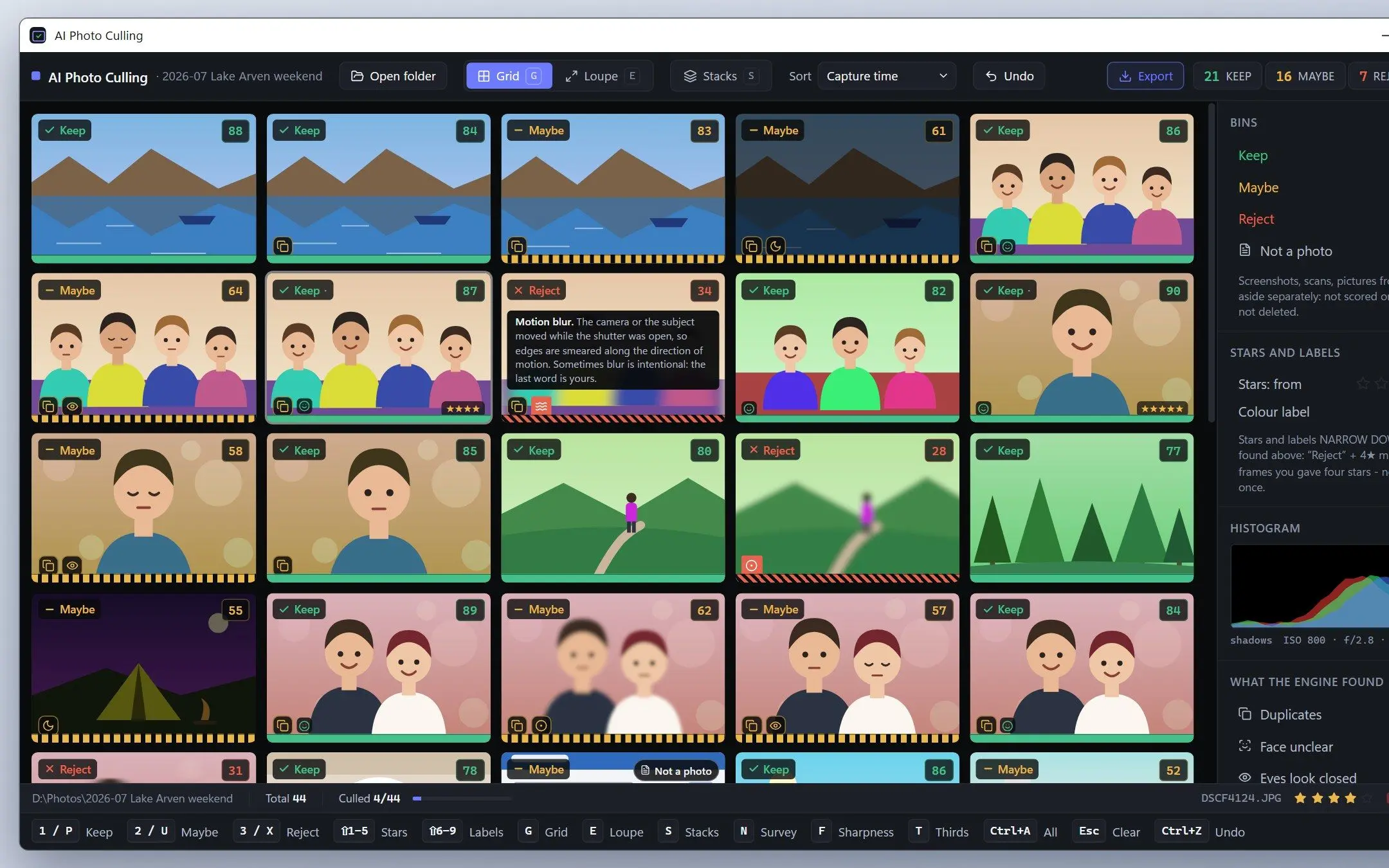
A Windows hobbyist who wants misses flagged and every keeper chosen by hand is the case AI Photo Culling was made for. Its free mode never expires. A photographer who wants rankings with explanations and no automatic cull will find Narrative Select built for that. If your team already edits in Imagen, try its add-on before paying for another culler.
Skip AI culling for now
Is Aftershoot worth it for light volume? Often not, since the portrait reviewer says the sums change if you shoot about 150 frames a session and already find culling easy. In her words, the math is different there, and a manual pass in Lightroom may cost less than any plan. If your folders hold mostly copies rather than misses, our guide on how to find and delete duplicate photos on Windows may be all you need.
Culling tools we also looked at
We kept this review to four tools. For a wider field, see our photo culling software compared for Windows. These came close:
FilterPixel culls with genre-specific modes, per the vendor. We found no independent user reviews to check its claims against.
Photo Mechanic is known for fast manual culling. This review covers AI culling, so we left it to the roundup.
Excire came up next to Narrative and Imagen, but we found too little independent material on its culling to review it fairly.
Manual culling in Lightroom costs nothing extra if you already pay for Lightroom, and it fits small sessions.
Select, the culling module, is $10 a month on yearly billing or $15 paid monthly, checked on November 17, 2026. Edit and Retouch cost extra, and a 30-day trial comes first.
For clearing blur, duplicates and closed eyes on large shoots, reviewers say it does. They still check the rejects because the AI misreads some intentional moments.
Yes. It is an established desktop app for Windows and macOS with a public price list and a Trustpilot score of 4.8 out of 5 on November 17, 2026. One one-star review there complains about the cancellation process.
It depends on volume and platform. Aftershoot leads for high-volume weddings, Narrative Select suits photographers who want every final call, and AI Photo Culling fits Windows users who want a reason shown for each reject.
The vendor presents Aftershoot as a desktop app for Windows and macOS, and culling a full shoot happens there. Check its site for any phone companion before you plan around one.
Install the desktop app, start the 30-day trial and import a shoot. Select groups similar frames and flags misses. You then review the picks, compare bursts in Survey mode and move on to editing.
Narrative Select and Imagen are the closest rivals, with FilterPixel and manual Lightroom culling further out. On Windows, AI Photo Culling flags misses with a reason on each frame and has a free mode.
A one-star Trustpilot review describes retention offers during cancellation. Note your renewal date when the trial starts, and pause the plan in quiet months if you only need it seasonally.
 AI Photo Culling