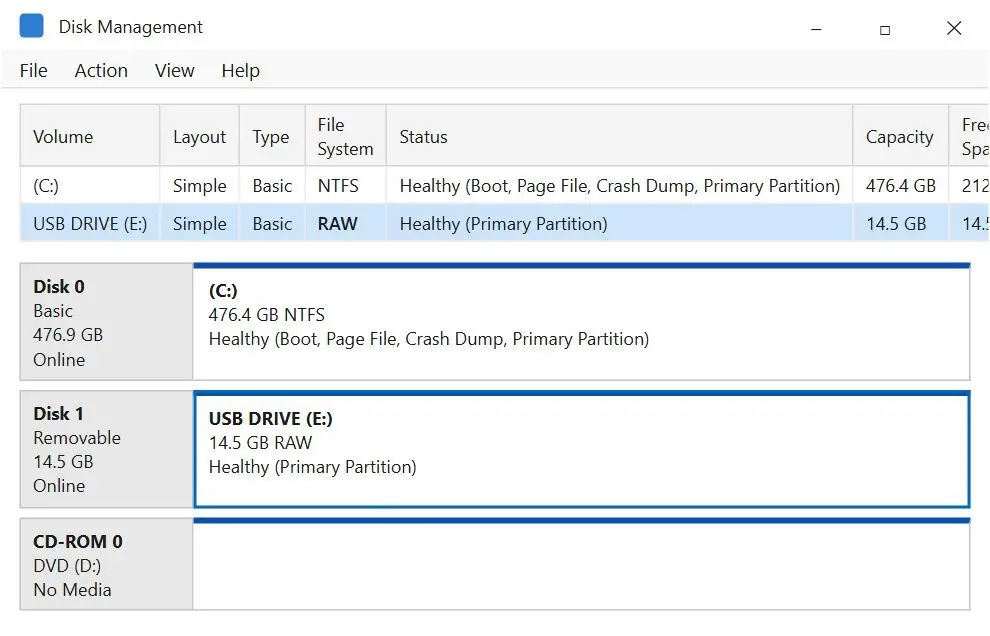
Try another port and computer, and check Disk Management. A stick showing its real size probably still holds data. Hardware warning signs include 0 bytes, no media, sudden read-only mode and disconnects every half minute.
Try a different USB port and computer to rule out the port and driver.
Right-click the Start button, open Disk Management and check the size. Full size with a RAW or blank volume points to a logical problem.
Watch for "No media", 0 bytes or a size far from the label.
Note disconnects and reconnects every 30 seconds or so, as one owner reported with a 256 GB stick.
Try copying a small file to it. "The disk is write protected" on a stick you never locked is a bad sign.
Cheap sticks sold as 2 TB or 8 TB can report more capacity than they have. Files start corrupting when the real space fills up. If failure starts just after you fill a stick, check its capacity before blaming the controller. An independent adviser in a help thread said a stick that has entered read-only mode has failed and cannot be saved by fixes passed around online. The unformattable USB drives at Make Tech Easier guide also distinguishes corruption from damage that requires replacement.
With physical damage or serious disk errors, copy whatever still reads. If the data is worth a lab fee, ask professionals to repair or recover the rest.
What can you do with a write-protected flash drive that will not format?
TL;DR
Copy or image what still reads, then try the Windows fixes once. If the stick remains read-only, its controller has most likely locked it permanently. Replace it.
Sudden write protection on a stick without a lock switch often signals a failing controller. One owner reported that even clearing the read-only attribute in DiskPart changed nothing.
On a data recovery forum, the owner of a corrupt, write-protected 8 GB stick was told to make a complete disk image and search it for files instead of trusting the broken file table. Read-only mode prevents overwriting, so try a read-only scanner once while the stick still appears in Disk Management. The SanDisk USB repair tool guide covers that brand's options. For other brands, replace a stick that remains read-only after one Format attempt and one DiskPart attempt.
Is there a free USB drive recovery tool with no limits?
TL;DR
PhotoRec and the core version of Recuva save recovered files without a cap. Most commercial USB flash drive data recovery software, including Flash Drive Recovery, offers free scanning and preview but charges for saving.
Help threads describe owners installing a "free" program, waiting through a long scan and reaching a payment screen at the Recover button. A recovery vendor's how-to video answers lost files with professional USB data recovery software, and the brand it recommends is its own.
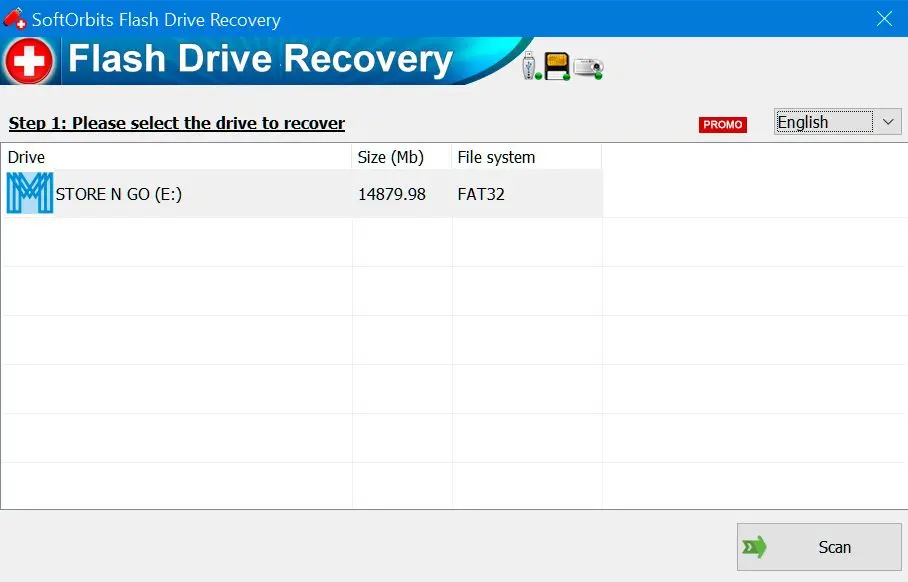
With Flash Drive Recovery, the free scan and preview let you check whether files are there and open before buying a license. You can use pen drive recovery software for deleted or formatted files.
Which USB repair tool should you use for your problem?
TL;DR
Use a read-only program while the files still need saving. Run Windows repair tools after recovery, and reserve TestDisk for partition damage on a stick you have imaged.
A parent whose only copy of a year of photos is on a stick asking to be formatted should scan with Flash Drive Recovery, save elsewhere and format last.
A student who deleted a thesis folder ten minutes ago can try Recuva or Flash Drive Recovery if the stick still opens, before copying anything new to it.
An office worker with backups who only needs the stick working can go straight to Format.
A technician dealing with a lost partition should image the stick before working in TestDisk.
Anyone whose stick became read-only on its own or shows 0 bytes should copy what reads and replace it.
Also considered: tools we left out
Recovery vendors promise support for sticks from all major brands. For read-only scans, the file system matters more than the brand.
DiskGenius. Its maker promotes it for formatting RAW sticks and warns that formatting destroys data. We found no owner reports on flash drives to compare it with the seven above.
DMDE, R-Studio and UFS Explorer appear in vendor top-7 lists, but we lacked first-hand data or owner reports on USB sticks to rank them fairly.
Manufacturer format utilities such as the HP USB Disk Storage Format Tool reformat sticks without recovering files. We have not checked which still run on current Windows. Brand-specific options appear in our Kingston USB recovery tool guide.
Format and Repair USB Guide ranks for this search, but it is a guide app for Android phones with no Windows version.
Often, if the damage is logical. Corrupted USB drive repair works on file system errors. Recover your files before trying CHKDSK, TestDisk or Format. Hardware failure usually calls for replacement.
Check Disk Management on two computers. The correct size with RAW suggests logical damage. No media, 0 bytes, sudden write protection or repeated disconnects suggest hardware failure.
Copy readable files while the stick still mounts, check for a lock switch, and try Windows Format or DiskPart once. Neither can format a stick permanently locked read-only by its controller.
Most scans cost nothing; PhotoRec and Recuva also save for free. Labs quote per case after diagnosis. Vendors talk about a reasonable price, so get a written quote before sending the stick.
We did not test controller utilities; none of the listed tools repair USB memory chips or firmware. If controller failure makes the stick read-only or causes it to vanish, copy what still reads and replace it.
 SoftOrbits Flash Drive Recovery