How to open an EML file without Outlook
You do not need Outlook to open an EML file. Thunderbird opens it like any email, free EML viewer apps show the message and attachments without a full client, and a text editor reads the raw content. For most people, Thunderbird is the closest thing to a full Outlook replacement, and it costs nothing.
Plenty of people hit an EML file on a machine that never had Outlook. That works out fine. Mozilla Thunderbird is free, runs on Windows, Mac, and Linux, and opens an EML through File then Open Saved Message, or by dragging the file into a message list. It shows the body and inline images, with attachments listed the same way your inbox shows them.
If you want something lighter than a full client, a dedicated EML viewer opens the file on its own. These small apps do one job. They read the message and let you save attachments. A free EML viewer or opener is enough for a one-off file when you have no reason to install a client. For reading the plain content only, a text editor also works, which the next two sections cover.
Open an EML file in a web browser
A browser will not open a .eml file cleanly on its own. To read the text, make a copy and rename it to end in .txt, then drag it into the browser. The old trick of renaming to .mht is unreliable in modern Edge and Chrome, so treat it as a last resort for a quick read.
Modern browsers have no built-in EML reader. If you drag a raw .eml file into Edge or Chrome, you usually get a download prompt or a wall of raw text, not a tidy email. The workaround is to copy the file, rename the copy so it ends in .txt, and open that. You will see the headers and body as plain text, which is fine for reading a short message.
You will also find advice to rename the file to .mht and let the browser render it as a web page. That behavior came from Internet Explorer, and it breaks on complex mail with embedded images or several parts. Today's browsers handle .mht poorly, so if the message has attachments or heavy formatting, switch to a mail client or a real viewer instead.
How to read an EML file in Notepad
Right-click the .eml file, choose Open with, and pick Notepad to read the raw message. You get the full headers and the body text. Notepad shows text only, so attachments appear as unreadable encoded blocks and images will not display. It is best for reading or editing text, not for pulling out files.
Because an EML file is plain text inside, Notepad opens it with no extra software. Right-click the file, choose Open with, and select Notepad, or open Notepad first and drag the file in. You get the header lines (From, To, Subject, Date), followed by the message body. Any text editor works the same way, so Notepad++ or a code editor is fine too.
The catch is attachments. Notepad cannot decode them, so a photo or PDF inside the message shows up as a long block of encoded characters, not the file itself. A BitRecover walkthrough makes the same point about Notepad showing text only. Use it when you need to read the wording or strip out personal details. When you need the attachment, open the message in a client or viewer that can save it.
How to open EML files from Gmail or Google Drive
Gmail and Google Drive do not open a downloaded .eml file inside the browser. Download it to your PC, then open it with Windows Mail, Thunderbird, or a viewer. When Windows shows several apps in the Open with list, pick an email client, not a browser or photo app, and the message renders properly.
An email you forward from Gmail and save to Google Drive comes down as a .eml file, and neither Gmail nor Drive shows it as a real message when you click it. Download the file first, then open it the way you would any EML on your computer. On a phone or inside Drive, a compatible mail app or an EML viewer add-on can preview it.
Windows often lists several programs when you right-click and choose Open with, and the right pick is not obvious. People in an r/AskTechnology thread run into exactly this, unsure which app to choose from the list. Point it at Windows Mail, Outlook, or Thunderbird rather than an image viewer, and the file opens as the email it is.
Why does the new Outlook app redirect and not open my .eml file?
The new Outlook app has a known bug where double-clicking a .eml file opens the app, then bounces you to its start screen instead of the message. Work around it by dragging the file into an open Outlook window, or right-click the .eml, choose Open with, and set new Outlook as the default from the context menu.
Here is the one place where the documentation and real life disagree. In theory, once new Outlook is installed, double-clicking an EML opens it. In practice, people report that the app launches, then instantly redirects to its start screen and never shows the file. A Microsoft Q&A thread documents this, along with a second snag. New Outlook sometimes does not appear in the Open with app list, so you cannot even set it as the default.
If a double-click keeps bouncing you back to the app's start screen, do not assume the file is broken. Drag the .eml straight into an open Outlook window, or attach it to a new blank email and open it from there. The accepted answer on that thread notes that setting new Outlook as the default for .eml from the right-click menu now works, so re-check that option after an update.
Open an EML file on a Mac, iPhone, or Android
On a Mac, double-click the .eml file and Apple Mail opens it. On iPhone and iPad, the built-in Mail app often cannot open a .eml attachment directly, so save it to the Files app and open it with a third-party EML viewer. On Android, a mail app or a free EML viewer app reads the file.
Macs handle EML with no setup. Double-click the file and Apple Mail shows the message, attachments included. You can also drag it into the Mail window if you would rather not change any defaults.
Phones are less friendly. On iOS, the Mail app cannot always open a .eml attachment the way macOS Mail can, which is a platform limit rather than something you did wrong, as long-running Apple Community threads show. The fix is to save the file to Files, then open it in a dedicated EML viewer app from the App Store. Android is similar. Use a mail app that accepts EML, or install a small viewer that reads the message and its attachments.
Online EML viewers vs opening locally: which is safer?
Online EML viewers let you drag a file into a web page and read it with no install, which is handy for a receipt or newsletter. The trade-off is privacy: the whole message uploads to someone else's server. For confidential mail, open it locally in a client or Notepad, where nothing leaves your PC.
Free online viewers are genuinely useful for a quick, low-stakes read. You drag the .eml onto the page and the message renders, no software required. For a shipping notice or a promo email, that is fine.
The problem is what you hand over. An online viewer sends the entire message to a third-party website you may not have vetted. Security-focused guides, including one from GoldFynch, warn against sharing privileged or confidential mail with unknown online tools. If the email holds a contract, a medical bill, or anything you would not paste into a random site, open it locally instead.
You send the whole email, headers and attachments, to a third-party website. Fast, but the file leaves your computer.
Windows Mail, Thunderbird, or Notepad read the file right on your PC. Private mail stays private.
How to convert an EML file to PDF
The simplest way to turn an EML into a PDF is to open the message, press Print, and pick the built-in PDF printer. That keeps the layout and works for a single email. For many files at once, a dedicated tool that batch-converts EML to PDF saves the click-by-click routine.
Once the message is open in any client, printing to PDF is the fastest route. Press Ctrl+P, pick Microsoft Print to PDF as the printer, and save. Windows 10 and 11 include that printer, so there is nothing to install. You get a PDF that mirrors the on-screen email, which is easy to file or share.
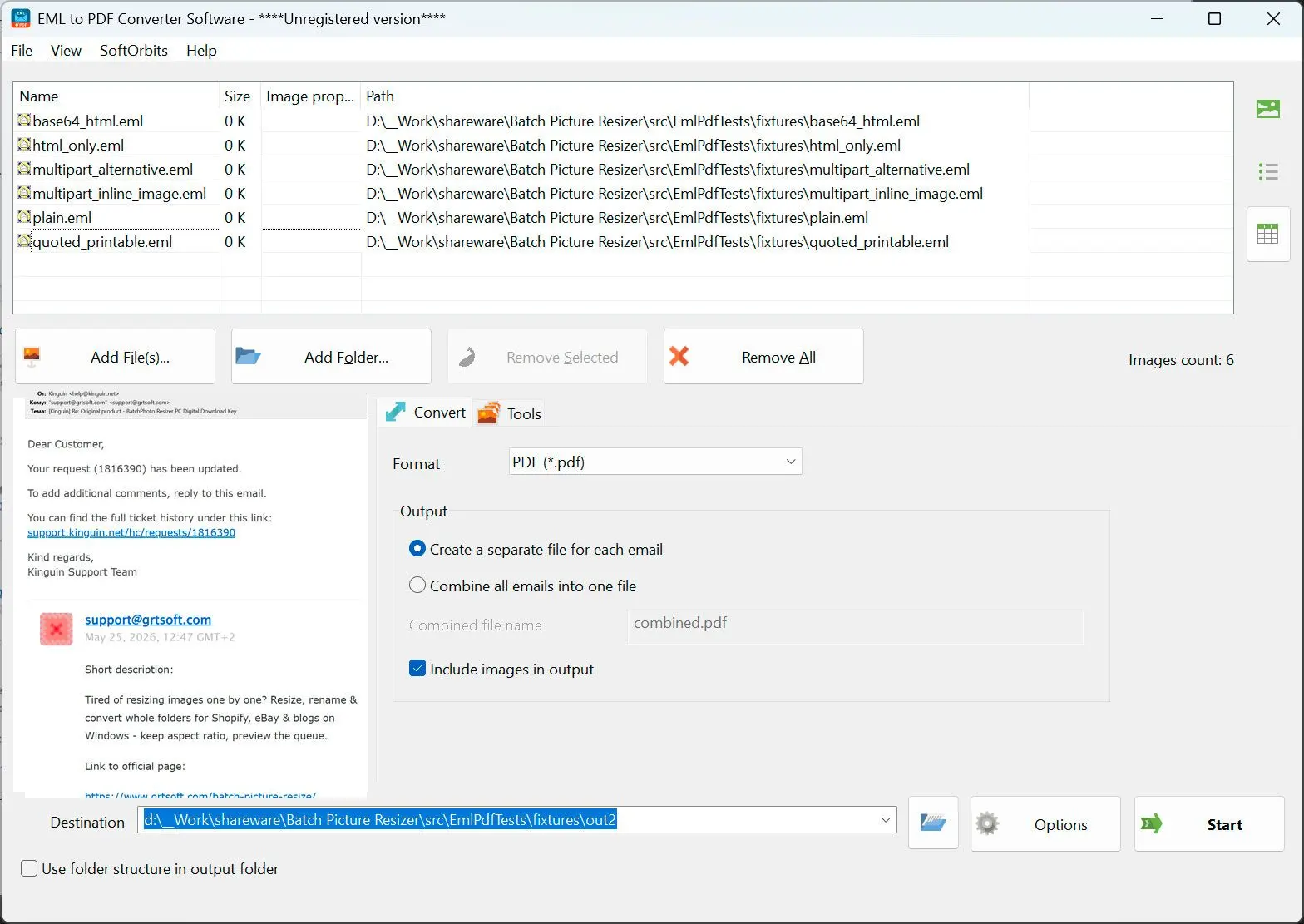
For a folder full of messages, printing each one gets old fast. A dedicated EML to PDF converter software loads many files and exports them in one pass, keeping attachments and formatting. That is the practical choice when you are archiving a mailbox rather than saving a single receipt.
EML vs MSG: what is the difference?
EML is a standard, plain-text email format defined by RFC 822, so many programs read it. MSG is Outlook's proprietary format and carries extra Outlook-specific data. A viewer built for one will not always open the other, and in the new Outlook, opening a .msg or .oft file can require a paid Microsoft 365 tier that a .eml does not.
The two look similar but are not interchangeable. As one r/Outlook comment sums up, EML is a standard format defined mostly in RFC 822, while MSG is a Microsoft proprietary one. That difference matters when you pick a tool. Something written to read EML may choke on an MSG, and the other way around.
There is a licensing wrinkle too. Microsoft's own support page notes that new Outlook and Outlook on the web open .eml files freely, but opening .msg or .oft files needs a qualifying Microsoft 365 subscription. If you mainly need a readable copy rather than the live message, an email to PDF converter turns a saved message into a PDF you can open anywhere.
Pitfalls when opening EML files
Most EML headaches are not corrupt files. The usual traps are the .mht rename trick, expecting Notepad to show attachments, a bad filename, the new Outlook redirect, and opening an unexpected message from a stranger. Each one has a simple check before you panic.
Renaming a copy to .mht is old Internet Explorer behavior. Today's browsers render it badly, and it falls apart on rich mail with embedded images or several parts. Use it only for a fast plain read, and switch to a real client or viewer for anything with attachments.
Notepad reads the raw text, so headers and body come through, but any attachment appears as an encoded block instead of a file. People in an r/howto thread point out that EML files are just text you can open in any editor, which is true for the words but not the files inside. Reach for Notepad to read or edit text, not to pull out images or PDFs.
Some exports, especially from Windows Live Mail, save the file with an underscore before eml ("message_eml") rather than a dot. Windows then does not recognize it as an email. Rename it so the extension is a literal .eml before you assume the file is damaged.
People on the r/Thunderbird board describe dragging an EML out and getting an empty compose window while colleagues open the same file fine. If this happens, open it through File then Open Saved Message rather than dragging, and check the file is not zero bytes.
As the Microsoft Q&A thread shows, new Outlook can launch and redirect to its own start page instead of the message. Drag the file into an open window, or set the default from the right-click menu after an update.
EML is a known phishing and malware carrier, a point Adobe's file guide raises directly. Treat an unsolicited .eml like any other email attachment and check the sender before you open it.
Sources
Every step above links its evidence inline at the fact. The two format-spec references are below.