Photo Retoucher Photo Retoucher

Restore and enhance old photos with SoftOrbits Photo Retoucher, AI-based photo restoration software. Remove scratches, reduce noise, and colorize black-and-white images automatically with AI.

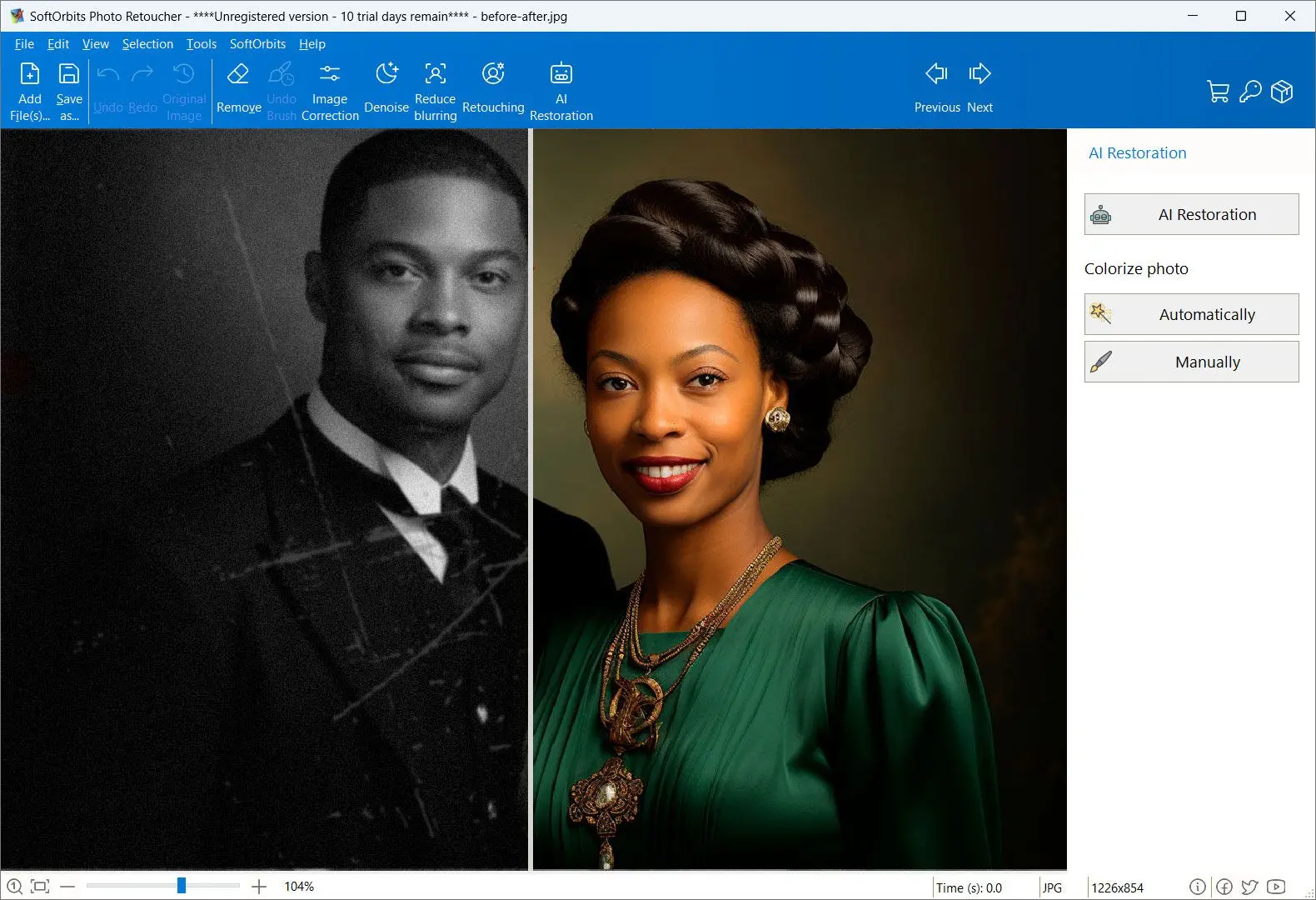
Photo Retoucher Screenshot.

In this review, you will:

  1. 1️⃣ Get an honest verdict on VanceAI, including the ratings its own fans argue about.
  2. 2️⃣ See the real cost of the credit system and where buyers get stuck.
  3. 3️⃣ Compare the cloud toolkit with a desktop alternative that runs on your own PC.
Photo Retoucher Screenshot.
Eugene - CEO at SoftOrbits, Candidate of Technical Sciences, has more than 16 years of expertise in software development, photo and multimedia applications, enhancing and transforming digital images and videos.
📅 Last updated on:  2026-07-12

This VanceAI review covers what the AI photo enhancer does well, what it costs once the free credits run out, and what to use instead if you would rather not upload family photos to a server. VanceAI is a real product with real fans. It restores old scans and colorizes black-and-white shots. It blows small images up without wrecking them, and it does all of that in a browser tab. It also runs on credits, keeps a subscription attached to your card, and carries a support record that some buyers describe in unhappy detail. We read the reviews, pulled the pricing apart, and lined it all up against SoftOrbits Photo Retoucher, our offline Windows restoration tool.

Disclosure: SoftOrbits makes Photo Retoucher. We judged VanceAI on the same yardstick we use for any tool. Its genuine strengths come first below. The limits of our own pick sit right alongside them.

Our verdict is 3.5 out of 5. VanceAI is a capable AI photo enhancer with a genuinely broad toolkit, and the restoration results are good enough that people defend it in public. What drags the score down is the credit model, the cancellation friction buyers report, and the fact that every photo you touch on the web plan goes to someone else's server.

Best for: occasional restoration or upscaling when you want 20-plus AI tools in one browser tab and no install.

Skip if: you have a stack of family scans to work through and would rather pay once than watch a credit balance tick down.

What you will learn
Apply in 12 min Saves 3 hEasy

What is VanceAI?

TL;DR

VanceAI is a cloud-based AI photo platform. It enhances and restores images in the browser, and it also upscales and colorizes them. You pay with credits rather than per tool. A separate Windows desktop app, VanceAI PC, runs the same models locally on a different price list.

VanceAI positions itself as an AI photo enhancement and editing provider, with a suite of around 22 online tools split across productivity, creativity and editing. In practice, most people come there for one of three jobs. They want a damaged old photo fixed. They want a small image made bigger without turning it to mush. Or they want color added to a black-and-white portrait.
The workflow is the same everywhere. You open a tool page and upload an image. Pick a model, then wait. Processing happens on VanceAI's servers, and the result comes back with a before-and-after slider. Every processed image spends a credit, and credits come from whatever plan you are on.

There is also VanceAI PC, a Windows desktop app that installs the models on your machine. It matters more than the marketing suggests, because it is the only version where your photos are not uploaded anywhere. It also has its own price list, which we get to below.

Main Features of VanceAI

TL;DR

One credit pool covers the whole suite. Enhancement, upscaling and restoration sit next to colorization and denoising. Background removal is in there too, plus a separate video line. Batch processing and PSD export are locked to paid plans.

Here is what the suite actually gives you.

✔️ AI Image Enhancer

noise reduction and sharpening in a single pass, with a color-correction step on top.

✔️ AI Image Upscaler

VanceAI advertises upscaling of up to 40x on its online enlarger, which is a vendor claim and not something we measured.

✔️ AI Photo Restorer

takes scratches and tears out of old scans and lifts the sepia cast. A face-focused model handles skin and hair on portraits.

✔️ AI Photo Colorizer

automatic colorization of black-and-white images, which you can run on an already-restored photo in the same workspace.

✔️ AI Image Denoiser

strips sensor noise and compression artifacts, sold as its own tool with its own credit cost, where a desktop photo noise reduction software charges nothing per image.

✔️ AI Background Remover

subject cutout, the same job our photo background remover software does on the desktop.

✔️ Batch processing

multiple images in one run, available on paid plans only.

✔️ PSD download

paid plans can export a layered file so you can keep editing in Photoshop.

✔️ Video AI

a separate product line for video upscaling and denoising, with slow motion and SDR to HDR conversion.

✔️ VanceAI PC

the Windows desktop app, marketed as unlimited processing through every model with no credits required on the lifetime tier.

One thing to check before you buy is the upload limit. Independent reviewers report it differently. One cites a 3000 by 3000 pixel cap with no RAW support in the web tool. Another quotes 34 megapixels. A third talks about a 5,000 pixel long edge for JPG and TIFF. That spread probably reflects different tools inside the suite, so confirm the ceiling for exact tool you plan to use.

Pricing and Performance Review

TL;DR

The free plan gives you 3 credits a month, which is barely a test. Paid plans run from $9.90 to $19.90 a month on credits, pay-as-you-go starts at $4.95 for 100 credits, and the desktop app is a separate $129.90 lifetime purchase. Third-party ratings swing from 4.3 out of 5 down to 2.3 out of 5, depending on where you look.

VanceAI runs on credits, not on tools. One credit is roughly one processed image, and the same pool works across the whole suite. That sounds flexible until you realize you cannot predict easily what a batch of 40 scans will cost you.

PlanPriceWhat you get
Free$03 credits per month (one review reports 4 for the Image Enhancer specifically); limited output
Pay-as-you-go$4.95 / 100 credits, up to $17.95 / 1000One-time purchase, credits valid for a year, no subscription attached
Basic subscription$9.90 / monthReported as 100 credits with rollover in one source and 200 credits in another; verify before you buy
Pro subscription$19.90 / month500 credits, full access to the 20-plus tools
VanceAI PC (desktop)$39.90 / month, $99.90 / year, $129.90 lifetimeModels run locally, no credits on the lifetime tier, 14-day money-back window advertised

Look at that last row for a moment. The monthly desktop price is four times the Pro web plan, and the lifetime option costs about as much as seven months of Pro. If local processing is what you want, the lifetime tier is the only reasonable option, and even then you are betting on a company honoring a lifetime promise.
On quality, the picture is genuinely split. VanceAI holds a 4.3 out of 5 on G2 from 62 reviews, and its Photo Restorer scores 9.4 for ease of use there, though from a sample of only 14 reviews. Trustpilot rates the company "Excellent" in the 4.3 to 4.6 range depending on the snapshot.

4.3 / 5
VanceAI's aggregate rating on G2, from 62 reviews across the seller's products
Source

Then you check a different aggregator and the rating drops sharply. On SmartCustomer, formerly Sitejabber, VanceAI sits at 2.3 out of 5, with one reviewer writing that wait times run "regularly more than 10 minutes" and that over a month none of their requests "have functioned altogether." The sample there is tiny, only three reviews, so we would not treat it as the truth either. What it does tell you is that the happy majority and the burned minority are describing different products, and you cannot know which one you will get until your card is charged.

2.3 / 5
VanceAI's rating on SmartCustomer (ex-Sitejabber), against 4.3-4.6 on Trustpilot and G2
Source

Speed is usually fine. Reviewers call it fast for single images, and batch runs are its selling point. The counter-evidence is specific rather than vague. At least one buyer reports processing that ran past ten minutes or never finished at all. The desktop app also has real hardware requirements. The floor is an Intel 4th-generation CPU with 8 GB of RAM and a GTX 750 Ti. The recommended spec climbs to an i7 with 16 GB and an RTX card.

Pros:

Covers restoration and colorization from the same credit pool that pays for enlargements

Batch processing handles a folder of scans in one run

Vendor policy says uploads are encrypted and auto-deleted within 24 hours

A desktop app exists for people who want local processing

Cons:

The credit system is hard to budget for, especially on a large batch

Free tier of 3 credits is too thin to evaluate the tool properly

Faces and busy backgrounds come back inconsistent, per multiple reviewers

Cancellation and refund friction is a recurring theme in buyer complaints

How to use VanceAI

Open the tool you need

Go to the VanceAI Photo Restorer or Image Enhancer page and click Upload Image to select your file.

Choose the restoration options

Pick the options that match the damage on your scan, from a torn corner through to fading and color cast. Turn on face enhancement if the photo has portraits in it.

Start processing

Hit Start to Process. In the desktop app you pick the tool first, then drag the file into the window.

Adjust the parameters

The desktop app exposes more control than the web tool. You get a scale factor and a model picker, plus sliders for blur and noise. A soft scan that needs real deblurring is a different job, and dedicated unblur image software handles it better than an upscale slider does.

Wait for the preview

VanceAI shows an automatic before-and-after comparison when the job finishes.

Colorize if you need to

Switch on Colorize in the same workspace to add color to a restored black-and-white photo. That is a second operation, so budget a second credit.

Download the result

Press Download Image to save it. PSD export is available on paid plans. Credits are deducted once per processed image, so re-downloading the same result does not cost extra.


Photo Retoucher Photo Retoucher

Restore and enhance old photos with SoftOrbits Photo Retoucher, AI-based photo restoration software. Remove scratches, reduce noise, and colorize black-and-white images automatically with AI.

Where VanceAI falls short

TL;DR

The complaints cluster around billing, support and consistency. Buyers report missing cancel buttons and ignored refund requests inside the advertised window, plus faces that come back distorted. Behind all of it sits the structural issue. On the web plans, your photos leave your computer.

Start with billing, because that is where the complaints concentrate. On the company's Trustpilot page, one reviewer says there is no clear cancel-plan button anywhere in the dashboard or billing page, and that they contacted support five or six times about cancellation while the charges kept landing. Another paid 85 euros, requested a refund inside the advertised money-back window, and reports getting neither the refund nor a straight answer.

That pattern is what turns a decent tool into a bad purchase. A photo enhancer that occassionally garbles a face is just annoying. One you cannot cancel is a different problem.
Quality complaints exist too, and they are specific. One buyer who spent $33.99 on credits reports that the AI distorted faces, garbled text, and added artifacts. Independent reviewers echo the softer version of this: the editorial team at Tools for Humans scored it 3.5 out of 5 and flagged inconsistent performance on landscapes and complex backgrounds, and a comparison piece on Rangy lists lower face quality than competitors as VanceAI's weak spot next to Topaz.

The desktop app is not automatically the answer either. In a German-language thread on r/KI_Welt, a user reports the desktop trial simply hanging while loading the AI model, with a support ticket that went unanswered. They wanted to buy it. They could not get it to run. Over on r/aiArt, someone weighing the lifetime plan mentions threads from people who say their monthly credits never arrived.

And then there is the credit model itself, which even friendly reviews call out. The team behind 4DDiG's VanceAI review put it plainly, calling the pricing plan with its credit system "a bit confusing for beginners." They were not being unkind. They were describing a checkout you have to do arithmetic for.

Marketing and practice do not line up here, and that gap is the thing to watch. The site advertises a money-back window; buyers report refund requests inside that window going unanswered. The lifetime desktop tier promises unlimited use; forum posts claim licenses that stopped working. Pricing pages list credit counts that two independent reviews record differently. None of this makes VanceAI a scam. It does mean you should screenshot the plan you bought and pay through a method you can dispute.

Last, the quiet one. On any web plan, your photo is uploaded, processed on a server, and stored there for a while. VanceAI says images are encrypted and deleted within 24 hours, and we have no reason to doubt it. But a scanned photo of your grandmother is not a stock image, and "trust our retention policy" is a different security model from "the file never left the laptop."

Best alternative: SoftOrbits Photo Retoucher

TL;DR

SoftOrbits Photo Retoucher does the same core job as VanceAI. It removes scratches and noise from old scans. It colorizes black-and-white shots, rebuilds faces and upscales with AI. Every step runs on your own Windows PC, you pay once, and no photo is ever uploaded.

The pitch is narrow on purpose. Photo Retoucher is not a 22-tool suite, and it does not touch video. Old scans are the whole job.

You add a scan or a whole folder, tick the operations you want, and let it run. AI face reconstruction rebuilds blurred and damaged portraits, and a trained colorization model puts color back into a monochrome shot. Scratch and dust removal runs on the AI too, with manual color fixes afterwards if the result needs them. The built-in AI Photo Enlarger takes an image up to 800% before printing. There is a GPU path with a CPU fallback, so an older machine is slow rather than excluded. Manual tools sit right next to the AI ones, which matters when the model gets a face slightly wrong and allows you quickly fix a cheek by hand instead of spending another credit on a re-roll.

VanceAI, in the cloud

Upload the scan, spend a credit, wait for the server, download the result. Repeat for every photo, watch the credit balance, and hope your card does not renew a plan you forgot about.

Photo Retoucher, on your PC

Drop the folder in, tick scratch removal and colorize, press start. The scans never leave the machine and the license does not renew.

We will be honest about what you give up. Photo Retoucher is Windows-only, so there is no Mac, no browser version, and no phone app. Its AI Photo Enlarger tops out at 800%, well under VanceAI's advertised 40x online ceiling. The AI models are not bundled in the installer either, so the first run has to download them before you restore anything. And it does not enhance video at all, so if that is why you came to VanceAI, this is not your tool. If your job is old scans rather than video, our AI-based photo restoration software is built for exactly that.

Pros:

Runs every operation on your own PC, with no upload step at all

One-time license, so there are no credits to track and no renewal to cancel

Batch mode applies a set of operations to a whole folder of scans

Manual retouch tools sit alongside the AI, for when the model misses

Cons:

Windows only, with no Mac or mobile build and no browser version

AI Photo Enlarger caps at 800%, below VanceAI's claimed online ceiling

Downloads its AI models on first run instead of shipping them in the installer

Does no video enhancement of any kind

Verdict: pick Photo Retoucher when old photos are the job on a Windows machine and you would rather own the tool than rent it. Stay in the cloud if you need the wider toolkit or you are not on a PC.

VanceAI vs SoftOrbits Photo Retoucher

TL;DR

VanceAI wins on breadth, platform reach, and raw upscale ceiling. Photo Retoucher wins on privacy, price predictability, and control. If old scans on a Windows machine are the whole job, the desktop tool is the cheaper and quieter answer.

Here is the side-by-side on the points people actually weigh before paying.

FeatureVanceAISoftOrbits Photo Retoucher
Where processing happensVendor servers on web plans; locally on VanceAI PCAlways on your own PC
Payment modelCredits: $9.90-$19.90/mo, or $129.90 lifetime desktopOne-time license, no credits
Free tier3 credits per monthTrial version
Old photo restorationYes: scratches, fading, sepia, facesYes: scratches, dust, noise, AI face restoration
ColorizationYes, automaticYes, automatic, plus manual color fixes
AI upscale ceilingUp to 40x claimed onlineUp to 800%
Batch processingPaid plans onlyIncluded
Video enhancementYes, separate product lineNo
PlatformAny OS via browser; Windows desktop appWindows only (11/10/8/7)

The table splits cleanly. VanceAI is broader and reaches every operating system through the browser, and if you need a video upscaler or a 20x enlargement, nothing on the desktop side of this comparison replaces it. Photo Retoucher is narrower and better where it overlaps: the same restoration job, done on your machine, for a price you pay once. For a shoebox of family scans, that difference stops being philosophical around photo number thirty.

When VanceAI is still the better pick

TL;DR

VanceAI is the right call if you are not on Windows, if you need video enhancement, if you want extreme upscaling, or if you only have one or two photos to fix and 3 free credits will cover it.

We are not going to pretend a desktop license beats the cloud in every scenario. It does not.
If you are on a Mac, a Chromebook, or a phone, our tool is not an option and VanceAI is. A shaky old video rather than a photo needs VanceAI's video line, which has no equivalent on our side. Blowing a tiny image up past 8x for a large print calls for the advertised 40x online enlarger, a capability we do not match. And with exactly one photo to fix, three free credits and a browser tab beat installing anything.

Three profiles make the choice concrete:

✔️ The family archivist.

Two hundred scans from a box in the attic, faces of people who are gone, and no interest in uploading any of it. Desktop, batch, done over a weekend. Photo Retoucher.

✔️ The one-photo fixer.

A single cracked wedding portrait for an anniversary card. The free credits handle it. Use VanceAI and close the tab.

✔️ The mixed-media creator.

Old clips to upscale, thumbnails to enhance, a Mac on the desk. VanceAI's suite fits the workflow; a Windows restoration tool does not.

Is VanceAI safe to use?

TL;DR

VanceAI is not malware, and its stated policy is to encrypt uploads and delete them within 24 hours. The risks that matter are commercial rather than technical. The cancellation path is unclear, refunds get disputed, and one buyer reports 85 euros gone with no answer.

There is no evidence of anything malicious about VanceAI. It is a real company with a shipping product, a published privacy policy, and review pages on G2, Trustpilot and SmartCustomer that anyone can read.

The safety question people are really asking is about money. Judging by the complaint pattern, prefer pay-as-you-go over a subscription. Pay with a method you can dispute. Keep the receipt. That other half of the question we answered above, and no rating aggregator settles it for you.

Other VanceAI alternatives we also considered

TL;DR

Topaz Photo AI has the best face recovery but went subscription-only. Remini is mobile-first and over-smooths faces. MyHeritage bundles its enhancer into a genealogy plan, and Let's Enhance is sharper on fine detail but narrower overall.

VanceAI is not the only door out. Here is the rest of field and why each one landed where it did.

✔️ Topaz Photo AI.

Widely rated the best in class for face recovery, with real Photoshop integration. It moved to a subscription-only model in October 2025 at roughly $33 to $67 a month, and the perpetual license is gone, so the thing that made it attractive to one-time buyers no longer exists.

✔️ Remini.

Enormous user base and a one-tap workflow on mobile, around $19 a month or $69 a year. The catch is the look. It smooths and reshapes faces, and even a Redditor who defends VanceAI describes disliking tools that "make them look like artificial dolls." No batch, little control.

✔️ MyHeritage Photo Enhancer.

Friendly for family-tree work, but the photo tools ride along with a genealogy subscription at about $129 a year, and the quality lags dedicated tools. You are buying a genealogy service and getting an enhancer.

✔️ Let's Enhance.

Cloud upscaler at $9, $24, or $34 a month on annual billing, for 100 to 500 credits. Their own head-to-head comparison page claims VanceAI output goes slightly soft on fine text, which is a competitor talking about a competitor, so weigh it accordingly. Narrower toolset, still cloud, still credits.

✔️ Nero AI.

Runs an alternatives listicle of its own and sells a comparable cloud suite. Same delivery model as VanceAI, same credit questions, so switching solves nothing structural.

✔️ HitPaw FotorPea.

Desktop app with nine AI models, but it carries the same credit system on top of a subscription, and independent testers found its face restoration blurry on old photos. Our HitPaw FotorPea review has the numbers.

Worth adding, not every VanceAI user is unhappy. The defenders are specific about why. One independent restorer review notes that on a good scan "the character's face is quite clear, even the wrinkles in the corners of the eyes can be seen." That is a real result, and any honest comparison has to hold it next to the complaints rather than instead of them.

Photo Retoucher Photo Retoucher
VanceAI review 2026: honest test of the AI photo enhancer, real credit pricing, cancellation complaints, and the best offline Windows alternative.
Photo Retoucher Screenshot.


🙋Frequently Asked Questions

VanceAI is a legitimate company, not malware, and its policy states that uploaded images are encrypted and deleted within 24 hours. The trust issues reported by buyers are commercial. Cancellation is unclear, refunds are slow, and support tickets go unanswered. Rating aggregators disagree sharply, from 4.3 out of 5 on G2 to 2.3 out of 5 on SmartCustomer.

They are different tools for different jobs. VanceAI automates a specific fix in one click, where Photoshop hands you a full manual toolkit and a long learning curve. For restoring an old scan quickly, an AI tool wins on time. For precise retouching, Photoshop or a desktop retoucher with manual tools gives you far more say in the result.

VanceAI is a cloud platform of roughly 22 AI photo tools. The most-used ones enhance image quality and upscale small images. Others restore damaged old photos, colorize black-and-white shots and cut out backgrounds. A separate product line enlarges and cleans up video, and a Windows desktop app runs the same models locally.

The free plan gives 3 credits a month. Paid subscriptions run $9.90 a month for the basic tier and $19.90 for Pro with 500 credits, while pay-as-you-go credits start at $4.95 for 100 and reach $17.95 for 1000, valid for a year. VanceAI PC, the desktop app, is priced separately at $39.90 monthly, $99.90 yearly, or $129.90 for a lifetime license.

Yes. The AI Photo Restorer clears scratch marks and rips, lifts spots and sepia cast, and runs a face-specific model on portraits. Results are good on clean scans and less reliable on heavy damage or busy backgrounds. Faces are the single most common quality complaint in independent reviews.

Free web enhancers exist, but they typically watermark output, cap resolution, or process in the cloud just like VanceAI. If "cheaper" means predictable rather than zero, a one-time desktop license costs less than a year of any credit subscription and does not renew. If it truly must be free, expect to trade away batch processing and quality control.

In principle you cancel from the plan or billing settings inside your VanceAI account. In practice, several buyers report they could not find a working cancel option and had to chase support repeatedly while charges continued. If you are on a subscription, cancel well before the renewal date and keep written proof of the request.

Topaz still leads on face recovery, but it dropped its perpetual license and went subscription-only in October 2025 at around $33 to $67 a month. If a one-time payment matters more than the last five percent of face quality, a desktop restorer like SoftOrbits Photo Retoucher covers the same restoration, colorization, and upscaling jobs without a recurring bill.

VanceAI's web tools process every image on its servers, so your photo is uploaded. Only VanceAI PC, the paid desktop app, works locally. If offline processing is the requirement, AI photo restoration software that runs entirely on Windows keeps the scans on your drive from start to finish and does not charge per image.

Four come up repeatedly. The credit system is confusing to budget for, the free tier is too small to properly test, faces and cluttered backgrounds come back inconsistent, and cancellation and refund requests meet friction. Reviewers also note no RAW support and an upload size cap in the web tools, with the exact limit reported differently across sources.

Sources