Photo Retoucher Photo Retoucher

Restore and enhance old photos with SoftOrbits Photo Retoucher, AI-based photo restoration software. Remove scratches, reduce noise, and colorize black-and-white images automatically with AI.

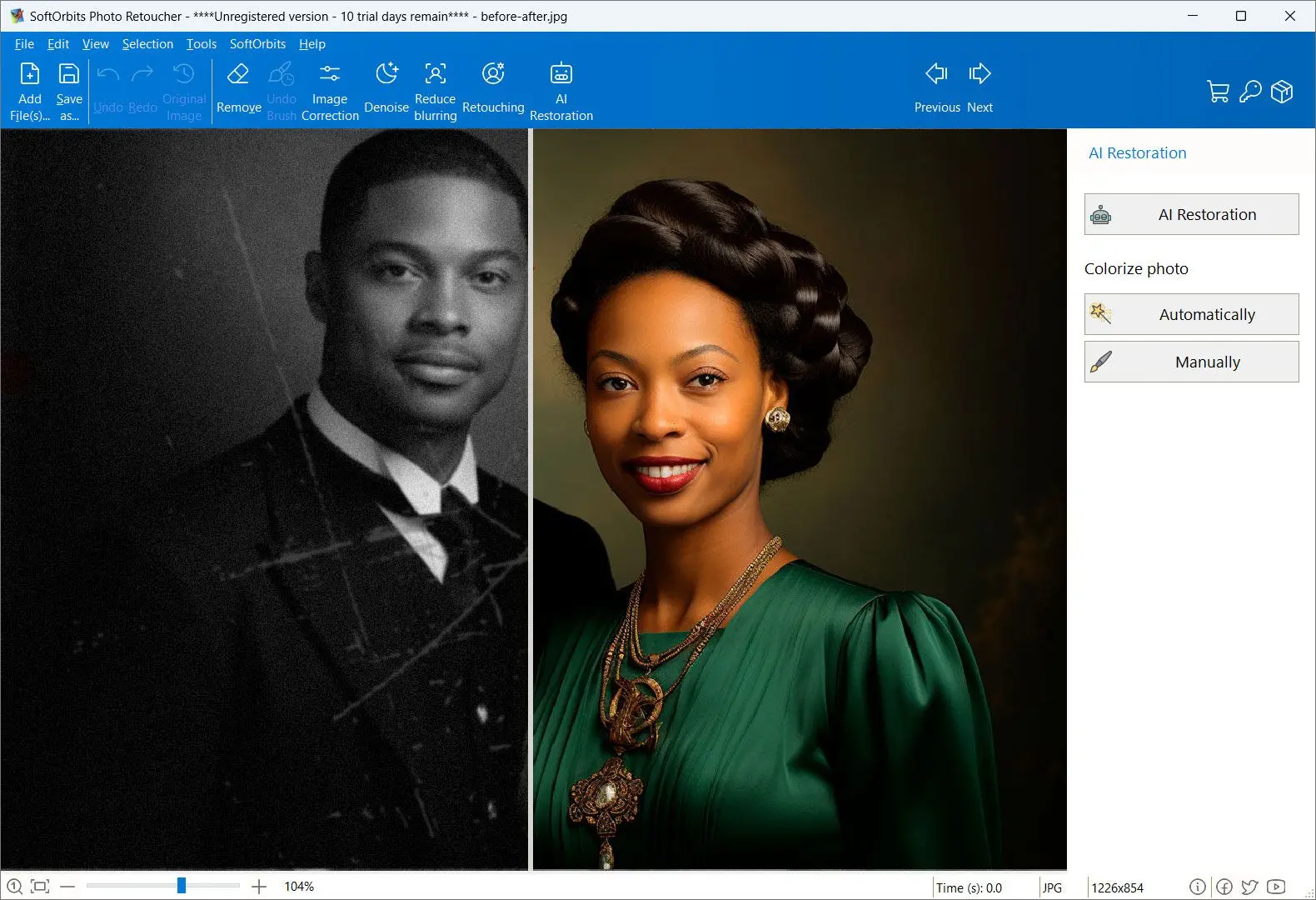
Photo Retoucher Screenshot.

In this review, you will:

  1. 1️⃣ See what HitPaw FotorPea does well and where independent testers found it weak.
  2. 2️⃣ Get the real pricing picture, including the credit system nobody mentions upfront.
  3. 3️⃣ Compare it against a specialist old photo restorer before you pay for a year.
Photo Retoucher Screenshot.
Eugene - CEO at SoftOrbits, Candidate of Technical Sciences, has more than 16 years of expertise in software development, photo and multimedia applications, enhancing and transforming digital images and videos.
📅 Last updated on:  2026-07-12

This HitPaw FotorPea review covers the AI photo enhancer that HitPaw renamed from HitPaw Photo Enhancer, and it focuses on the case most people care about. Old family pictures that came out faded, scratched, sometimes too small to print. FotorPea is a generalist. It upscales, denoises, colorizes, removes backgrounds, even generates images from a prompt. Nine models, one app. The hardest job on that list is the one it does worst, and two separate reviewers put a finger on the same weak spot. We read the vendor pages, those tests, the user complaints, then lined FotorPea up against our own restoration tool for Windows.

Disclosure: SoftOrbits makes Photo Retoucher. We judged FotorPea on the same yardstick we use for any tool. Its genuine strengths are named below, so are the limits of our own pick.

Our verdict is 3 out of 5. HitPaw FotorPea is a capable general-purpose enhancer with an unusually deep model lineup, and it is pleasant to use for quick fixes on decent photos.

What holds it back: subscription pricing layered with credits. The free version cannot export at all. Independent tests found blurry faces plus inconsistent color on genuinely old photos.

Best for: casual enhancement and upscaling on Windows or Mac.

Skip if: your job is restoring damaged family prints and you would rather buy once than rent.

What you will learn
Apply in 9 min Saves 3 hEasy

What is HitPaw FotorPea?

TL;DR

HitPaw FotorPea is the renamed HitPaw Photo Enhancer, a desktop and mobile AI photo editor built on nine specialized models. They cover upscaling, face restoration, denoise, sharpening, colorize plus scratch repair. It is a broad enhancer first, a restoration tool second.

FotorPea is HitPaw's flagship photo product. HitPaw is a consumer software brand with a long catalog of video, audio and photo utilities, and FotorPea is the one aimed at image quality. The pitch is simple. You drop a photo in, pick the model, and AI does the work while you watch before-and-after preview.
The product ships as a Windows 11/10 desktop app, a macOS 10.15 app, an iOS app, an Android app. There is also a Photoshop plugin plus a browser version. Very few restoration tools cover that many surfaces. If you start an edit on a phone and finish it on a laptop, that matters.

What FotorPea is not is a specialist. Its feature list runs past photo quality into background removal, face swap, ID photo generation, text-to-image prompts. Those extras show where the roadmap is going. It is not toward heavily damaged prints from 1962.

9
specialized AI models in HitPaw FotorPea, from Face and Upscale to Scratch Repair and Colorize
Source

Main Features of HitPaw FotorPea

TL;DR

The core of FotorPea is a model picker. Nine AI models cover upscaling to a claimed 8K, face restoration, sharpening, denoise, low-light recovery, colorization, scratch repair, color calibration, with batch processing on top.

Everything below comes from HitPaw's official product page and its help guides, cross-checked against third-party reviews. These are the features the app really ships, not a wish list.

✔️ Nine AI models

Nano Banana Pro (the model behind its AI Generator), Face, Upscale, Sharpen, Denoise, Low-light, Colorize, Scratch Repair, Color Calibration

✔️ Upscaling

HitPaw advertises output up to 8K - the headline of its own product page, which also lists 4K/8K/32K and "resolution up to 4x"

✔️ Batch processing

load a folder, apply one model to every image, export the set in one pass

✔️ Wide format support

PNG, JPG, JPEG, WEBP, TIF, TGA, BMP, JFIF, RAW both ways

✔️ Beyond photo quality

background removal, face swap, ID photo maker, AI image generation, all in the same app

✔️ Platform reach

Windows, macOS, iOS, Android, a Photoshop plugin, an online version

The model picker is the part that works. Instead of one magic button that guesses what is wrong, you tell the app what kind of damage it is looking at, and it loads the network trained for that. Restoration professional works the same way: diagnose first, repair after. It also means a bad result is usually your model choice, not the software.
Hardware asks are modest for AI software. HitPaw lists a 4th-generation Intel i3 or Ryzen 3 processor, 8 GB of RAM, an NVIDIA GTX 950 or better GPU, 2 GB of disk space, and a screen no smaller than 1366x768. Photo work will still crawl on low end of that list, which is a theme that comes back in the performance section.

One thing to know before you install: the free version does not export. You can process a photo and admire the preview, and then save button asks you to upgrade. Signing up with an email address activates the trial - HitPaw's purchase page words it as "Try 7 days for free, then auto-renew", which is exactly where the billing complaints below start.

Pricing and Performance Review

TL;DR

FotorPea sells a subscription with credits attached. The plan costs $22.39 per month, $90.39 per year, or $130.39 as a perpetual license. Every tier was discounted the day we checked, so the list price and the checkout price rarely match.

Prices below were taken from the HitPaw purchase page on 12 July 2026. Every plan was on discount that day, so the list price and the price you actually pay are different numbers. HitPaw rotates these promos, so check before you buy.

PlanPrice (12 Jul 2026)CreditsNotes
Monthly$22.39 / month (list $27.99)100Auto-renews; cancel any time
Yearly$90.39 / year (list $112.99; $73.44 with the 20% code)500Auto-renews
Perpetual$130.39 (list $162.99; $105.94 with the 20% code)800 one-offFuture major versions cost extra
Credit pack$4.99 one-off / $14.99 per month200 / 1000Requires an active subscription
Free version$0-No export

$22.39
per month for HitPaw FotorPea on Windows (list price $27.99), with 100 credits included in the plan
Source

That table is the sticker price, not the bill. Credits sit underneath it, and they have earned the section directly below this one. Two smaller facts belong here though. Buying the Windows version throws in a 3-day trial of the iOS, Android and Photoshop-plugin builds. HitPaw also advertises a 30-day money-back window on the purchase page.

Performance is where vendor copy and independent testing part ways. HitPaw hosts its own review page with 444 self-reported reviews and a "Great" score, which is marketing, not evidence. The independent picture is more mixed. A VideoProc hands-on test ran FotorPea across four cases, including an old-photo restore and a black-and-white colorization. Their colorized result showed "several other obvious inconsistencies throughout the image", and face restoration on old photos produced "noticeably blurry" areas that lacked fine detail. VideoProc sells a rival product, so read their conclusion with that in mind. Artifacts they photographed are still artifacts.

The independent blog NetLingo lands in the same place from a different angle: the app "may take longer on older PCs" and, on the hard cases, "if a photo is heavily damaged, results may vary". Two reviewers, no coordination, same two weak spots.

Pros:

Nine models give you real control over which fix runs

Covers Windows, Mac, phones plus Adobe's editor from one purchase

Batch mode handles a folder without babysitting

Good at ordinary enhancement: blur, noise, low light, mild upscaling

Cons:

Free version cannot export anything

Subscription plus credits makes the true cost hard to predict

Independent tests found blurry faces and color drift on old photos

Reviewers report it takes longer on older PCs

What FotorPea really costs to own

TL;DR

The plan price is a floor, not a total. Every tier ships with a credit balance. Monthly gives you 100, yearly 500, the perpetual tier 800. AI features spend that balance down, and whatever is left expires after six months on a subscription, twelve on a one-off pack.

You are buying two things and only one of them is on the price tag. There is the plan, and there is the credit balance the plan hands you. AI work draws on the balance. When it empties, the app still opens and the expensive models stop running until you top up.
HitPaw's credits page, cited in the Sources at the foot of this article, prices the top-ups. A one-off pack of 200 credits runs $4.99. A thousand credits a month runs $14.99. Then comes the catch stacked on the catch. Credit bundles require an active subscription before they unlock FotorPea's AI tools, so a pack bought on its own does nothing at all. Two meters, one price tag.

Then the balance evaporates. Credits that arrived with a subscription die after six months, credits from a one-off pack after a year. That is not unique to HitPaw, and it is also not the number anyone weighs when the yearly plan looks reasonable in the checkout.

6 months
how long HitPaw FotorPea subscription credits stay valid before they expire; one-off credit packs last a year
Source

The complaints follow the design. Buyers on PissedConsumer describe credit requirements that only became clear after they had paid for a subscription, a charge of $43 for the next month arriving six days into a trial, repeated failed attempts to cancel, and one refund settled at 50 percent with the buyer told the problem was their own fault. Those are complaints about HitPaw the company, not about image quality. They still cost money.

Work out how many credits your job needs before you pay, then find out what happens when they run out. A shoebox of scans is a batch job, and a batch job is exactly what drains a credit balance fastest.

Here is the arithmetic against our own product, because the cheap move would be to shout "cheaper" and walk away. Photo Retoucher is a one-time license, $49.99 for Home and $69.99 for Pro. No credits, no balance, nothing that expires. FotorPea's perpetual tier costs $130.39, which is more than either of ours, and it also buys a far wider set of jobs, so a straight price comparison would be a trick. The claim we are making is not that we are always cheaper. It is that one of these two bills you once and then goes quiet, while the other keeps a counter running behind the work.

How to use HitPaw FotorPea

Download and install FotorPea

Get the installer from hitpaw.com and run it. Windows and Mac builds are separate downloads, so grab the one that matches your machine.

Register to start the trial

Launch the app and sign in with an email address. That activates the 7-day trial. Remember that the free version will not let you export the result.

Load your photo

Click Choose File or drag an image into the window. JPG, PNG, WEBP, TIFF, RAW all work.

Pick the AI model that matches the damage

This is the step that decides your result. Faces go to the Face model, grain to Denoise, soft focus to Sharpen, a black-and-white print to Colorize, and white specks to Scratch Repair.

Adjust the strength and hit Preview

Where a model exposes an intensity slider, start low. FotorPea renders a live preview so you can judge the result before spending anything.

Run a batch if you have a folder

Switch to batch mode, add the folder, and apply the selected model across every file at once.

Compare, then re-run with another model

Look at the preview at 100 percent zoom, not fit-to-window. If skin looks waxy or the color drifted, switch models and run it again.

Export the finished image

Click Export and pick a format. Export is a paid feature, so this is where the trial ends and the plan begins.

Photo Retoucher Photo Retoucher

Restore and enhance old photos with SoftOrbits Photo Retoucher, AI-based photo restoration software. Remove scratches, reduce noise, and colorize black-and-white images automatically with AI.

Where does HitPaw FotorPea fall short?

TL;DR

Three gaps matter for old photos. AI face restoration goes soft or plastic under zoom, colorization drifts, the billing model depends on subscriptions plus credits. Part of the app also needs an internet connection.

Start with faces, because on a family photo the face is the whole point. The complaint that follows every AI enhancer in this class is the plastic look. As one tester who ran HitPaw alongside Topaz and Remini put it on Reddit, most AI upscalers "look impressive at first glance, until you zoom in and realize everything turned into plastic skin, fake textures, or oversharpened messes". FotorPea is not uniquely guilty here. It is squarely inside the pattern, and VideoProc's blurry-face finding is the same story from the other end. That is the surface of the problem. The deeper version, whether the model repaired the face or quietly replaced it, gets the section right after this one.

Colorization is the second gap. VideoProc's black-and-white test came back with visible inconsistencies across the frame, which matches what colorize models generally do when they have no reference: they guess, and the guess wanders between regions.
The third gap is commercial rather than technical, and it has the section above to itself: the credit balance under the plan price, the renewals, the cancellation trouble. It earns a place on this list anyway, because it is the thing that shapes how people shop in this category. The developer who announced a rival restoration app on r/windowsapps opened with exactly that: being tired of every AI photo app turning into a subscription trap, or asking you to upload family photos to a server you know nothing about.

That last part is the fourth gap. Tenorshare's review lists "limited offline functionality" as a con, and HitPaw's own credits page says the bundles "require an active subscription to unlock FotorPea's AI tools". So a folder of scanned family photos does not stay a private matter between you and the flatbed.

Restoring a face, or inventing one?

TL;DR

A generative model does not repair a face so much as redraw it. On a photo you have ten copies of, that is a curiosity. On the only surviving picture of your grandfather, a face that looks nearly right is a loss wearing the costume of a fix.

The sharpest statement of this came from a 3,800-upvote thread on r/ChatGPT about AI "restoration", and it fits in one line: the tool is not upscaling anything, it is making its own new image. People had fed in family photographs, got back clean portraits, and gradually worked out that they were looking at a stranger wearing a relative's haircut.
That is the mechanism working as designed, not a bug. Hand a model trained on millions of faces a patch of blur, and it fills the blur with the most plausible face-shaped thing it knows. It has no access to your grandfather. It has access to the average of everybody. Where the print still holds detail, the guess lands close enough to feel like memory. Where the print holds nothing, and a small 1962 snapshot holds very little around the eyes, the guess is free to be wrong, confidently, at high resolution.

Users of a rival upscaler stated the general law of it on r/LetsEnhanceOfficial. AI upscaling makes an image look worse when it guesses details that are not there. Warped text, invented fabric, skin that belongs to nobody. The strongest tool in the category carries the same habit. DPReview's test of Topaz Photo AI, cited further down this page, found it smoothing genuine detail off faces into plasticky skin. FotorPea is not the villain of this story. It is a member of a class, and the class has this property.

Check the result at 100 percent zoom, on the face, before you pay for anything. Identity lives in small landmarks. The shape of a nose. The set of the eyes. A mole, a scar, the exact line of a jaw. If the tool "improved" any of those, it did not restore your photo. Lower the strength and run it again.

Which is why a strength control matters more than a model count. Photo Retoucher rebuilds faces with CodeFormer and leaves the strength in your hands. Push it up and detail appears. Pull it down and the model stays nearer to what the negative actually recorded. We are not going to pretend that makes us magic. If the information is not in the grain, nobody puts it back without inventing it, not us, not FotorPea, not a model ten times the size. The real choice is between a tool that admits that and a tool that fills the hole for you and says nothing.

Best alternative: SoftOrbits Photo Retoucher

SoftOrbits Photo Retoucher takes the opposite bet. Instead of nine models for every photo job, it does one job: restoring old, damaged, faded photographs on Windows for a single payment.
The restoration pipeline is built around that job. A scratch detector finds the damage and LaMa inpainting fills it, so cracks, dust, tape marks disappear without you cloning them by hand. Faces run through CodeFormer, an open reconstruction model that rebuilds detail rather than smearing it. Black-and-white prints go through DDColor to colorize black and white photos automatically, and you can then correct the result by hand where the model guessed wrong. That second pass is the step most cloud tools never give you. There is also an enlarger for prints, an object remover for the stranger in the background, batch processing for a whole shoebox of scans.

FotorPea, subscription and cloud

Pick a model, spend credits, and watch the plan renew every month. Part of the workflow needs an account and a connection, so your family scans travel.

Photo Retoucher, one payment and local

Install once, pay once, keep working when the router dies. The restoration models run offline, and there are no credits to top up.

The processing model matters more than the feature count here. Photo Retoucher pushes its AI through CUDA or DirectML, and falls back to the CPU on machines without a supported GPU. Pricing is a single license. Home costs $49.99, Pro costs $69.99. Against FotorPea's $90.39 yearly plan the Home license pays for itself inside the first year and then stops costing anything, which is the argument for old photo restoration software you own instead of rent.

Both sides, then. Pros first.

Pros:

Built for one job: scratches, fading, noise, damaged faces on old prints

Runs locally on Windows; scans do not go to a cloud service

One payment ($49.99 Home) instead of a subscription with credits

Manual color correction after the AI pass, so you can fix a wrong guess

Batch mode for an entire folder of scans

Cons:

Windows only, with no Mac build and no mobile app

Models download on first run, so you need the internet once

Narrow by design: no text-to-image generation, no face swap, no anime models

Batch AI passes on a CPU-only machine take real time

Verdict: Photo Retoucher is the pick for photos that are old, damaged and personal. That kind of job should finish, not renew every month. A generalist makes more sense if restoration is an occasional side quest.

HitPaw FotorPea vs SoftOrbits Photo Retoucher

Here is the side-by-side on the points people weigh before paying. FotorPea numbers come from HitPaw's own product and purchase pages, dated 12 July 2026; Photo Retoucher numbers come from our product data.
FeatureHitPaw FotorPeaSoftOrbits Photo Retoucher
Core jobAll-round AI enhancer and upscalerOld photo restoration
Pricing$22.39/mo, $90.39/yr, $130.39 perpetualOne-time $49.99 Home / $69.99 Pro
CreditsYes - 100 to 800 by plan, packs sold separatelyNone
Where it runsDesktop plus account and online featuresLocally on your PC, GPU or CPU
Free tierYes, but export is blockedFree trial before you buy; 14-day money-back
Scratch and dust repairScratch Repair modelScratch detector plus LaMa inpainting
Face restorationFace model; blurry on old photos per independent testCodeFormer reconstruction, dial-down strength
Colorize B/WColorize model; inconsistencies reportedDDColor plus manual color correction
UpscalingClaimed up to 8KAI enlarger up to 8x
PlatformsWindows, Mac, iOS, Android, Photoshop, webWindows 10 and 11
ExtrasBackground removal, face swap, AI generationObject remover, concealer, clone stamp

The split is clean. FotorPea wins on breadth and reach. It runs everywhere, it does more kinds of edits, and if your photo needs are varied it will cover more of them from one app. Photo Retoucher wins on the specific job this article is about. It repairs damage rather than re-imagining it, and it charges once. For a decent modern photo that just needs a touch-up, FotorPea is the more flexible pick. Rescuing a torn print from a shoebox calls for the specialist.

When is HitPaw FotorPea still the better pick?

TL;DR

FotorPea is the smarter buy when you are on a Mac or a phone, when you need one app for many kinds of edits, or when generative extras like background removal and face swap are part of your workflow. Photo Retoucher does none of that.

We are not going to pretend a specialist beats a generalist at being general. FotorPea genuinely wins in several cases.
If you are not on Windows, there is no debate at all. Photo Retoucher has no Mac build and no mobile app, so MacBook or iPhone rules it out entirely. FotorPea covers both, and it plugs into Photoshop or runs in a browser tab.
A varied photo workload changes the math: the breadth is worth paying for. Removing a background for a product listing. Swapping a face for a joke. Generating an image from a prompt, fixing a passport photo. All of it sits in one app. Photo Retoucher does none of those things and never will.

For heavy upscaling aimed at print, FotorPea headlines 8K output (its own page also says "resolution up to 4x"), while our enlarger works in multiples and stops at 8x. Neither number is a test result, so treat both as vendor specs. Our own answer to that job is a separate tool for people who batch upscale images rather than restore them. And if your photos are modern and mostly fine, only a bit soft or noisy, the generalist handles that class of fix well. That is the case where its own reviewers sound genuinely happy.

Is HitPaw FotorPea safe and legit?

TL;DR

FotorPea is a legitimate commercial product from HitPaw, a Chinese software company, and the app itself is not malware. The risk sits in the billing model and the cloud features, not in the download.

HitPaw is a real vendor with a real catalog, a Microsoft Store listing, and years of releases. The app is not a scam in the malware sense. The rating picture, though, deserves a look before you enter a card number. The public scores cover HitPaw the company, not FotorPea the product, and the two aggregators we checked land more than a full point apart.

3.1/5
average rating for HitPaw as a company across 210 reviews on one aggregator; another puts it at 4.3/5 across 176
Source

That spread tells you something real. Complaints cluster on billing and cancellation, not on the software crashing or shipping something nasty. Treat it as a normal subscription risk. Note the renewal date, screenshot the 30-day refund terms, find the cancel button before you enter a card number.

Other HitPaw FotorPea alternatives we also considered

TL;DR

Topaz Photo AI, VideoProc Converter AI, and Remini all show up next to FotorPea in the same searches. None of them changed our recommendation for old-photo work, and each one loses on a different point.

✔️ Topaz Photo AI

the heavyweight of the category and a one-time purchase rather than a subscription, by HitPaw's own account on its comparison page. DPReview's review of Topaz Photo AI found it "has a tendency to yield an overly-smoothed look with unnatural, plasticky skin" on faces that already had detail - the same weakness.

✔️ VideoProc Converter AI

the tool behind the most useful independent FotorPea test we found. It is a video-first suite with photo AI attached, so restoration is a side feature rather than the main event.

✔️ Remini

the phone-first face enhancer that appears in every upscaler comparison thread. It is fast and free to try, and it is also a frequent example of the plastic-face result people complain about.

✔️ Browser-based restorers

dozens of them rank for the same keywords. They upload your family photos to a server, which is exactly the tradeoff the r/windowsapps thread above refused to make.

If you want the wider field with pros and cons for each, our roundup of photo restoration software compares eight tools side by side.
For torn, creased and dust-covered prints specifically, the dust and scratch removal software guide goes deeper on physical damage than any review of a single app can.

Which tool fits your photos?

TL;DR

Match the tool to the archive. Family scans with real damage want a specialist. Mixed creative work wants the generalist. A phone-only workflow rules out desktop tools entirely.

The family archivist has a box of prints, a flatbed scanner, one free weekend. The damage is physical. Creases, tape residue, silver mirroring, faded dyes. This person wants Photo Retoucher, because the tools map onto the damage one to one. A subscription is the wrong shape for a job that finishes.
The casual poster has a phone full of photos that are slightly soft, slightly noisy, about to go on Instagram. FotorPea handles that in seconds and looks good doing it, and mobile app means no desktop at all. Buy the monthly plan, run the batch, cancel.

The mixed-workflow creator sells on a marketplace, edits product shots, needs backgrounds gone, sometimes rescues an old photo for a relative. FotorPea's breadth wins here. The restoration will not be the best available, and for one photo a year that is a fair trade.
The one case with no good compromise is a heavily damaged photo that also matters. Reviewers found FotorPea blurry exactly there, and both aggregator complaints and the free-version export block make experimentation expensive. Run the specialist against the worst print in the box before you commit to either app.

Photo Retoucher Photo Retoucher

Restore and enhance old photos with SoftOrbits Photo Retoucher, AI-based photo restoration software. Remove scratches, reduce noise, and colorize black-and-white images automatically with AI.

Photo Retoucher Photo Retoucher
HitPaw FotorPea review 2026: real pricing with credits, what independent tests found on old photos, and the best Windows alternative for restoration.
Photo Retoucher Screenshot.


🙋Frequently Asked Questions

It is a solid general-purpose enhancer, and we rate it 3 out of 5. It handles ordinary fixes well, from soft focus and noise to low light and mild upscaling. It is weaker on the hard cases, where independent tests found blurry face restoration and inconsistent colorization on old photos.

No. You can install the free version and process a photo, but you cannot export the result without a paid plan. The 7-day trial needs an email registration, and saving anything means buying a subscription or the perpetual license.

As of 12 July 2026, HitPaw lists $22.39 per month, $90.39 per year, or $130.39 for a perpetual license, with 100, 500, and 800 credits respectively. Extra credit packs run $4.99 for 200 or $14.99 a month for 1000, and they need an active subscription.

Yes, it is a legitimate commercial app from an established vendor, not malware. The complaints you find online are about billing. Hidden credit requirements, renewal charges after short trials, trouble cancelling. Read the refund terms before you pay.

Yes. HitPaw is a consumer software brand based in China with a wide catalog of video, audio, and photo tools. On its own that says nothing about quality. It matters only when you track where your files get handled, and in that case the question is which FotorPea features need an account and which do not.

For genuinely old and damaged photos on Windows, a specialist beats a generalist. Look for a scratch detector, a face reconstruction model you can dial down, and a way to fix the colors by hand once the AI has made its guess. That is what Photo Retoucher is built around, and it is why we put it ahead of FotorPea for this job.

Reviewers on PissedConsumer report both. Complaints describe credit requirements that only became clear after purchase, a $43 charge for the next month arriving six days into a trial, and repeated failed attempts to cancel. HitPaw advertises a 30-day money-back window; keep a screenshot of the terms.

That is its weakest area. VideoProc's hands-on test found blurry, detail-poor face restoration on old photos and visible inconsistencies in colorization, and NetLingo's review says outright that results may vary with heavily damaged photos. Test your worst photo during the trial before you commit.

Use Photo Retoucher when your photos are old, damaged, personal. It restores rather than re-imagines, runs on your own PC, costs one payment of $49.99. Use FotorPea if you want one app for many types of edit across Windows, Mac, phones, with restoration as an occasional task.

Sources

  • Cutout.pro review of HitPaw FotorPea Third-party feature inventory used to cross-check the official model list
  • DPReview review of Topaz Photo AI (linked inline above) The plasticky-skin problem documented on a leading AI enhancer
  • HitPaw credit bundles page, hitpaw.com/buy-fotorpea-credits.html Source for the credit packs, the 6-month expiry, and the active-subscription requirement
  • SmartCustomer ratings for HitPaw Company-wide score of 3.1 out of 5 across 210 reviews
  • HitPaw FotorPea on Slashdot Directory listing that tracks the rename from HitPaw Photo Enhancer