Batch Picture Resizer is a straightforward CR2 to JPG converter software: it converts Canon CR2 files to JPEG without burying you in advanced options—ideal when you want a simple desktop tool instead of a full photography suite.

  1. 1️⃣ Install SoftOrbits Batch Picture Resizer.
  2. 2️⃣ Add CR2 Files to the Program.
  3. 3️⃣ Select JPEG as the Output Format.
  4. 4️⃣ Adjust JPEG Compression Settings.
  5. 5️⃣ Start the Conversion Process.
Eugene - CEO at SoftOrbits, Candidate of Technical Sciences, has more than 16 years of expertise in software development, photo and multimedia applications, enhancing and transforming digital images and videos.
📅 Last updated on:  2026-04-07

What is the best software to convert CR2 files to JPG on Windows 10/11?

Converting RAW files like CR2 to JPG means compressing a large amount of sensor detail into a smaller, shareable file.
Any photographer using a DSLR works with RAW photos. Unlike ordinary JPGs, RAW images are not ready to print or post straight from the camera. RAWs hold everything the sensor captured before in-camera processing, so you need software to develop them into standard JPEGs you can share or print.

CR2 to JPG Converter Software Free Download

Cr2 to jpeg converter software..

Functions

Batch Picture Resizer supports multiple RAW formats:
  • CR2 (Canon)
  • NEF (Nikon)
  • RAF (Fujifilm)
  • 30+ Additional formats

Technical features:

  • RAW to JPG conversion
  • Height and width adjustment
  • Watermark addition
  • Level adjustments
  • Rotation
  • Renaming
  • Smart cropping
  • Command line mode
  • Quick preview and thumbnails
  • Keeps folder structure at the output folder
Batch Picture Resizer converts large RAW files quickly—often faster than many generic CR2 to JPG converter tools when you batch convert CR2 to JPG on a modern PC.

How to use the CR2 to JPG Converter Download

Add Image

First, run your CR2 to JPG converter download and install it on your computer. When you open the app, you will see Add File on the left.

Click it and pick the CR2 images you want to convert.

Convert cr2 to jpeg on Windows 10/11 step 1. add files..

Resize if needed

You can crop in place or enter height and width while keeping the aspect ratio.

The Resize control sits just below Add File.

Skip this step if you do not need to resize or crop.

Click on JPG under Convert Option

To the right of Resize, open the Convert tab to see the list of output formats.

Choose JPG from the dropdown.

Convert cr2 to jpeg step 3. output format..

Select Destination

At the bottom, use Destination to choose where converted files are saved.

Pick a folder or paste a path into the field.

Convert cr2 to jpeg step 4. select destination folder..

Click on Start

When size, format, and folder look right, click Convert at the lower right.

The SoftOrbits CR2 to JPG converter program writes JPEGs from your CR2 files in moments.

Convert cr2 to jpeg step 5. push start button..

Batch Picture Resizer Batch Picture Resizer

Batch Image Resizer is an easy, user-friendly tool that helps you resize multiple photos, convert, flip, mirror, or rotate them in batch mode.

Video Tutorials

Batch Convert CR2 to JPEG

Processing RAW photos is slow when every app makes you open files one by one. With this Canon CR2 to JPG converter free download for Windows 10, you can stay in one window.
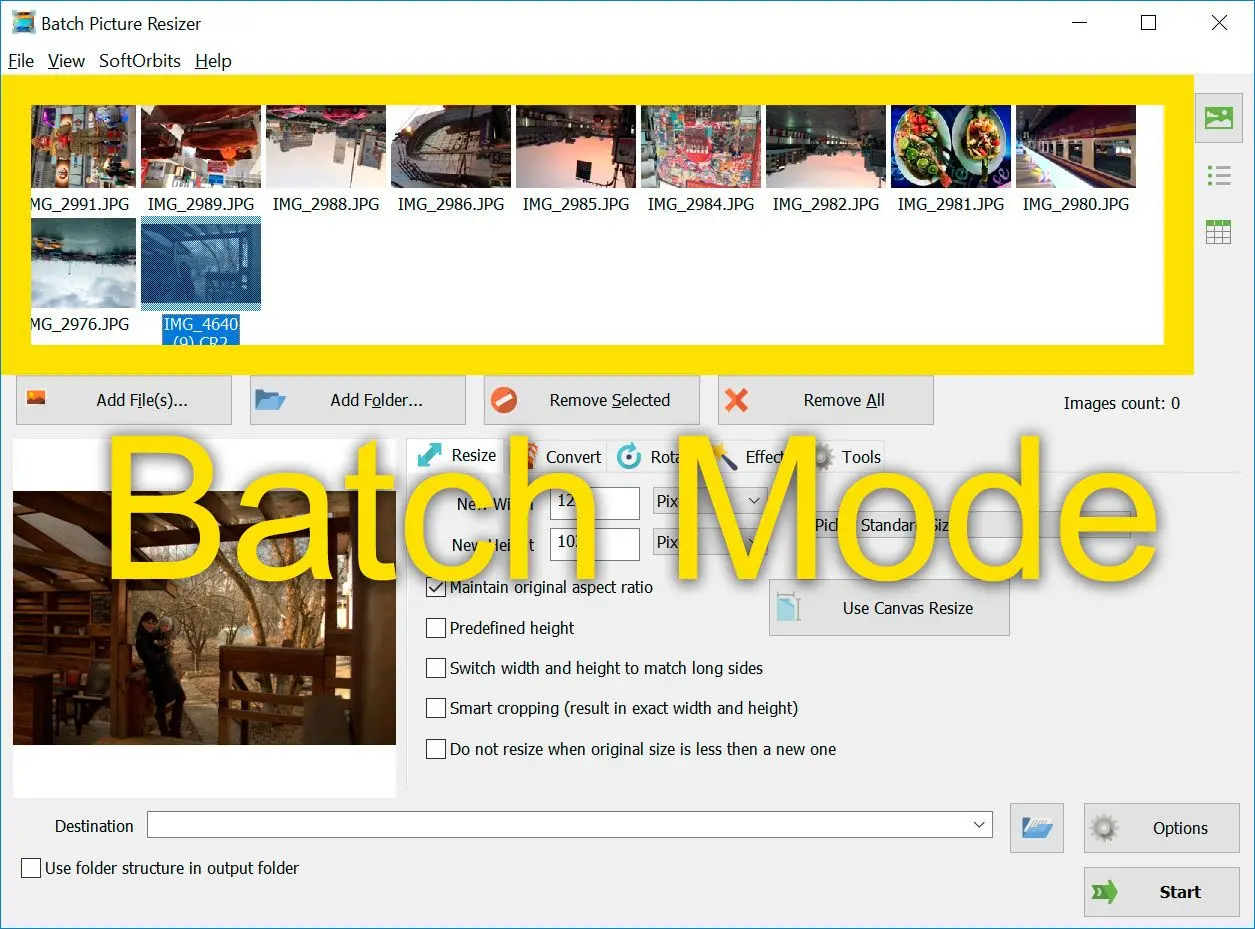
Batch mode. Convert multiple CR2 photos to JPG..

For batch mode, use Add File to load many images at once—drag a selection, multi-select, or click files while holding Ctrl.
After the queue is ready, apply the same adjustments to every item in one pass.

RAW formats supported by SoftOrbits Batch Picture Resizer

Batch Picture Resizer opens RAW files from many digital cameras (CRW/CR2, NEF, RAF, DNG, MOS, KDC, DCR, and more) and supports virtually all common RAW formats. Below is a sample of widely used types (not an exhaustive list):

FormatExtension(s)ProducerDescription
TIFF/EP.3fr, .ari, .arw, ...ISODefines a basic framework for storing raw and processed images in TIFF.
Digital Negative (DNG).dngAdobeExtension of TIFF/EP, adding information on camera characteristics. Royalty-free.
Canon Raw v2 (CR2).cr2CanonBased on TIFF and lossless Jpeg ITU-T81.
Canon Raw v3 (CR3).cr3CanonUses the ISO base media file format container with custom tags and a custom crx codec.
Sony RAW (SRF, SR2, ARW and ARQ).srf, .sr2, .arw, .arqSonyBased on TIFF container, uses proprietary Makernote fields. May be uncompressed, proprietary lossy-compressed, or Jpeg lossless compressed depending on version.
Nikon Electronic Format (NEF).nefNikonRAW format used by Nikon cameras, stores information sensed according to the geometry of the sensor's individual photo-receptive elements.
Pentax Electronic File (PEF).pefPentaxRAW format preserving information captured at the time of exposure, used by Pentax cameras.
Olympus Raw File (ORF).orfOlympusRaw format capturing radiometric characteristics of the scene, compatible with TIFF/EP and Exif metadata.
Panasonic Raw (RW2).rw2PanasonicRaw format with corrections for geometric distortion and chromatic aberration, based on the Tag Image File Format (TIFF).

Batch Picture Resizer Batch Picture Resizer
Use this CR2 to JPG converter software on Windows 11/10/7 to batch convert Canon RAW files to JPEG quickly—free download, simple controls, no heavy photo suite.


🙋Frequently Asked Questions

JPG (Joint Photographic Experts Group) is the format most galleries, email, and social platforms expect. Because JPEGs are universally accepted, you can open them in any common viewer or on your phone.

Photoshop recognizes most RAW formats, so you can launch the app, choose File, and open a CR2 image. Supplemental tutorials and videos can walk you through deeper edits.

Like JPG, PNG is widely supported. Most tools that export JPEG from CR2 can also save PNG, including desktop apps and online converters—pick what fits your workflow.

If you need to batch convert CR2 to JPG, use SoftOrbits Batch Picture Resizer: add every file (or whole folders), set JPEG options once, and run a single job. Built-in editing and renaming help you finish faster than converting shots one by one.

A dedicated desktop converter is usually quickest. To convert CR2 to JPG on Windows 10 or 11 with minimal waiting, choose an app that uses batch mode and your CPU efficiently. With Batch Picture Resizer, typical folders often finish in under a minute for average-sized files.

Supported Canon Cameras

  • PowerShot 600
  • PowerShot A5
  • PowerShot A5 Zoom
  • PowerShot A50
  • PowerShot A410 (CHDK hack)
  • PowerShot A460 (CHDK hack)
More...