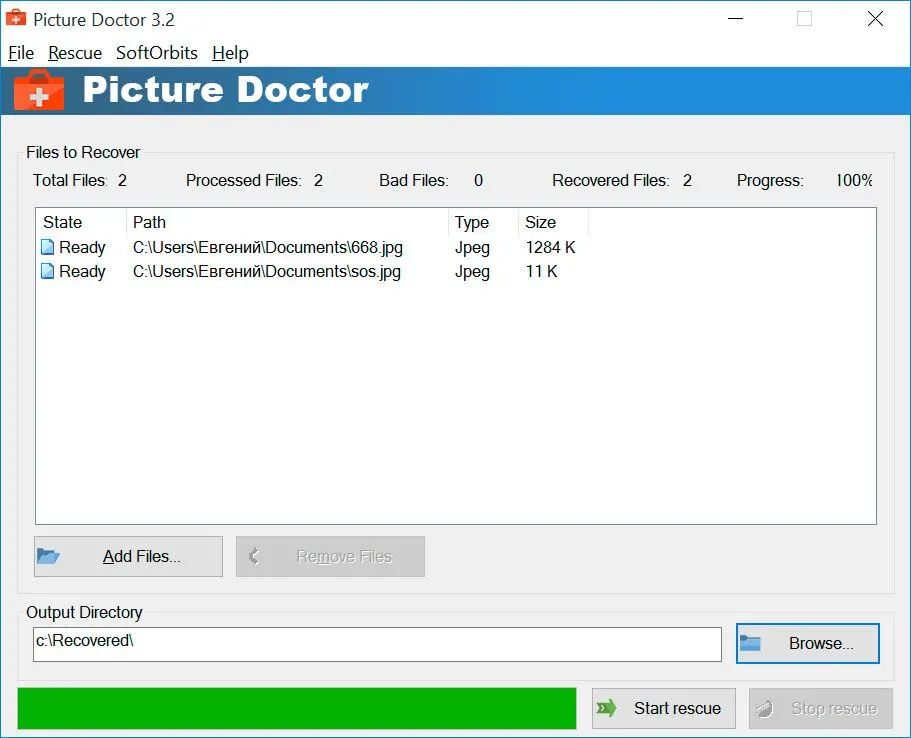
Most JPEG errors point to the same root problem: a broken header, an invalid marker, or a damaged data segment. The exact wording tells you where the damage sits, but the fix is the same class of repair tool. A numbered error or "Invalid Image" usually means a structure problem a tool can rebuild; a grey "Photocopier Effect" pattern usually means lost image data, where only partial recovery is realistic.
Different viewers throw different errors for the same underlying corruption. Vendors like SysTools even index the exact strings people search, from "JPEG error #52" to the "Photocopier Effect." Matching the message to a cause helps you set expectations before you pick a tool.
| Error you see | What is usually broken | What tends to work |
|---|---|---|
| "Not a valid image" / "file is not supported" | Header or opening markers damaged | A repair tool that rebuilds the JPEG structure, like Picture Doctor |
| "Unknown JPEG Format" / "JPEG error #52" | Invalid or misplaced JPEG marker | Marker-level repair; a same-camera reference file helps stubborn headers |
| Grey block or half-drawn image | Truncated or missing image data stream | Partial recovery only; a repairer may return the top rows or an embedded thumbnail |
| Repeated tiled or striped pattern ("Photocopier Effect") | Bit errors that desync the image data | Often only partial; a marker-level tool may help |
| "No preview available" / blank thumbnail | Embedded preview and main stream both lost | Try file-carving to re-extract, then repair; results vary |
| "Unexpected end-of-file" (PSD) | Save cut off, layer data incomplete | Photoshop's crash-recovery folder first, then a PSD-aware repair tool |
The 7 best image repair tools, reviewed
1. Picture Doctor by SoftOrbits (best for corrupted JPEG and PSD, including layer recovery)
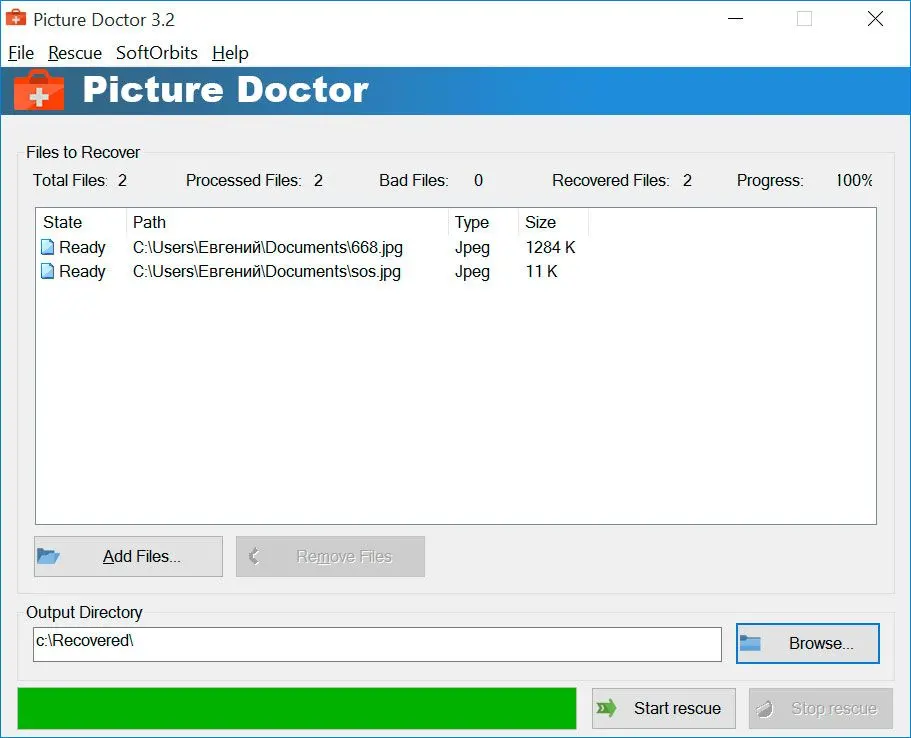
Picture Doctor is the best photo repair software we make, and it aims at one job. It rebuilds corrupted or truncated JPEG and PSD files that error with "not an image" or "file is not supported." You point it at the broken files, it repairs the damaged structure, and it saves the result as BMP while preserving the original dimensions and EXIF data. The standout is PSD support. It opens Photoshop documents from version 3 through 26 and restores the layers as editable layers, which is rare in this category and speaks directly to the "empty layers after a crash" pain people describe. Batch mode lets you run a folder of damaged files in one pass. There is a free trial with a watermark so you can see what comes back before you pay. You can read the full spec on the Picture Doctor page.
Pros:
Repairs both corrupted JPEG and PSD, which most single tools do not
Restores PSD layers you can still edit, not just a flattened image
Processes a whole folder of damaged files in one batch run
Preserves original dimensions and EXIF from the source file
Keeps the workflow simple, with no reference file needed
Cons:
Windows only, with no Mac build
Repairs JPEG and PSD only, so formats like RAW and HEIC are out of scope
Saves the repaired image as BMP, so you may re-export afterward
Roughly half of badly damaged files come back, by our own estimate
Repairs structure, not lost pixels, and cannot recover deleted photos
Verdict: the pick to start with if your problem is a corrupted JPEG or a damaged PSD on Windows, especially when Photoshop layers are involved.
Our take: we keep it around because it does the boring part well and stays honest about the rest. The PSD layer recovery is the feature we would miss most. We make it, so weigh that, but the layer support is the genuine reason it sits at the top for this specific job.
2. Stellar Repair for Photo (best for the widest format and RAW coverage)
Stellar covers the widest range of formats on this list. Beyond JPEG it repairs a long list of RAW formats from most camera brands, plus HEIC and TIFF, and it runs on both Windows and Mac. That breadth is the main reason people reach for it, and it can extract embedded thumbnails from files too damaged to fully repair. The honest catch is the free version. It previews the repaired image but will not save it, and the pricing splits into paid tiers, with the pricier plans adding video and data recovery on top of photo repair. Its real-world success on the worst-hit files is also disputed, more on that below. Check current specs and pricing on the Stellar Repair for Photo page.Pros:
Repairs the widest set of formats here, including many RAW types
Runs on both Windows and Mac
Extracts thumbnails from files it cannot fully repair
Ships frequent updates from an established brand
Cons:
Free version previews only and will not save the result
Charges to save a repair, with video and recovery gated to pricier tiers
64-bit only, with no support for older systems
Reported results on severe damage are inconsistent
Our take: from the docs and user reports, this is the one we would point a photographer to for RAW off a card. We have not bought the paid tiers, so treat the "advanced repair" claims as vendor material until you test the free preview yourself.
Repairit shows up in nearly every repair roundup because it covers more than photos. The same family repairs video and documents too, under one roof, with desktop and online versions. For photos it handles JPG and PNG, plus more than fifteen formats in all, and it markets an AI mode for tougher files. Wondershare publishes its own success figures, which we treat as vendor claims rather than verified fact. On Trustpilot the picture is mixed. Some users praise the video repair specifically, while others report auto-renewal billing and refused refunds. The photo module ships in both the desktop app and the online version.
Pros:
Handles photos plus video and documents from one app
Handles 15+ image formats, more than most single-format tools
Offers desktop and online versions for different workflows
Draws user praise for results on corrupted video
Cons:
Vendor-published success rates are self-reported, not independently tested
Trustpilot reports of auto-renewal and refund refusals
"Advanced repair" mode reported by some users as producing no result
Pricing not clearly shown before download
Verdict: worth a look if you also need to fix corrupted video or documents, not just photos.
Our take: the multi-format reach is real and useful, but the marketing runs ahead of what users report. We would use the free path first and ignore the headline percentages.
4. EaseUS Fixo Photo Repair (best for repair inside a broader recovery suite)
EaseUS Fixo is the photo-repair module of a well-known recovery brand, which suits people who want one vendor for undelete and repair. It repairs common image formats plus RAW files from phones and cameras, on Windows and Mac, with a clean two-step interface. As with several tools here, the trial previews but does not save. One nice cross-check: EaseUS's own best-of roundup independently lists our Picture Doctor and describes its JPEG-plus-PSD and batch feature set accurately, which is a small vote of confidence from a competitor. See the EaseUS photo repair roundup.Pros:
Repairs common formats plus RAW from many device types
Bundles repair into a broader recovery suite
Guides you through a clean two-step workflow
Runs on Windows and Mac
Cons:
Trial previews only and will not save repaired files
Slower on large files, especially the online version
RAW handling hits limits on badly corrupted files
Independent, non-vendor reviews are thin
Our take: the interface is friendly and the feature list is honest. We judge this from docs and its vendor testimonials rather than a paid test, so weigh the trial preview before buying.
5. JPEG-Repair Toolkit by DiskTuna (best for technical users doing header and marker repair)
This photo repair software is for people who like to understand what they are fixing. Built by a single data-recovery specialist, JPEG-Repair Toolkit works at the header and marker level, realigning invalid markers and patching bad-sector damage, and it can pull a JPEG from a RAW file's embedded thumbnail. The tradeoff is that serious header repair often needs a "reference file," a good photo shot on the same camera and settings, so the tool can borrow a valid structure. That is powerful but not beginner-friendly. The developer's own writeups are, frankly, the clearest technical explanation of JPEG corruption we found anywhere. See the JPEG-Repair Toolkit page.Pros:
Gives deep, header-level control over JPEG repair
Extracts JPEGs from RAW file thumbnails
Documents the repair process unusually clearly
Includes lifetime updates in the license bundle
Cons:
Header repair often needs a same-camera reference photo
Steep learning curve for non-technical users
JPEG focused, with no PSD support
Windows only
Our take: the documentation alone taught us things about JPEG structure. For a casual user it is overkill, but for a stubborn header case it is exactly right.
6. SysTools JPEG Repair (best for chasing a specific JPEG error code)
SysTools JPEG Repair targets people who search by the exact error on their screen. Its page names the strings users type verbatim, like "JPEG error #52," "Unknown JPEG Format error," and the tiled "Photocopier Effect" artifact, and it fixes header and bit-error damage in JPEG files. It supports a wide range of Windows versions, down to legacy releases. There are downsides. Pricing is not published on the page. There is no clear batch mode, and the legacy-first OS support hints at an older codebase. See the SysTools JPEG Repair page.Pros:
Matches specific JPEG error codes users search for
Repairs header and bit-error damage
Supports a broad range of Windows versions
Cons:
No pricing published on the product page
No clear batch-processing mode
Dated feel and legacy-first OS support
JPEG only, with no PSD or RAW
Our take: the error-code framing is genuinely helpful for matching your exact symptom. We would confirm the price directly before committing.
7. SecureRecovery for Photo by OfficeRecovery (best for a desktop plus cloud option)
OfficeRecovery is a long-running brand whose photo tool (formerly sold as PixRecovery) offers both a desktop build and an online repair option, which helps if you cannot install software. It repairs common non-RAW formats like JPEG, PNG and TIFF in the standard product. The wrinkle is the SKU split. RAW support lives in a separate purchase, which can confuse buyers, and the trial output is watermarked. Pricing is public, unlike some rivals here.Pros:
Offers both desktop and cloud repair options
Publishes upfront pricing
Repairs common non-RAW formats
Comes from an established, long-running vendor
Cons:
RAW support is a separate purchase
Trial output is watermarked
Two-SKU split confuses buyers
No PSD layer repair
Our take: the split RAW SKU is annoying, but the public pricing and cloud option are points in its favor. We assessed it from its specs and pricing page, not a paid run.
 Picture Doctor